
Adding Dummies around Modgen Instances using the Array Assistant
The Array Assistant lets you add dummies along one or more edges of a Modgen grid pattern.
- Select the required instances in the Pattern region of the Array Assistant.
- Right-click to display the shortcut menu.
-
Select a direction to insert dummies.
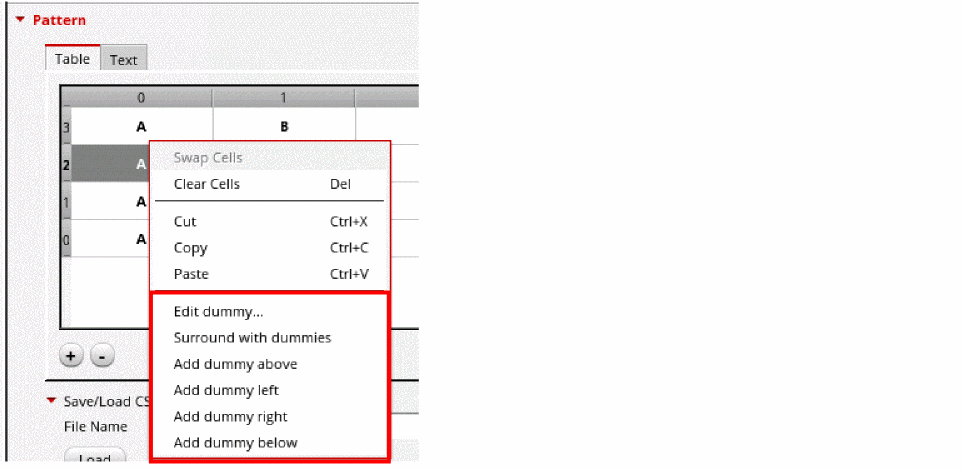
Dummies are added in the specified direction. The dummies created using this method are backward-compatible with the Modgen dummies creation options.
Dummy properties are automatically reset to defaults when you change the pattern of the entire Modgen, for example, when you apply a base pattern, a different pattern using the Text tab, or a preset pattern. However, pattern edits that are localized to a portion of the pattern grid, for example, editing or adding dummies, rows, or columns, do not impact the dummy configurations.
Related Topics
Modgen Placement Settings in the Array Assistant
Editing Modgen Dummy Properties in Array Assistant
Return to top