
Merging Density Analysis Results
You can merge the run results of multiple layers using the Merge option in the Density Analysis tab. In this case, the tabs are merged into one with Pegasus Results Viewer and histogram show result under one tab only.
-
Set the visibility of the layers for which you want to run density analysis. In this example, two layers
metal1_drawingandmetal1_fillare set to visible. - Click the Pegasus Interactive Run Options icon on the Pegasus Interactive toolbar. The Pegasus Interactive Run Options form opens.
- Select the Density Analysis tab.
-
Select the Visible Layers radio button in the Layer Visibility section and also select the Merge check box.

- Click OK to close the Pegasus Interactive Run Options form.
-
Select Density Analysis from the Pegasus Interactive toolbar.

-
Click the Run Pegasus Interactive Verify Design icon. On completion of the run, the density heatmap is shown on the layout canvas:
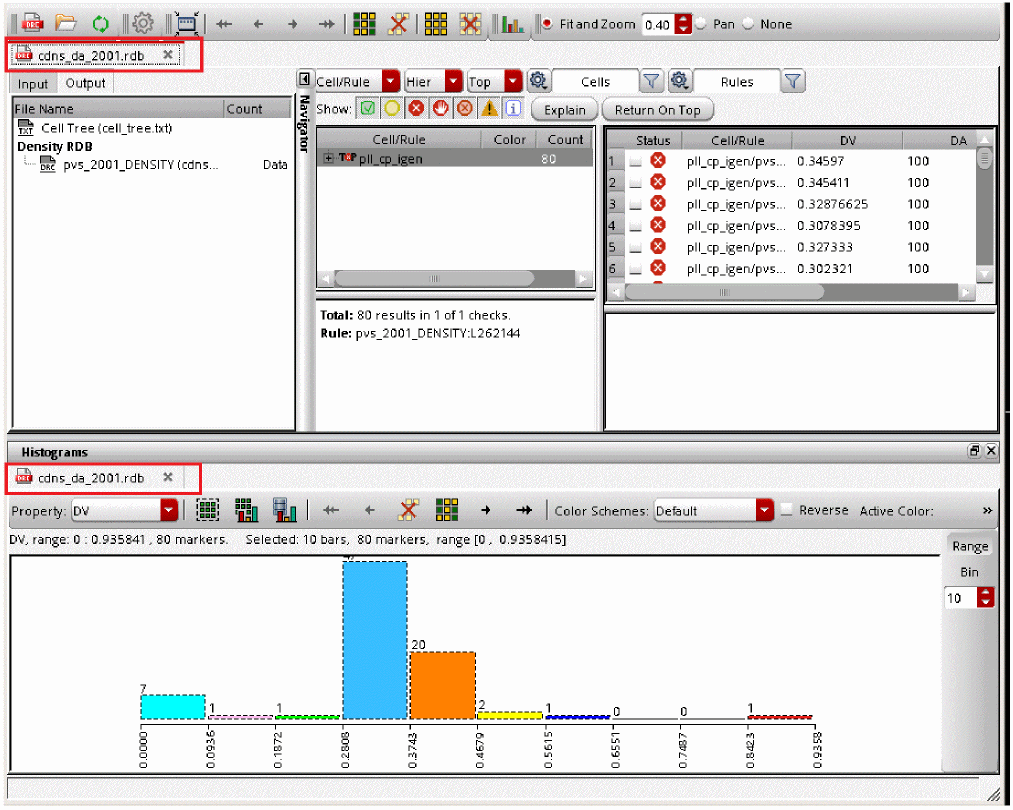
The Pegasus Results Viewer opens showing the generated merged histogram: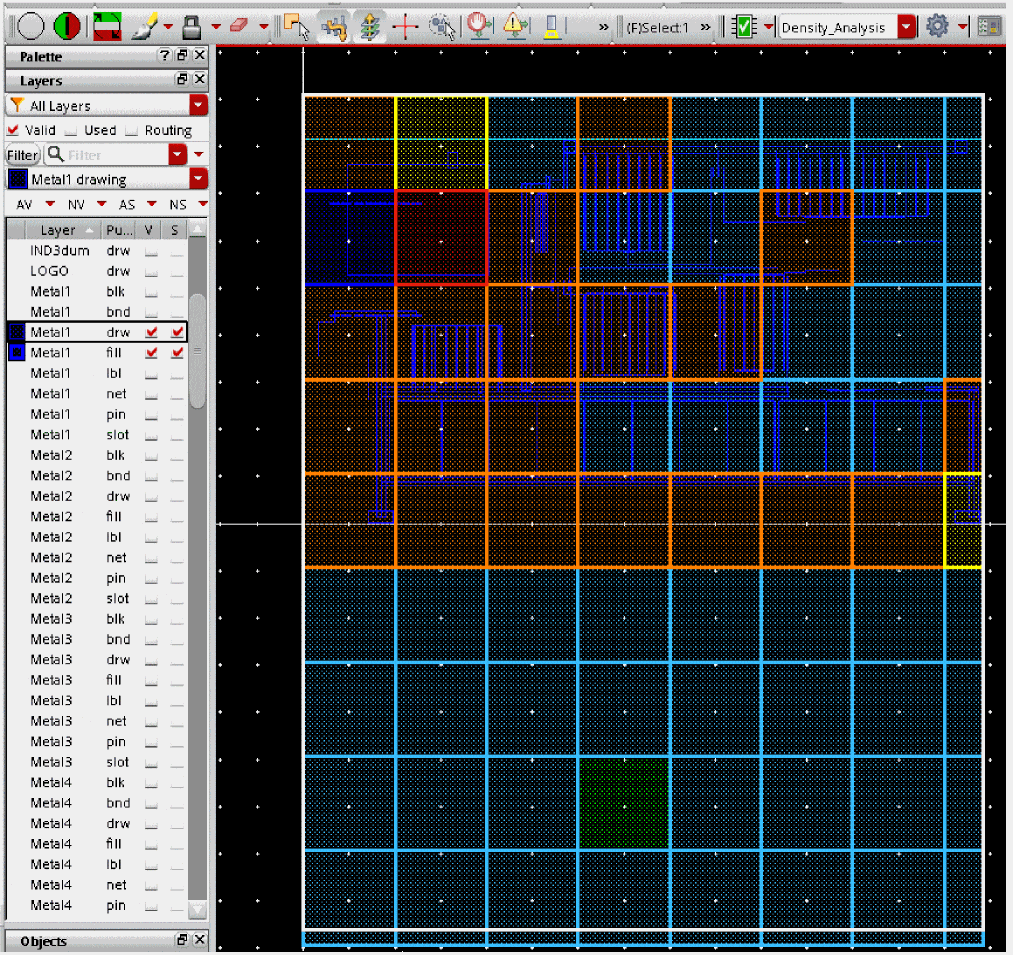
Return to top