
Running Density Analysis on Visible Layers
Perform the following steps to run density analysis for the visible layers:
-
Set the visibility of the layers for which you want to run density analysis. In this example, two layers
metal1_drawingandmetal1_fillare set to visible. - Click the Pegasus Interactive Run Options icon on the Pegasus Interactive toolbar. The Pegasus Interactive Run Options form opens.
- Select the Density Analysis tab.
-
Select the Visible Layers radio button in the Layer Visibility section.
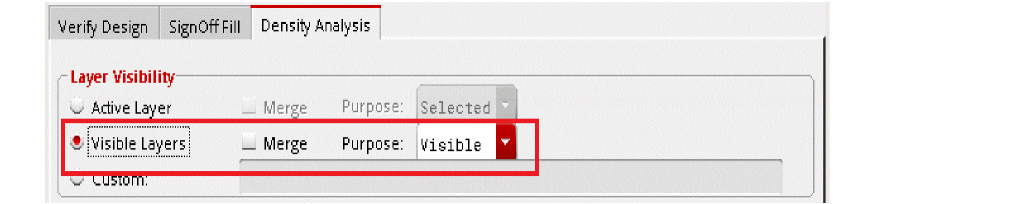
- Click OK to close the Pegasus Interactive Run Options form.
-
Select Density Analysis from the Pegasus Interactive toolbar.

-
Click the Run Pegasus Interactive Verify Design icon. On completion of the run, the density heatmap is shown on the layout canvas:
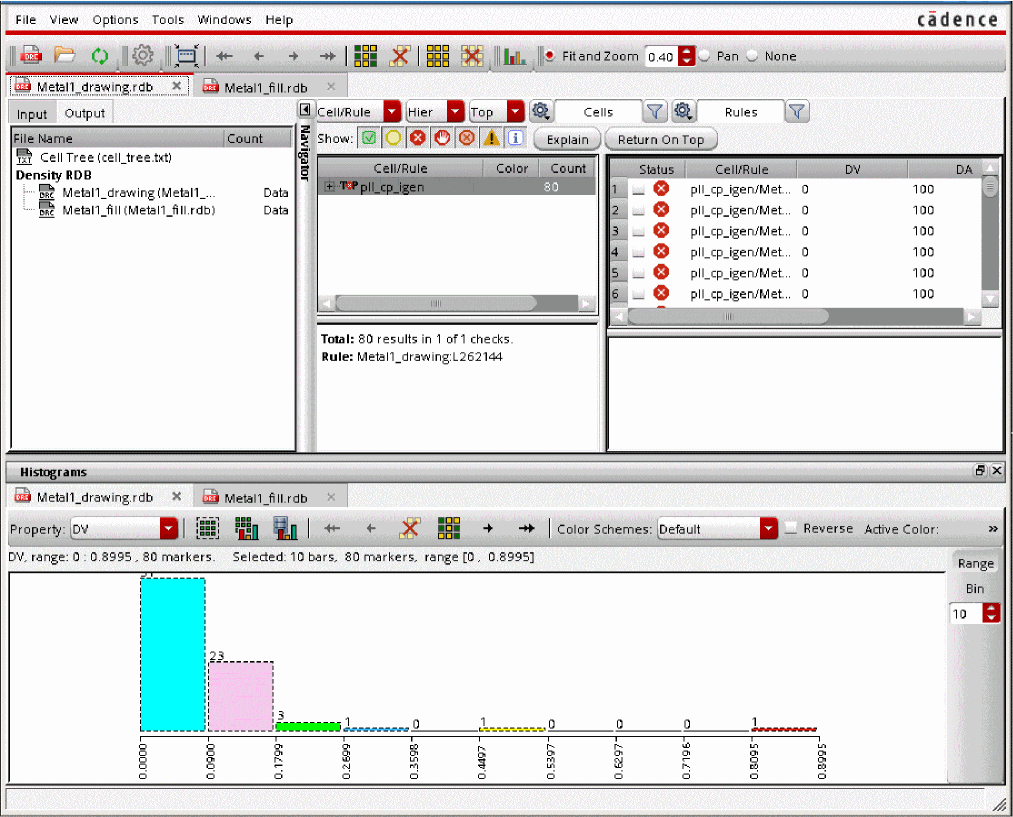
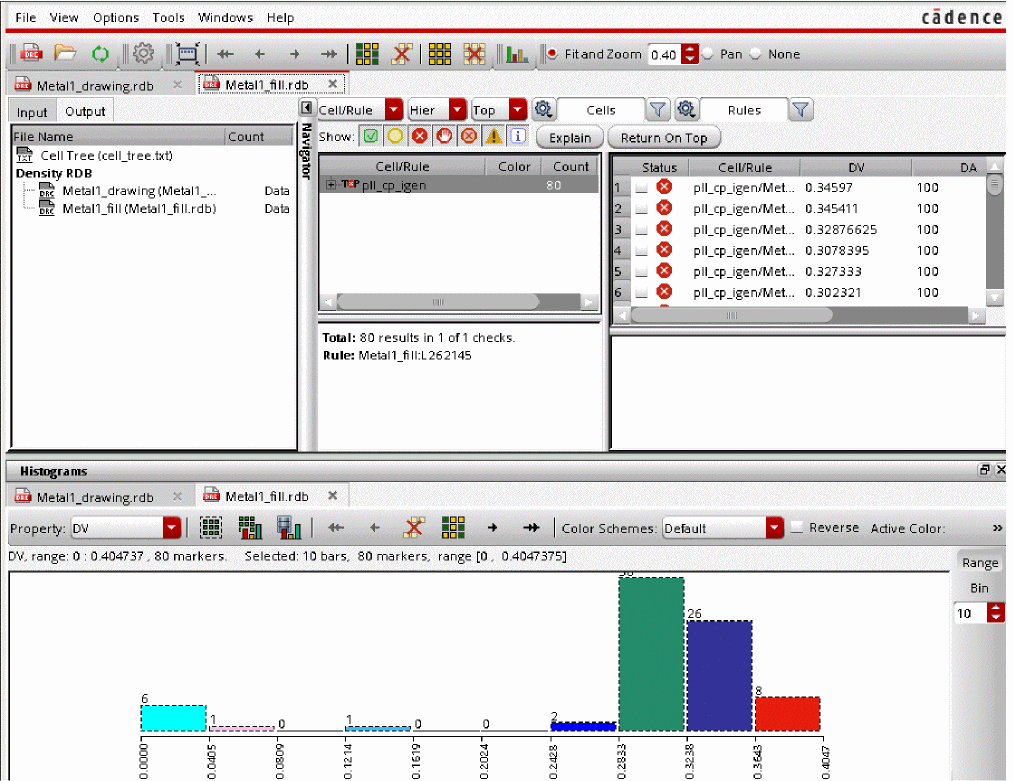
The Pegasus Results Viewer also opens showing the generated histograms. The Pegasus Results Viewer shows two tabs for each layer showing two histograms: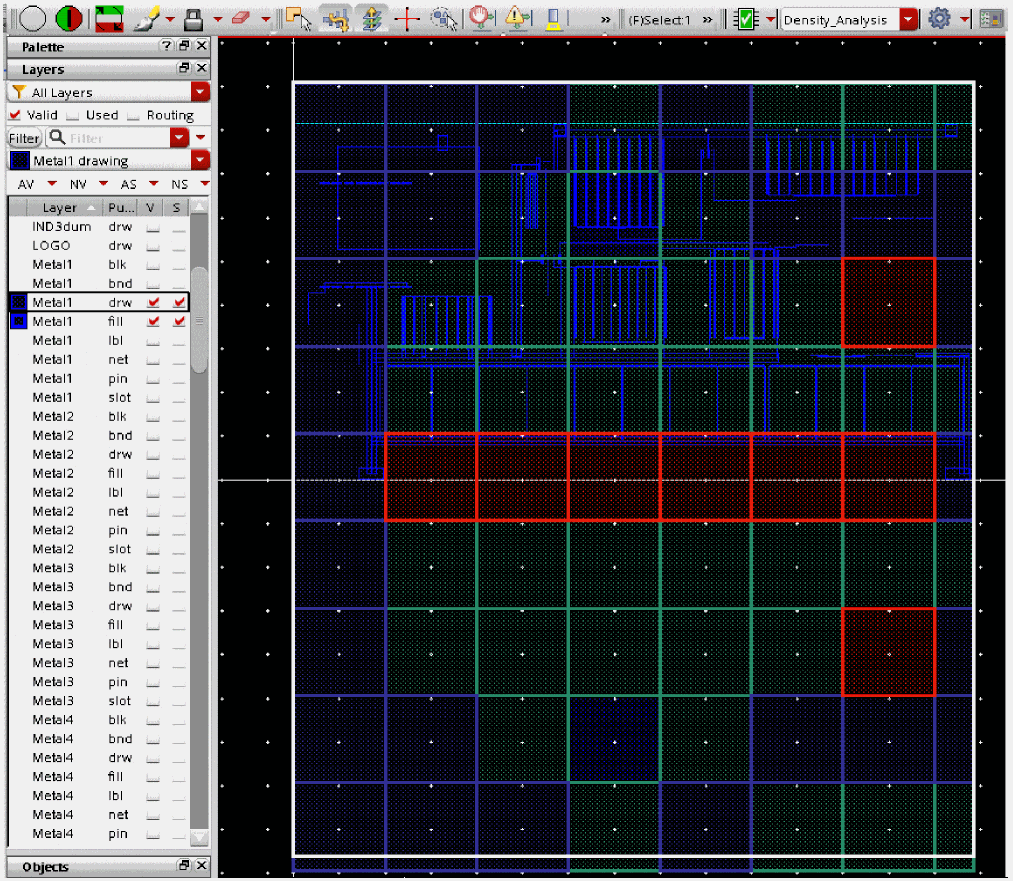
Return to top