
Running Density Analysis
Perform the following steps to do density analysis:
- Click the Pegasus Interactive Run Options icon on the Pegasus Interactive toolbar. The Pegasus Interactive Run Options form opens.
- Select the Density Analysis tab.
-
Make the required selections in the Density Analysis form as per your requirement, such as for which layers you want to run density analysis, specifications for the histogram to be generated, and density setup.
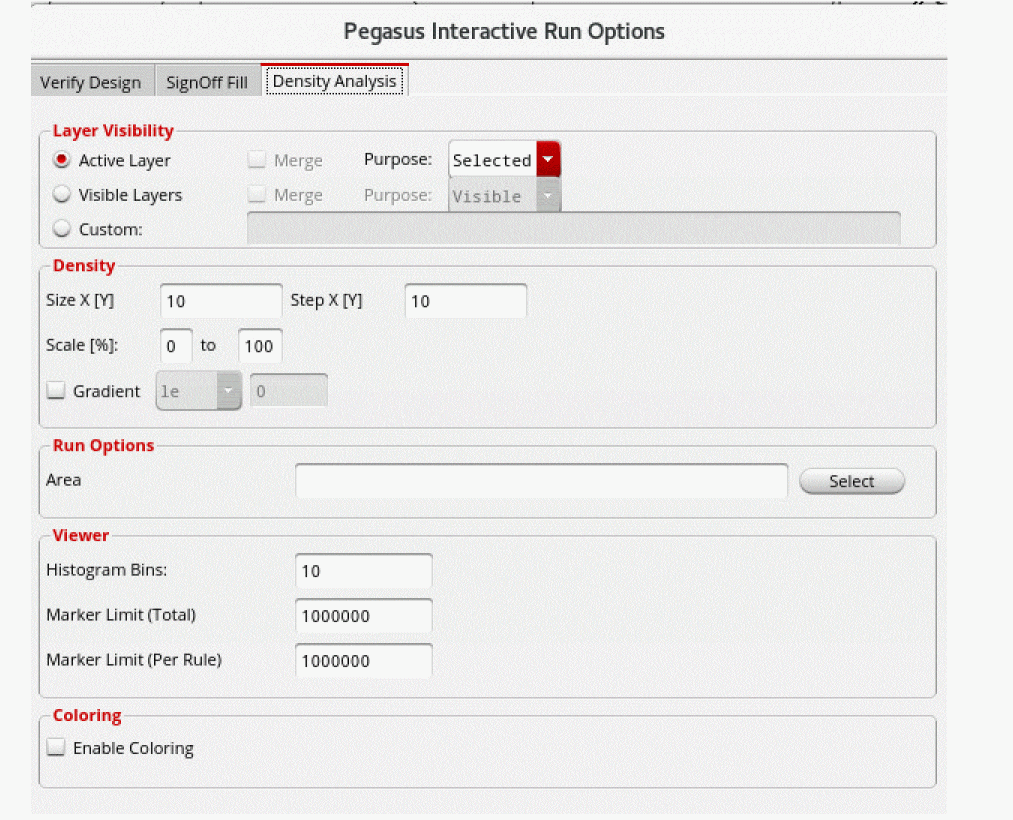
- Click OK to close the Pegasus Interactive Run Options form.
-
Select Density Analysis from the Pegasus Interactive toolbar.

-
Click the Run Pegasus Interactive Verify Design icon. On completion of the run, the density heatmap is shown on the layout canvas:
The Pegasus Results Viewer also opens showing the generated histogram: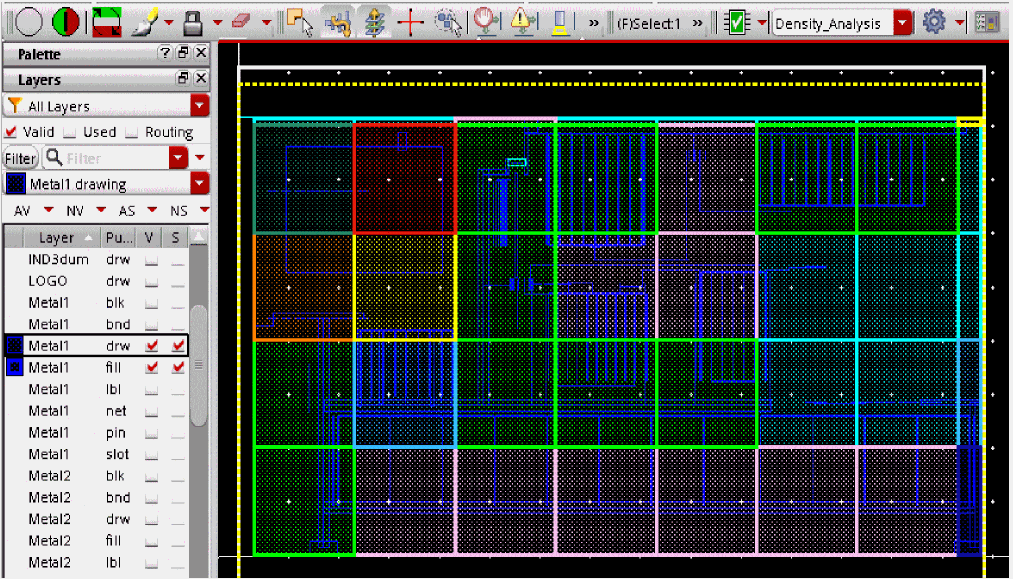
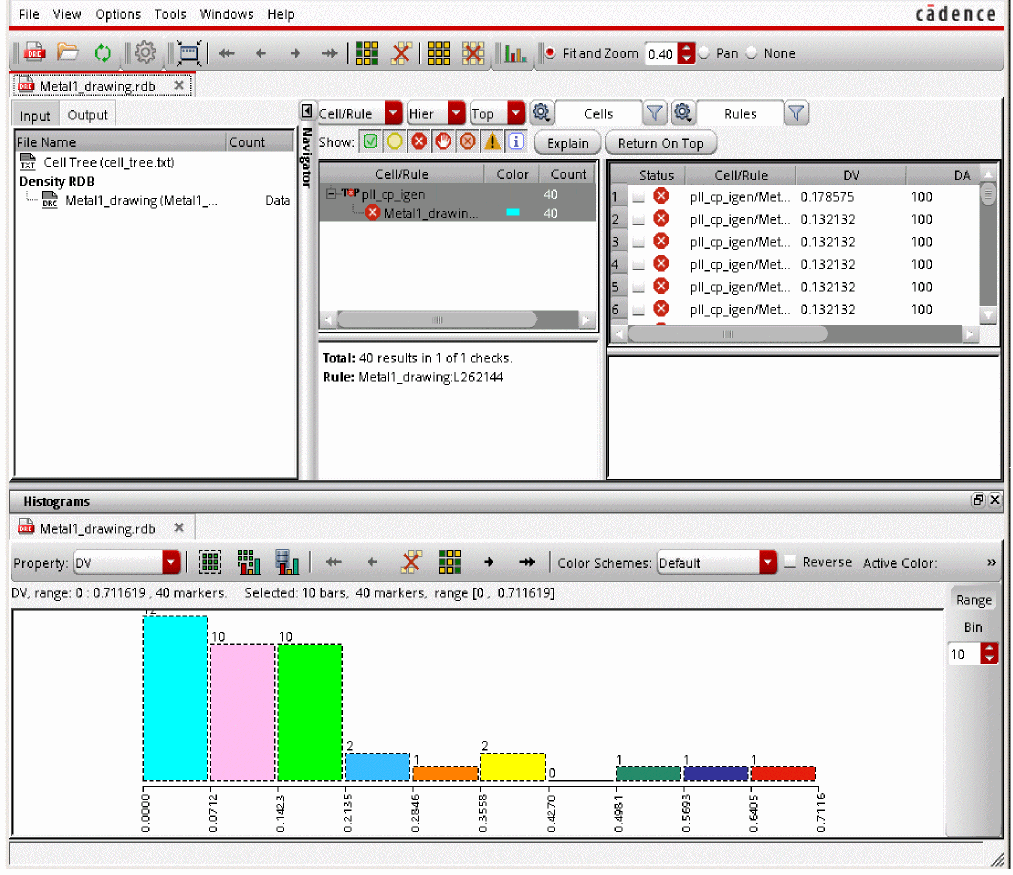
In the above steps, density analysis was run on the active layer. Similarly, you can run density analysis on the visible and custom-defined layers.
Return to top