
Creating Pegasus Interactive Fill Snapshot
Pegasus SignOff Fill feature is snapshot-based, same as Pegasus Interactive Verify Design. For detailed description of fields in the Pegasus Interactive Snapshot Creator form, see All About Design Rules: Snapshot.
Perform the following steps to create Pegasus fill snapshot:
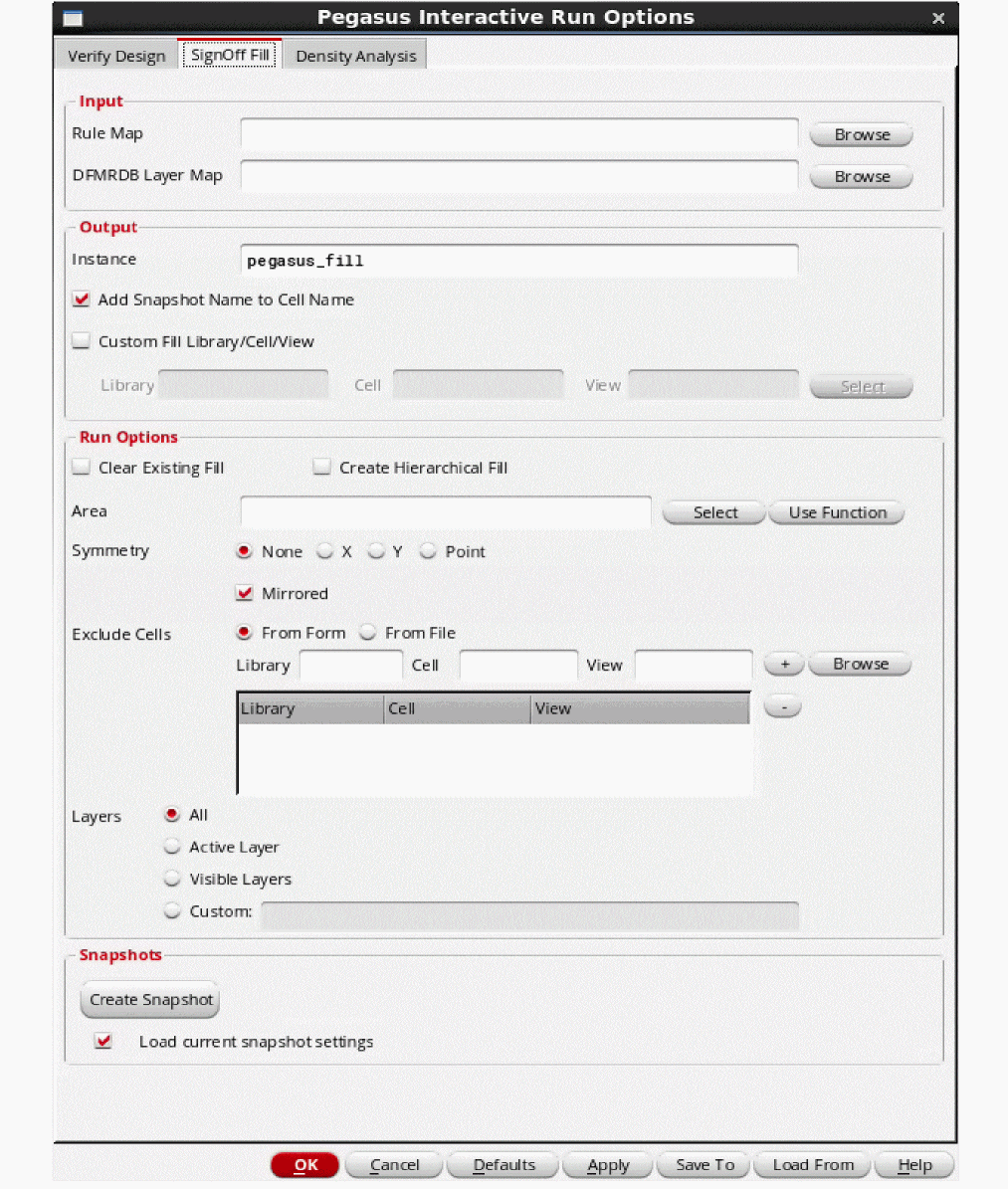
- Click the Pegasus Interactive Run Options icon on the Pegasus Interactive toolbar. The Pegasus Interactive Run Options form opens.
-
Select the SignOff Fill tab.
-
Click Create Snapshot.
The Pegasus Interactive Snapshot Creator form opens.
For detailed description of the Pegasus Interactive Snapshot Creator form fields, see Pegasus Interactive Snapshot Creator Form.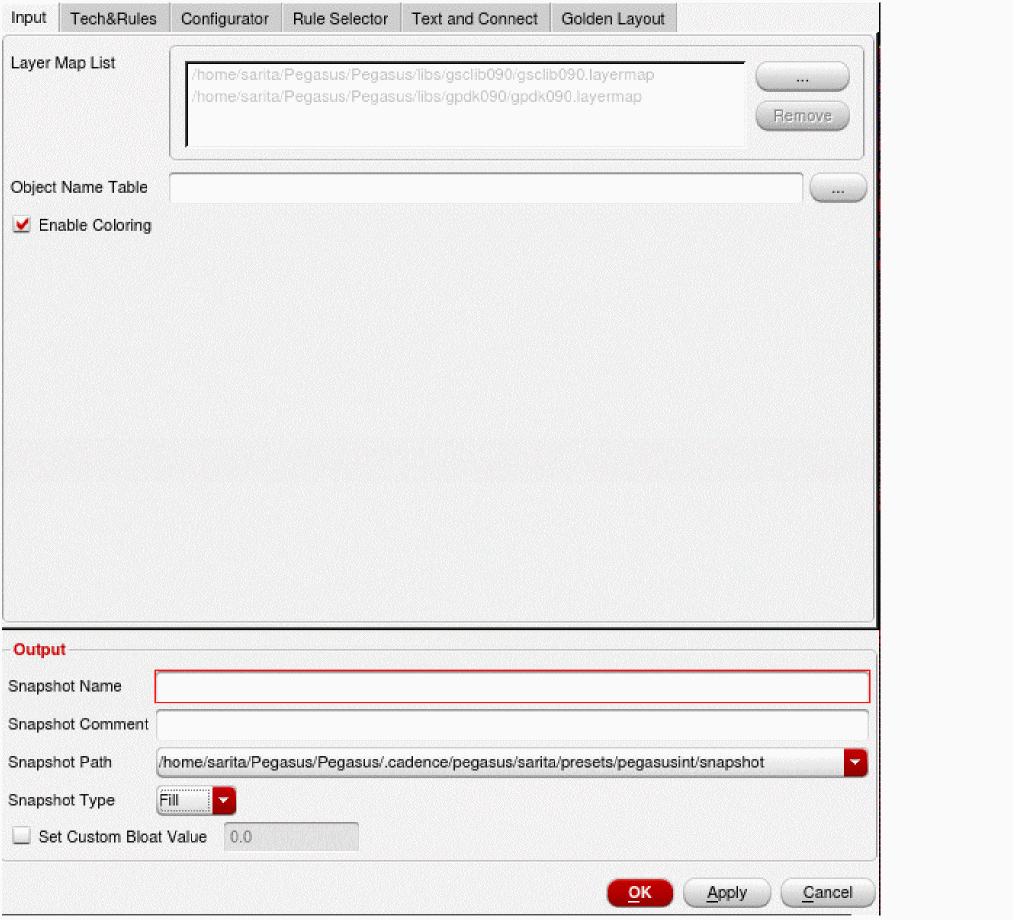
- Enter the required details in the form. The mandatory fields are rule file, layermap file and snapshot name.
-
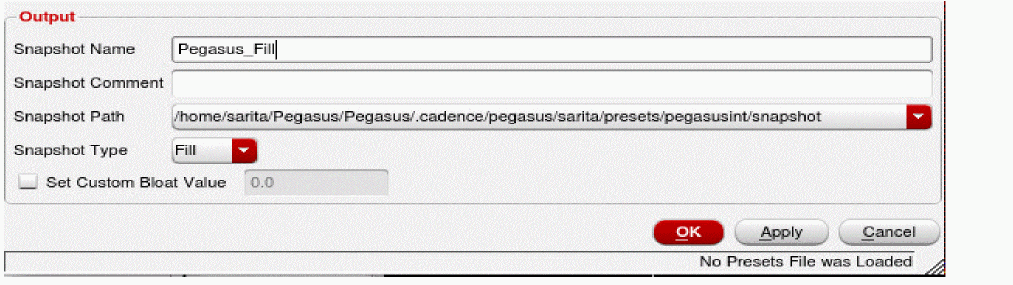
In the Output section, enter the snapshot name.
-
Click OK to generate a snapshot and close the form. Then close the Pegasus Interactive Run Options form. The Pegasus Interactive toolbar shows
pegasus_fillsnapshot.
The Run Pegasus Interactive SignOff Fill icon on the left of snapshot name reflects that selected snapshot is type of Fill.
Return to top