
Creating Snapshot From Preset
The preset file contains the configuration setup that can be loaded into Pegasus Interactive Snapshot Creator. As long as the syntax in the preset file is supported by Pegasus Interactive, its setup value will be populated in the GUI.
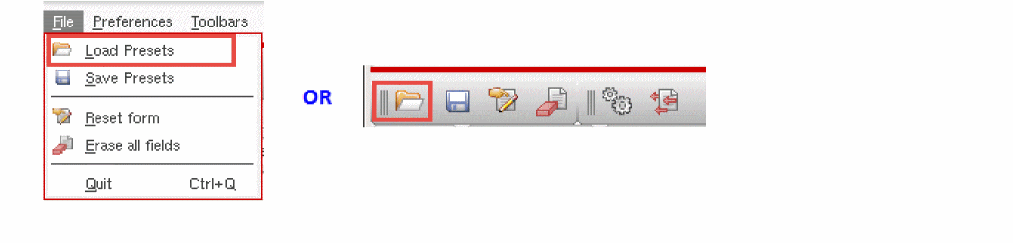
To load the preset, you can interactively click the Load Presets icon on the File toolbar or File -> Load Presets.
It opens a file searching form. For the current Look in directory, files' name with suffix .preset are populated in the window. Current Look in directory is initially set to current snapshot directory populated under the Snapshot Path field. You can navigate to any of available snapshot directory content by either selecting it from the left directory list field or through file searching utility provided by this GUI. These available snapshot directories are determined by PegasusInt_SnapshotsDirs.
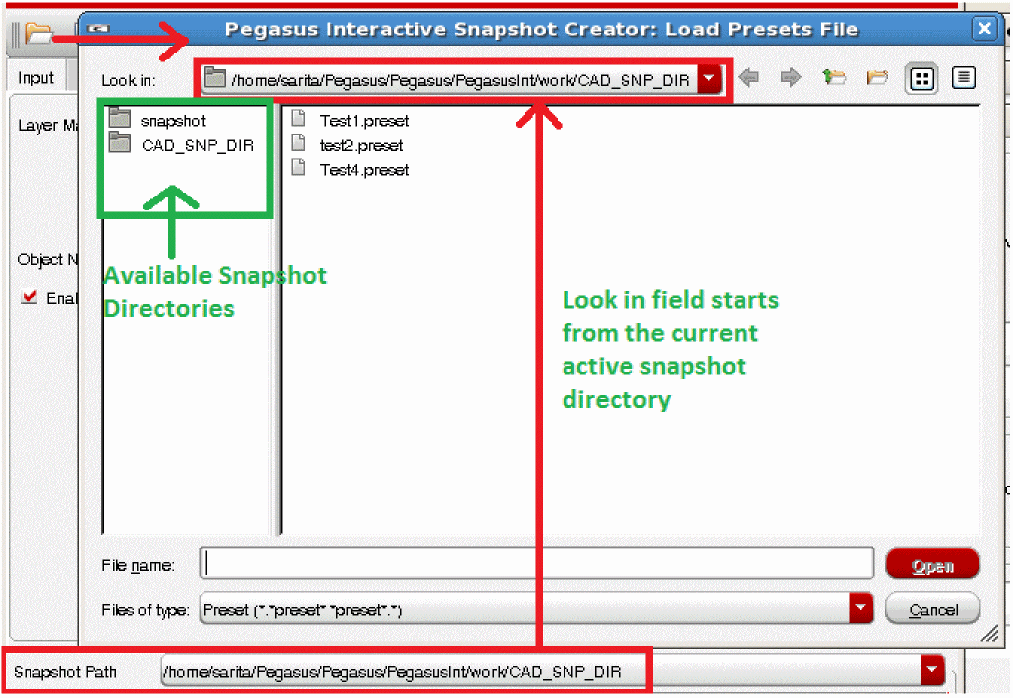
Once the desired preset file is located, click Open. It loads the Pegasus Interactive Snapshot Creator contents based on the selected preset file. After successfully loading the preset, the loading status is displayed at the bottom of Pegasus Interactive Snapshot Creator.

Return to top