
Creating Snapshot for First Time
Pegasus Interactive Snapshot Creator allows you to interactively create the snapshot. It can be invoked through the Create Snapshot button under the Pegasus Interactive Run Options.
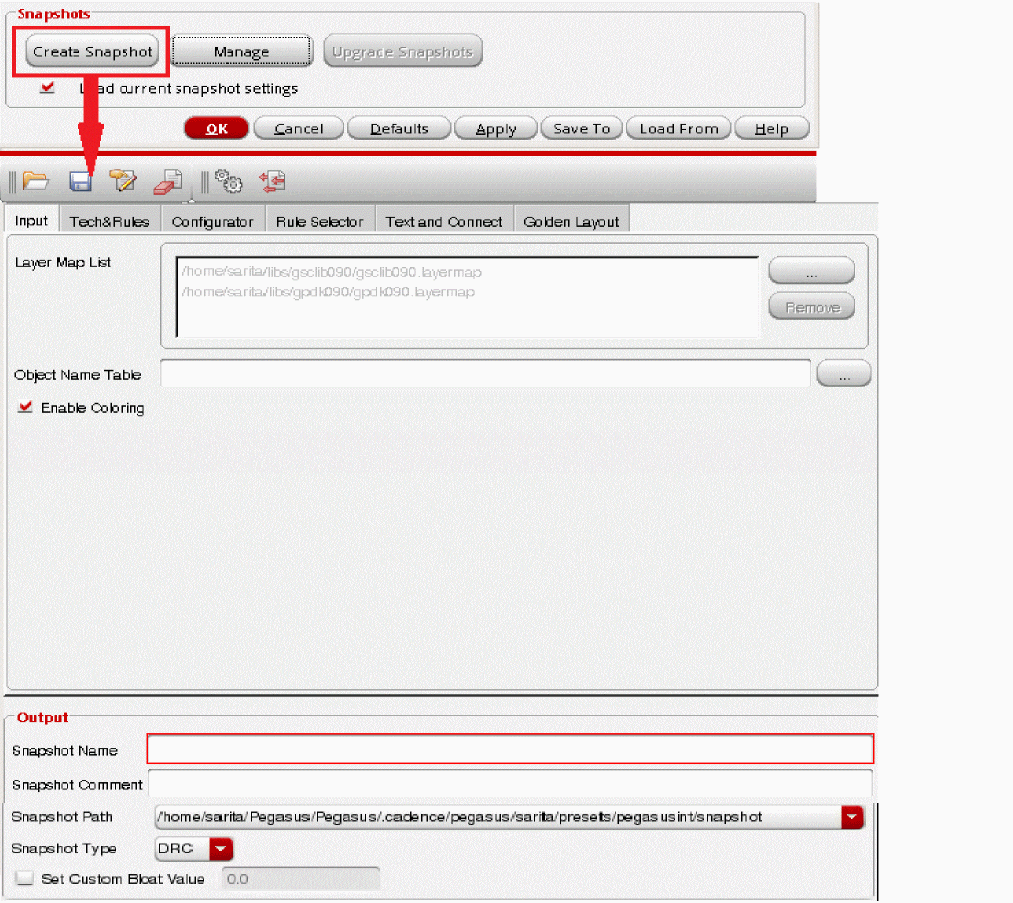
To generate a snapshot using Pegasus Interactive Snapshot Creator, three minimum inputs are required:
Assuming no technology is set up, Pegasus Interactive flags missing required inputs visually by boxing fields with the red highlight. Once the cursor hovers over the red-box, error message is displayed as a tooltip. Following example illustrates error dictated by the interface. Till required inputs are incomplete, GUI prevents you from creating a snapshot.
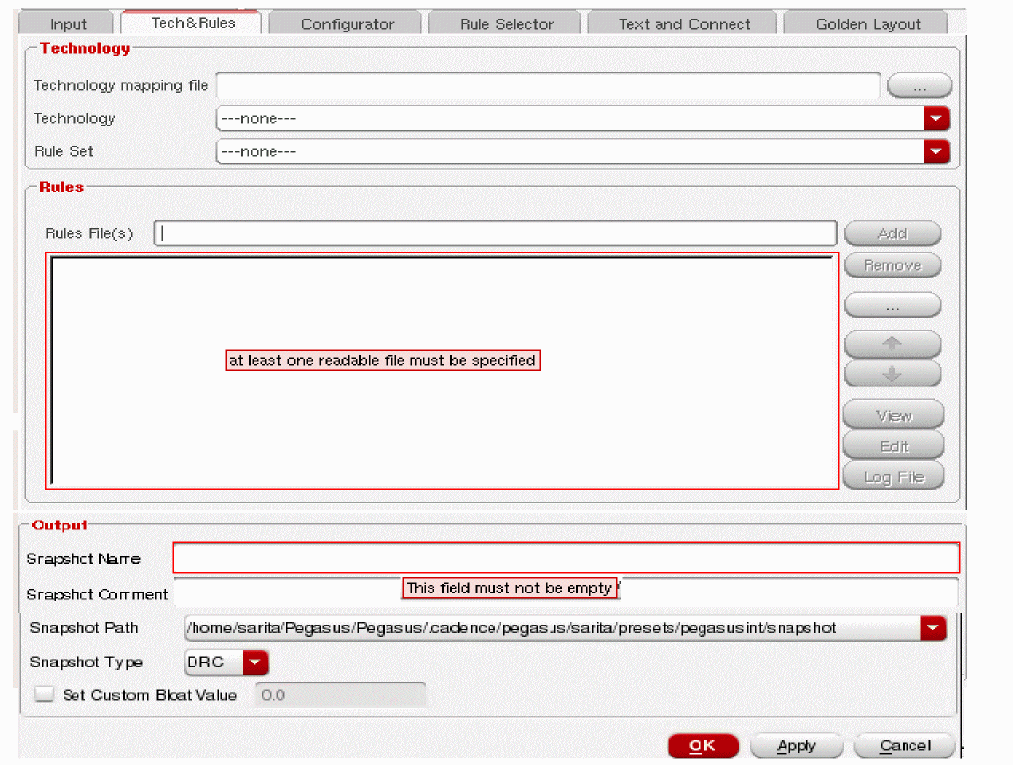
To generate a snapshot, enter the required inputs in Pegasus Interactive Snapshot Creator. Then click Apply or OK to invoke snapshot creation. During Snapshot Creation, following popup box indicates the progress of snapshot generation:

The newly created snapshot is automatically populated under Pegasus Interactive toolbar's snapshot combo field.
Return to top