
Upgrading Snapshots
Pegasus guarantees snapshot forward compatibility for base release life cycle. In other words, engine can interpret a snapshot created by base release and its ISRs/HFs/EHFs. However, Pegasus Interactive still checks snapshot readability during layout opening. If the incompatibility is detected, it outputs following warning messages in CIW:
*WARNING* Pegasus Interactive: Following snapshots are generated using different Pegasus that is incompatible with current Pegasus installation and will not be populated under Snapshot list. Please re-generate the snapshots with current Pegasus version.
Then, these version incompatible snapshots will not be available to choose from the snapshot drop-down list.
You can invoke Upgrade Snapshot utility that runs a batch upgrade on all incompatible snapshots. The Upgrade Snapshot button in the Snapshots section of the Pegasus Interactive Run Options form is active if there are incompatible snapshots in snapshots directory. You can make it available through PegasusInt_Maintenance.

Once you click Upgrade Snapshot, following pop-up window is shown.

Above pop-up window is to remind you that snapshot upgrade is final and you cannot revert the changes once the commitment is made. Once you make the upgrade commitment, Pegasus Interactive precedes with snapshot upgrade and upgrade status is printed out in CIW. During the time of snapshot batch upgrade, Virtuoso is not accessible.
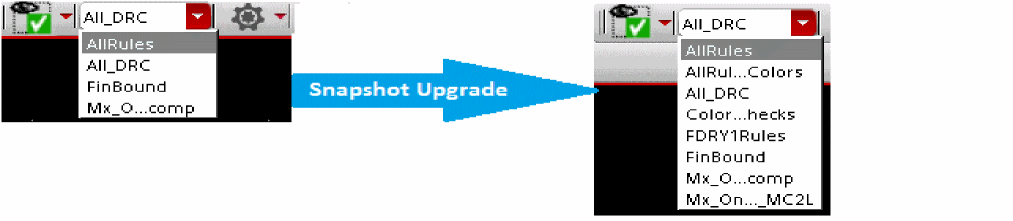
Once the snapshot upgrade is complete, all snapshots are populated in the snapshot drop-down list in the toolbar.
Return to top