
Managing Snapshots
The snapshot accessibility becomes a challenge when multiple snapshot directories are available in their working environment. Since total of snapshot display counts has a limit of 10, some snapshots are hidden inside snapshot combo field unless you scroll down to the drop-down list. In addition to this limitation, items in the snapshot drop-down list gives you no information that which snapshot directory they are stored under.
Thus, Pegasus Interactive allows you to selectively display snapshots based on snapshot directories in the snapshot drop-down list. It is through the Manage button under the Snapshots field in the Pegasus Interactive Run Options. You can enable it through PegasusInt_EnableSNPManagement.
Clicking the Manage button opens the Pegasus Interactive Snapshot Manager form:
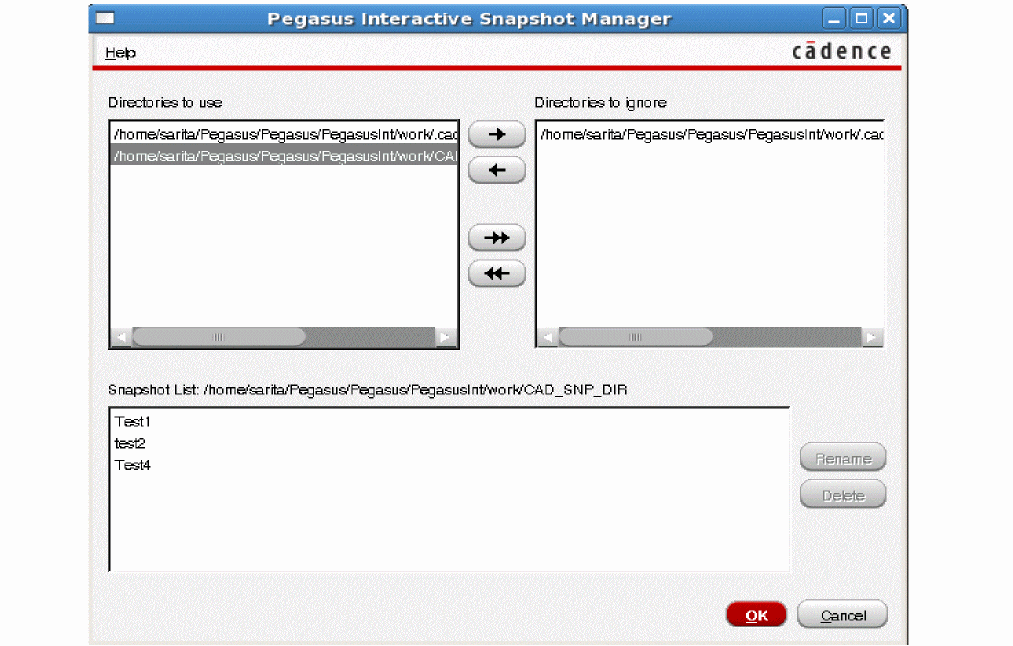
The form lists all snapshot directories defined in environment variable PegasusInt_SnapshotsDirs. If PegasusInt_SnapshotsDirs is undefined, then the form lists default snapshots directory <$PWD>/.cadence/pegasus/<$userid>/presets/pegasusint/snapshot.
By default, all fetched snapshot directories are listed in Directories to use block. This means that snapshots from these directories will be displayed in the toolbar.
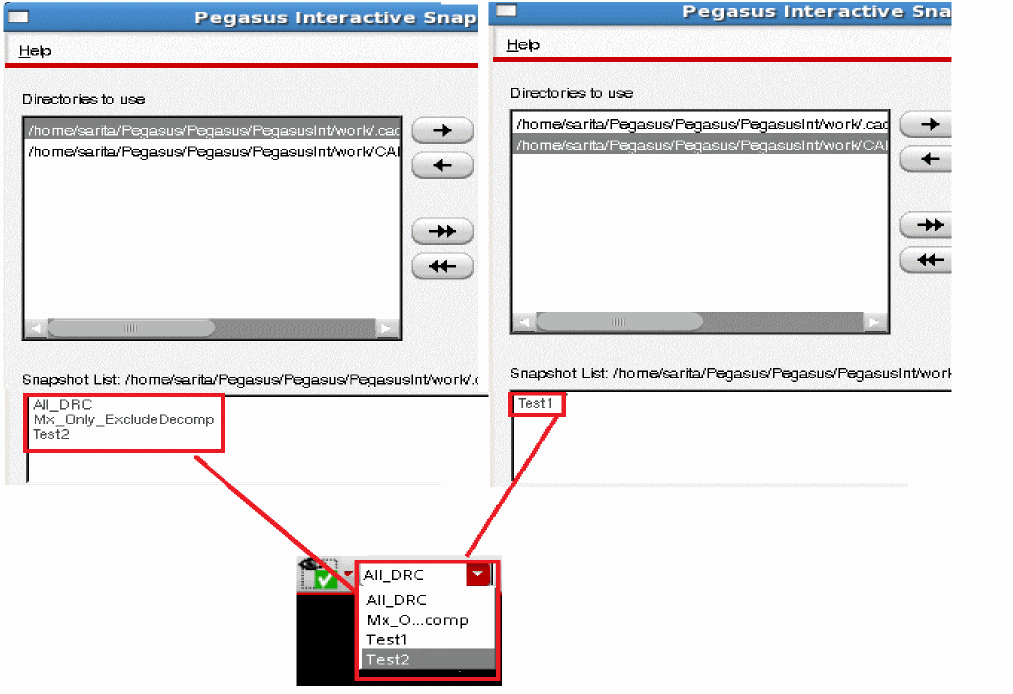
If you do not want to display snapshots from specific directory in the toolbar, then move the directory to the Directories to ignore block using the arrow key:
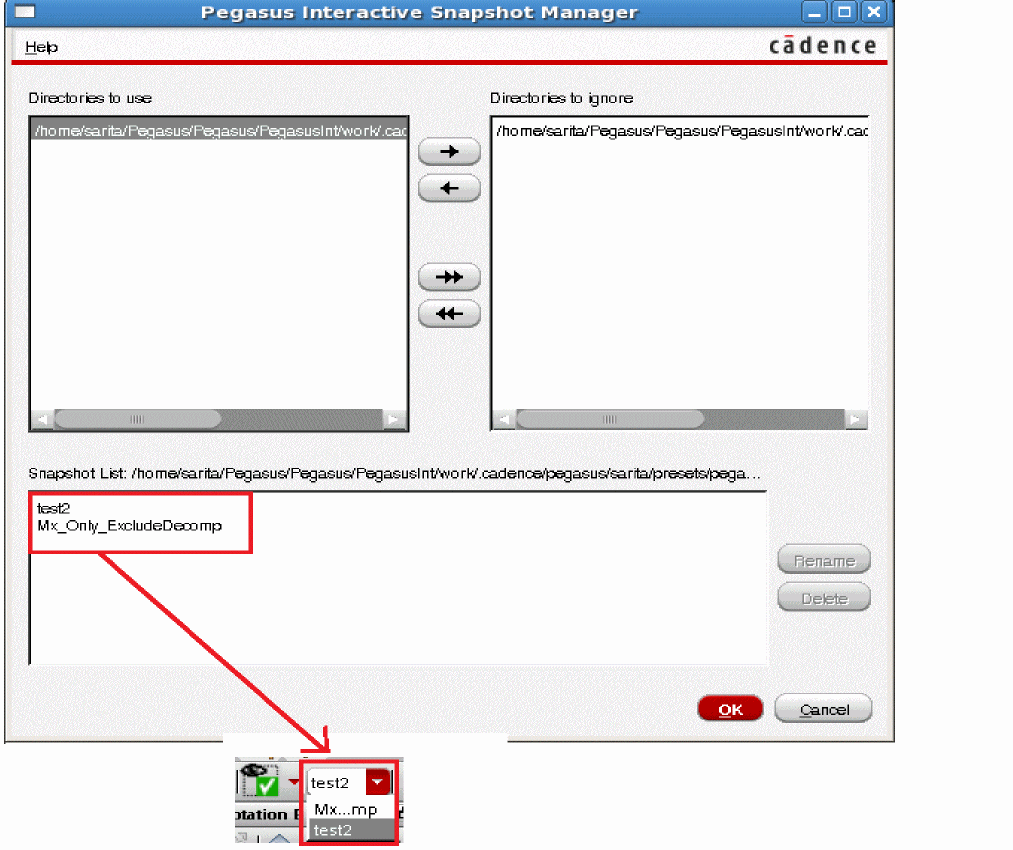
You can rename the snapshot name by selecting the snapshot name and clicking the Rename button. Similarly, you can delete a snapshot by selecting a snapshot and clicking the Delete button.
Return to top