
dbCreateCurvedPolygon
dbCreateCurvedPolygon(d_CellViewId txl_layerPurpose l_curvedPoints) =>d_curvedPolygonId
Description
(Virtuoso MultiTech Framework) Creates a curved polygon.
Arguments
Value Returned
Example
cp1 = list(list(0 0) list(200 0) list(200 100 "arc" "ccw") list(200 200) list(0 200))
dbCreateCurvedPolygon(cv list("DIE_PAD" "drawing") cp1)
A curved polygon is created based on the specified list of points and layer-purpose as "DIE_PAD" "drawing".
Additional Information
Consider a curved polygon with three straight edges and one circular edge:
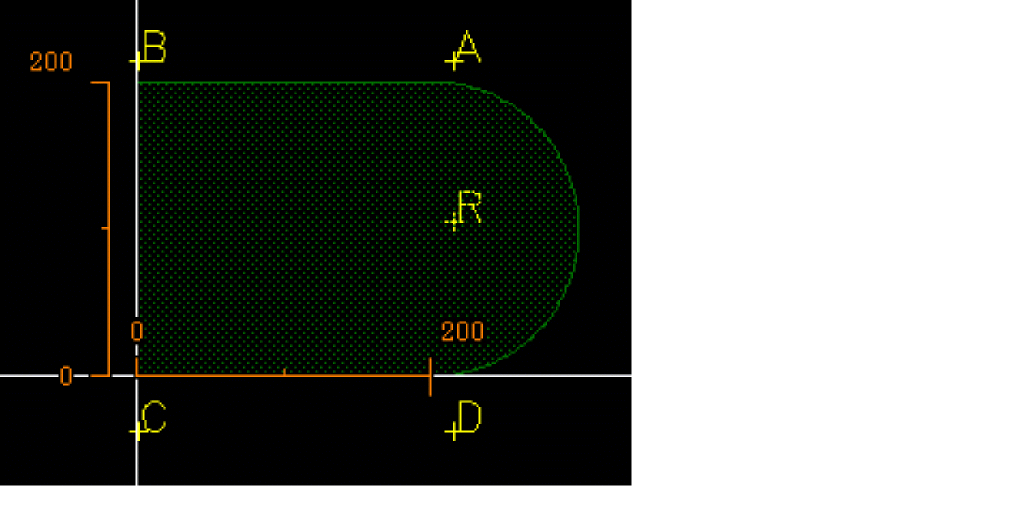
There are three ways for creating this polygon:
let( (cv cp0 cp1a cp1b cp2a cp2b cp3 polygon)
cv = geGetEditCellView()
mapcar('dbDeleteObject cv~>shapes)
cp0 = '(
(200 200) ;A
(0 200) ;B
(0 0) ;C
(200 0) ;D
(200 100 "arc" "ccw") ;R
)
cp1a = '(
(0 0) ;C
(200 0) ;D
(200 100 "arc" "ccw") ;R
(200 200) ;A
(0 200) ;B
)
cp1b = '(
(0 0) ;C
(200 0) ;D
(200 100 "arcByCenter" "ccw") ;R
(200 200) ;A
(0 200) ;B
)
cp2a = '(
(0 0) ;C
(200 0 "arcCentralAngle" 180) ;D
(200 200) ;A
(0 200) ;B
)
cp2b = '(
(0 0) ;C
(200 0 "arcByAngle" 180) ;D
(200 200) ;A
(0 200) ;B
)
cp3 = '(
(0 0) ;C
(200 0) ;D
("arcCentralAngle" 180)
(200 200) ;A
(0 200) ;B
)
foreach(points list(cp0 cp1a cp1b cp2a cp2b cp3)
polygon = dbCreateCurvedPolygon(cv '("BD4" "drawing") points)
assert(dbGetCurvedPolygonPoints(polygon) == cp0)
)
)
-
cp0,cp1andcp2show examples of explicit arcs. -
The center point
Ris explicitly specified. -
The keywords
"arc"and"arcByCenter"can be used interchangeably. - Explicit arcs are useful for circles around a known center point.
-
cp2a,cp2bandcp3show examples of implicit arcs. - No radius is specified, only points on the actual boundary are listed.
- Implicit arcs are useful when the boundary points are known.
-
The keywords
"arcCentralAngle"and"arcByAngle"can be used interchangeably.
Regardless of how the curved polygon is created, dbGetCurvedPolygonPoints always returns the edges in cp0.
-
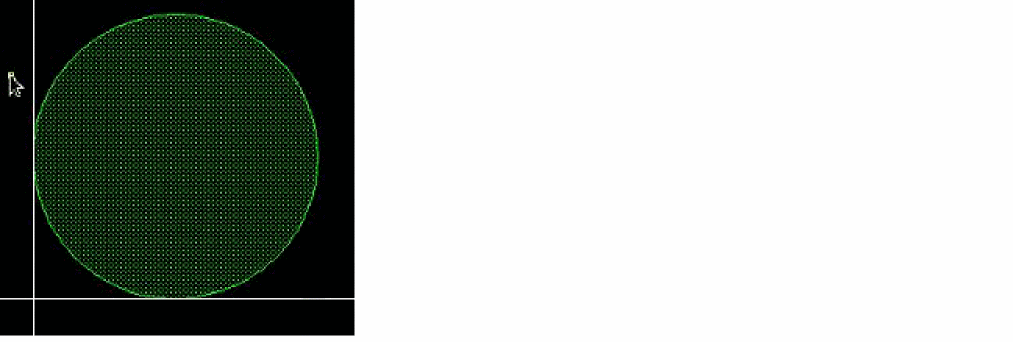
Create a counter clockwise circular edge from
(0 100)to(200 100)using(100 100)as the center. -
Create a counter clockwise circular edge from
(200 100)to(0 100)using(100 100)as the center.
dbCreateCurvedPolygon cvId list("SURFACE" "drawing")
'(
(0 100)
(100 100 "arc" "ccw")
(200 100)
(100 100 "arc" "ccw")
)
-
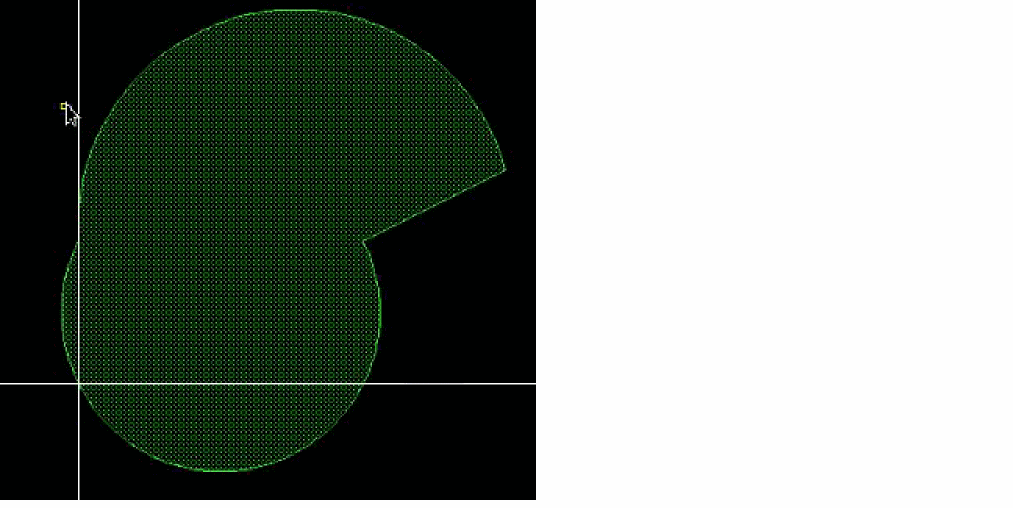
Create a counter clockwise circular edge from
(0 100)to(200 100)using(100 50)as the arc center -
Create a straight edge from
(200 100)to(300 150) -
Create a counter clockwise circular edge from
(300 150)to(0 100)using(50 100)as the arc center
dbCreateCurvedPolygon cv '("BD4" "drawing")
'(
(0 100)
(100 50 "arc" "ccw")
(200 100)
(300 150)
(50 100 "arc" "ccw")
)
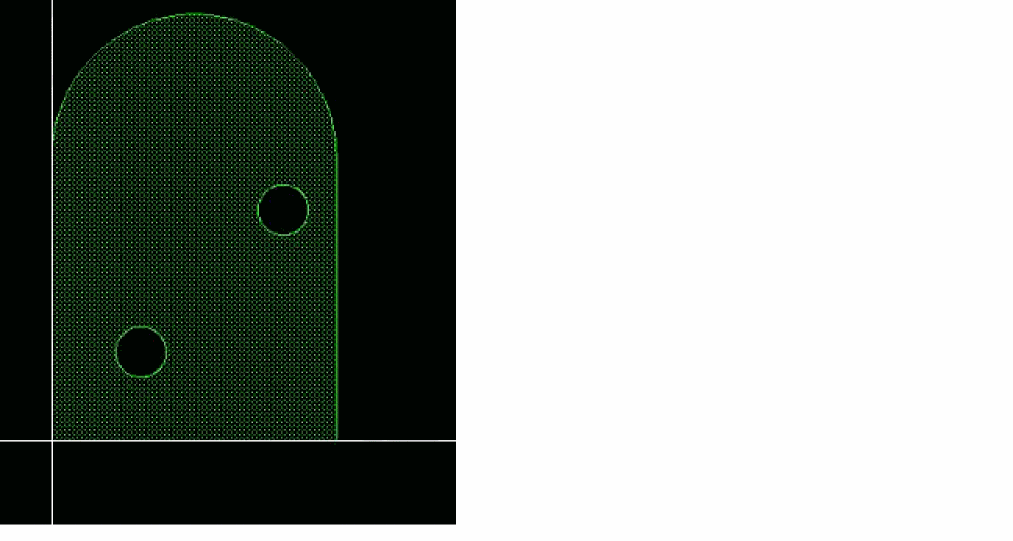
Creating a tombstone with eyes
To create a tombstone with eyes, you need to create the following:
a. Create a straight edge from(0 0)to (200 0).
b. Create a straight edge from(200 0)to(200 200).
c. Create a counter clockwise circular arc from(200 200)to(0 200)using(100 200)as the arc center.
d. Create a straight edge(0 200)to(0 0).
solid = '(
(0 0)
(200 0)
(200 200)
(100 200 "arc" "ccw")
(0 200)
)
a. Create a counter clockwise circular arc from(50 50)to(75 75). The center is computed to create a subtended angle of180degree.
b. Create a counter clockwise circular arc from(75 75)to(50 50). The center is computed to create a subtended angle of180degree.
hole1 = '(
(50 50 "arcCentralAngle" 180)
(75 75 "arcCentralAngle" 180)
)
a. Create a counter clockwise circular arc from(150 150)to(175 175). The center is computed to create a subtended angle of180degrees.
b. Create a counter clockwise circular arc from(175 175)to(150 150). The center is computed to create a subtended angle of180degrees.
hole2 = '(
(150 150 "arcCentralAngle" 180)
(175 175 "arcCentralAngle" 180)
)
-
Create the polygon itself using all the three curves.
dbCreateCurvedPolygon(cv '("BD4" "drawing") list(solid list(hole1 hole2)))
Related Topics
Database Access Function Argument Types
Return to top