
Documentation-specific Code
This topic provides information on writing documentation-specific code in SKILL/SKILL++.
For the Finder Manager to extract documentation from the SKILL/SKILL++ source files, you need to insert inline documentation strings in the code blocks. Each inline documentation string in a code block is associated with a declaration.
The following section describes the elements of an inline documentation string.
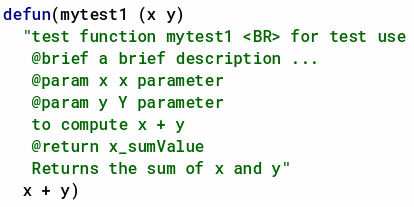
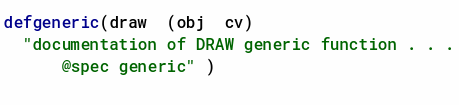
Inline documentation strings are added right after the definition of a class, function, or method in the source file. Opening quotation “ and closing quotation “ mark the beginning and end of a documentation string.
Documentation strings may also contain some additional keywords that describe the attributes of classes, functions, or methods being defined. These keywords are identified by an @ symbol.
Keywords for Functions, Classes, and Methods in SKILL and SKILL++
The following table lists the keywords that are common for functions, classes, and methods in SKILL and SKILL++:
| Keyword | Description |
|---|---|
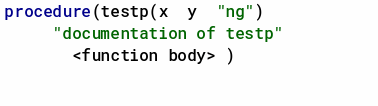
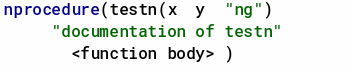
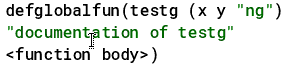
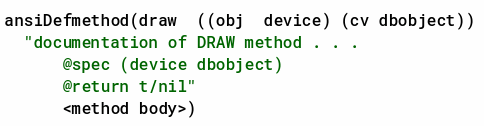
Inline documentation strings are supported for the following SKILL functions and classes: defun, procedure, nprocedure, defmethod, defgeneric, defglobalfun, globalProc, defclass, and ansiDefmethod.
Inline documentation strings for functions and classes are treated differently. So, there’s no conflict if you specify the same name for a function as well as a class.
Sample Inline Documentation Strings for Functions, Classes, and Methods in SKILL and SKILL++
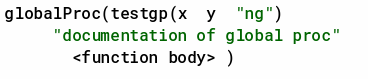
Keywords for Classes and Methods in SKILL++
The following table lists the keywords that are specific to SKILL++ classes and methods:
| Keyword | Description |
|---|---|
| Keyword | Description |
|---|---|
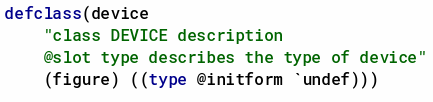
Sample Inline Documentation Strings for Classes and Methods in SKILL++
In SKILL++ classes, the inline documentation strings are added after the slot list. For example:
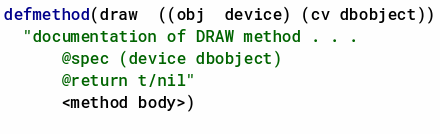
In SKILL++ methods, the inline documentation strings are added after the specializer list. For example:
Related Topics
Extracting Documentation using Finder Manager
Viewing the Generated Documentation in Finder
Return to top