
cleOpenPanicCellView
cleOpenPanicCellView(t_libName t_cellName t_viewName[g_openWindow] ) =>w_windowID / d_cellviewID/ nil
Description
Opens a saved panic Concurrent Layout cellview from a physical panic file with the.oa-extension. This cellview opens in the read-only mode. You can save the data using the Save a Copy command in the File menu to a new cellview or overwrite the original Concurrent Layout cellview on the disk.
Arguments
|
Specifies whether to open a layout window. Default value is |
Value Returned
|
Window ID of the Concurrent Layout cellview that opens when g_openWindow is set to |
|
|
The dbobject of the Concurrent Layout cellview that opens if g_openWindow is set to |
|
Examples
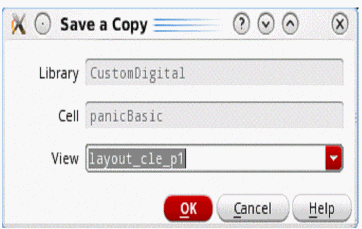
If a panic cellview exists in the layout_cle_p1 view of panicBasic in the library CustomDigital, open the canvas window and then use the Save as Copy command to copy the result to the original cellview.
cleHasPanicFile("CustomDigital" "panicBasic" "layout_cle_p1")
=> t
cleOpenPanicCellView("CustomDigital" "panicBasic" "layout_cle_p1")
Select the Save a Copy command from the File menu, then click the OK button.
Return to top