
enterScreenBox
enterScreenBox( )
=> l_bBox
Description
Lets you enter a box in screen coordinates.
Most enterfunctions return coordinates in user units, so this function provides a way to specify screen coordinates when necessary. When enterScreenBox is invoked, it displays a small box on the root window (denoting that it is in ScreenBox mode). Press the mouse button at the first point and hold down. While the button is down a rubberbanding box is displayed. When you release the mouse button, the box is returned. This is different from the behavior of enterBox, which uses two clicks, one for each corner.
enterScreenBox is not nestable and suspends all other enterfunctions until it completes.
Argument
Value Returned
Retrieve data through the callback procedure t_doneProcName instead of using the return value for this enterfunction.
Examples
Changes the cursor to a small box.
enterScreenBox( )
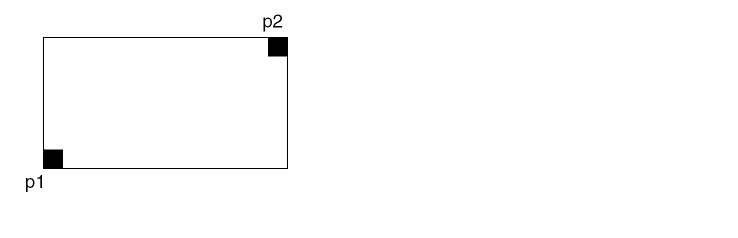
Press the mouse button at p1. While the button is down, a rubberbanding box connects p1 to the current cursor location. Release the mouse button at the desired location.
The function terminates and returns the selected points in screen coordinates:
( p1 p2 )
Related Topics
Return to top