
eyeMask
eyeMask(o_waveform t_xUnit[@restl_vertices] ) =>o_waveform
Description
Creates a custom eye mask on an eye diagram at the specified vertices in the specified units.
Arguments
Value Returned
|
Waveform ID representing eye diagram with the specified eye mask. |
Examples
The following example creates a Waveform window and returns its window ID.
win1=awvCreatePlotWindow()
=> window:3
The following example opens simulation results stored in the specified directory.
openResults("/servers/user/design/prbs.raw")
=> "/servers/user/design/prbs.raw"
The following example lists the results available in the currently open results directory.
results()
=> tran()
The following example selects the tran result of the results directory.
selectResult('tran)
=> stdobj@0x319b4b30
The following example creates a waveform object jitter, representing the waveform of the signal jitter, which is available in the tran result of the results directory.
jitter=v("jitter")
=> srrWave:0x35c81020
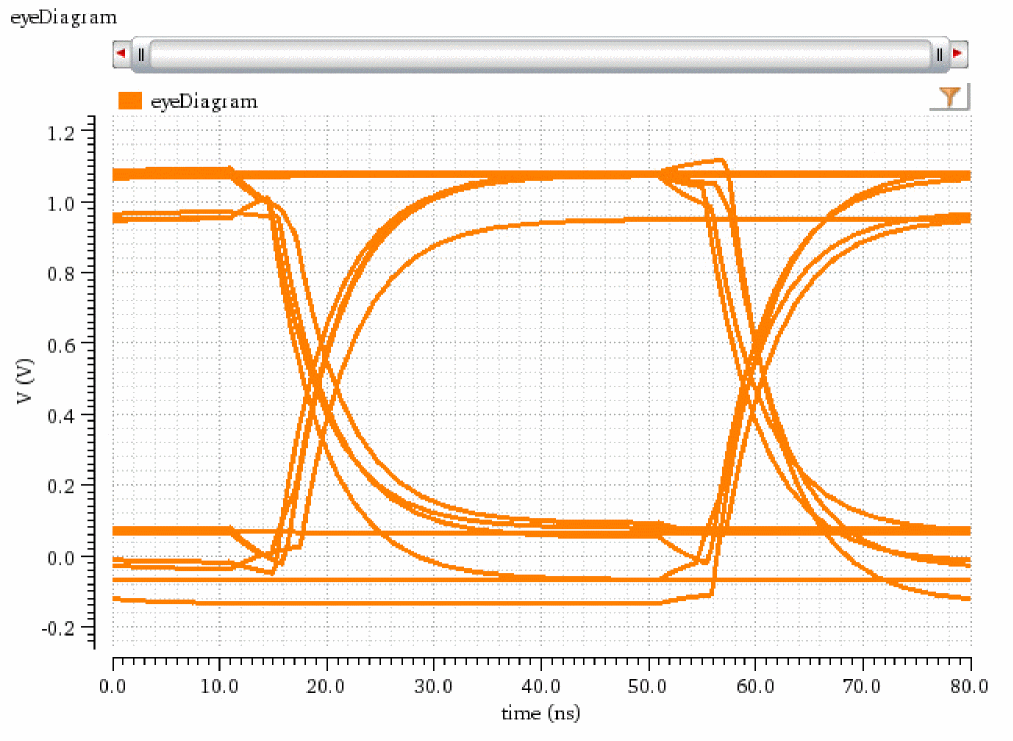
The following example creates a waveform object eye, representing an eye diagram that is generated by applying the eyeDiagram function on the jitter signal.
eye=eyeDiagram(jitter 200n 1.4u 2*40n ?autoCenter t)
=> srrWave:0x35c81030
The following example plots the waveform eye in the Waveform window that you created using the function awvCreatePlotWindow.
awvPlotWaveform(
win1
list(eye)
?expr list("eyeDiagram")
?color list("y6")
?index list(1)
?lineType list("line")
?lineStyle list("solid")
?lineThickness list("thick")
)
=> t
The following example creates another Waveform window and returns its window ID.
win2=awvCreatePlotWindow()
=> window:4
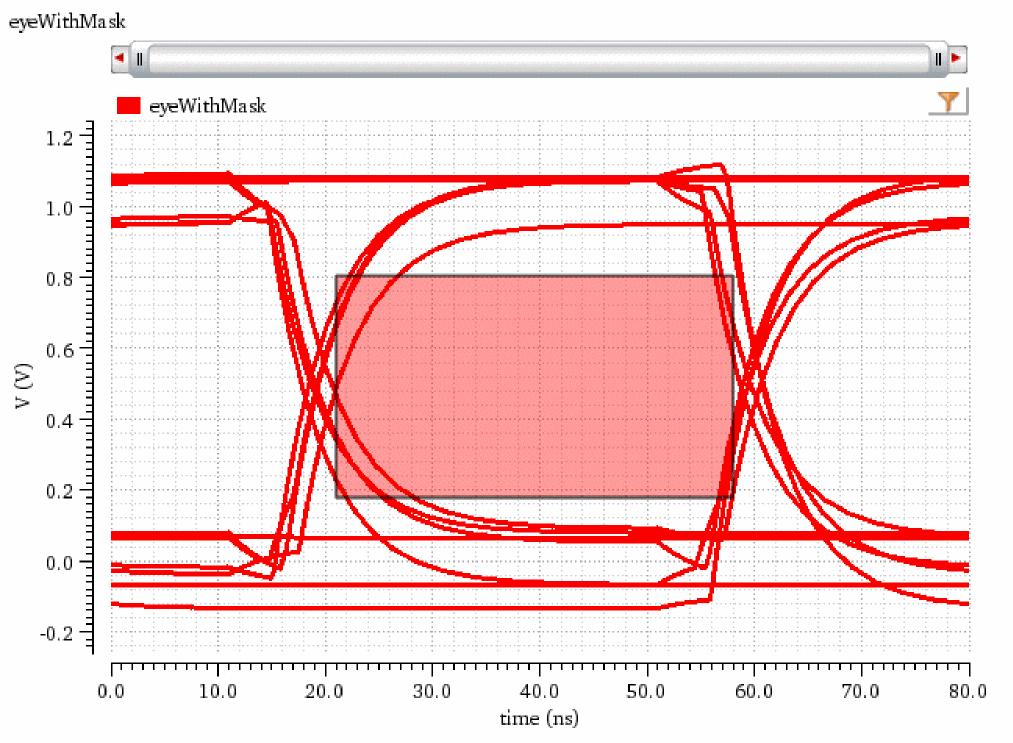
The following example creates a waveform object eyeMaskR that represents the eye diagram eye with an eye mask of the rectangle geometry placed over it at the specified coordinates.
eyeMaskR=eyeMask(eye "s" '(21n 0.179) '(21n 0.805) '(58n 0.805) '(58n 0.179))
=> srrWave:0x35c37040
The following example plots the waveform object eyeMaskR.
awvPlotWaveform(
win2
list(eyeMaskR)
?expr list("eyeWithMask")
?color list("y1")
?index list(1)
?lineType list("line")
?lineStyle list("solid")
?lineThickness list("thick")
)
=> t
The following example creates another Waveform window and returns its window ID.
win3=awvCreatePlotWindow()
=> window:5
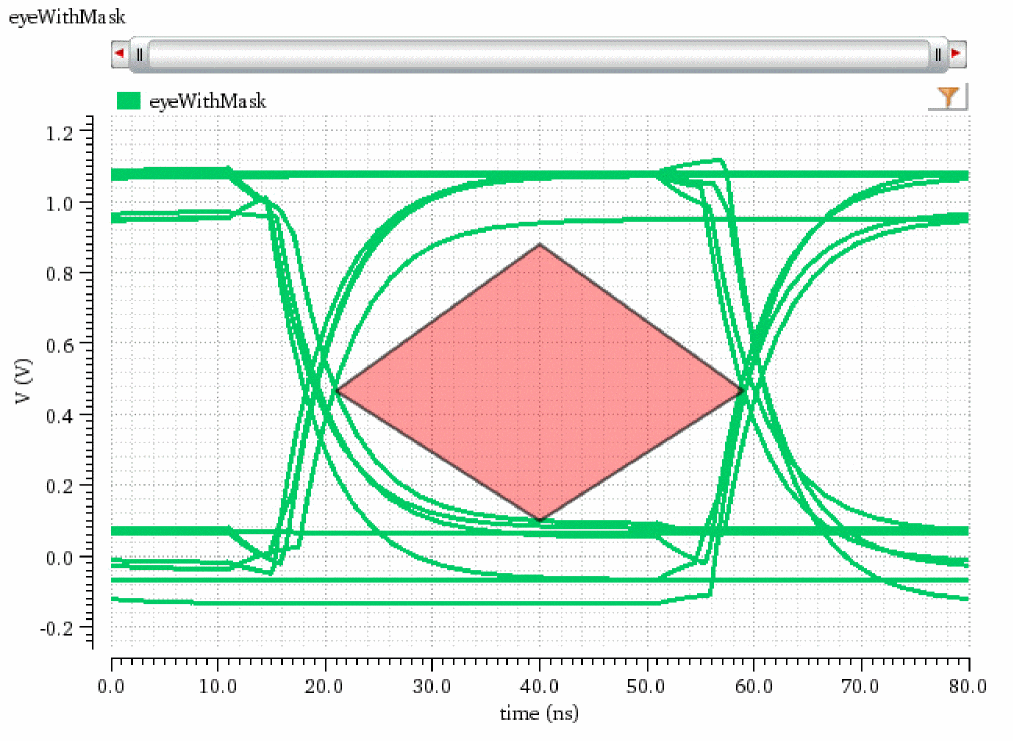
The following example creates a waveform object eyeMaskD that represents the eye diagram eye with an eye mask of the diamond geometry placed over it at the specified coordinates.
eyeMaskD=eyeMask(eye "s" '(21n 0.466) '(40n 0.880) '(59n 0.466) '(40n 0.099))
=> srrWave:0x35c37050
The following example plots the waveform object eyeMaskD.
awvPlotWaveform(
win3
list(eyeMaskD)
?expr list("eyeWithMask")
?color list("y2")
?index list(1)
?lineType list("line")
?lineStyle list("solid")
?lineThickness list("thick")
)
=> t
The following example creates a Waveform window and returns its window ID.
win4=awvCreatePlotWindow()
=> window:6
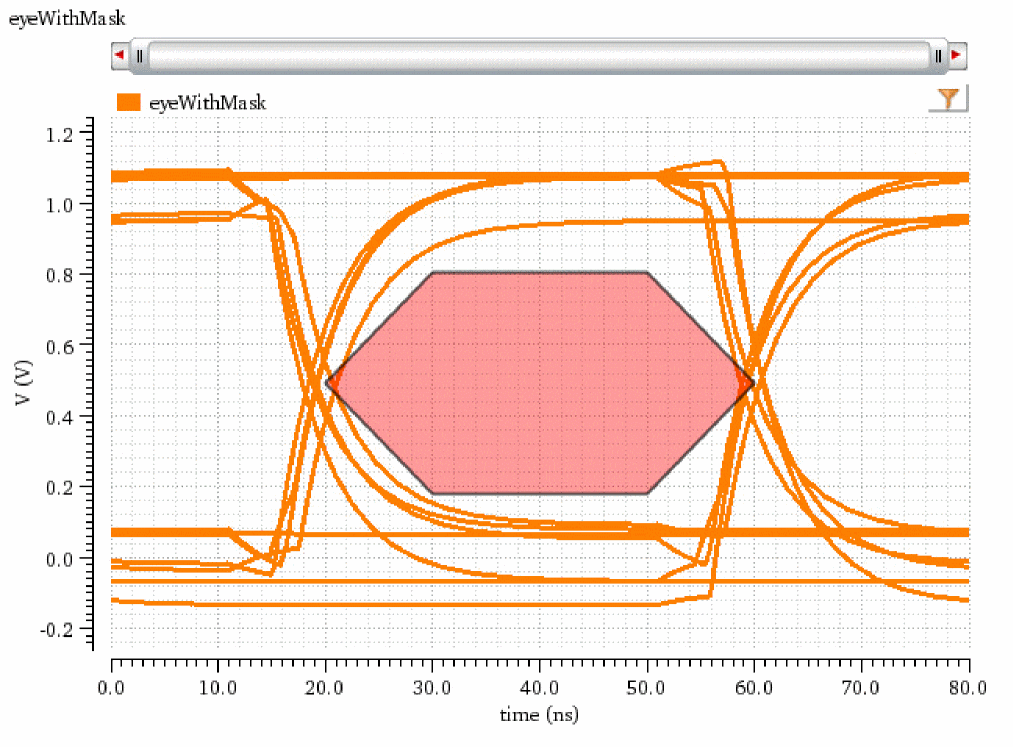
The following example creates a waveform object eyeMaskH that represents the eye diagram eye with an eye mask of the hexagon geometry placed over it at the specified coordinates.
eyeMaskH=eyeMask(eye "s" '(20n 0.492) '(30n 0.805) '(50n 0.805) '(60n 0.492) '(50n 0.179) '(30n 0.179))
=> srrWave:0x35c37060
The following example plots the waveform object eyeMaskH.
awvPlotWaveform(
win4
list(eyeMaskH)
?expr list("eyeWithMask")
?color list("y6")
?index list(1)
?lineType list("line")
?lineStyle list("solid")
?lineThickness list("thick")
)
=> t
Return to top