
rfJitter
rfJitter( [?resultt_result] [?resultsDirt_resultsDir] [?unitt_unit] [?berg_ber] [?fromn_from] [?ton_to] [?signalLevelt_signalLevel] ) =>n_value/o_waveform/nil
Description
Calculates jitter from the results of hbnoise and pnoise sample (jitter) analyses. It is used to calculate Jee, JDelay, and RMS Phase Noise.
Arguments
|
Value of bit-error rate (BER) when the signal level is peak-to-peak. |
|
Value Returned
Examples
The following example opens simulation results of hb-hbnoise analysis stored in the specified results directory.
openResults("/servers/user/testcase/simulation/lib/cell/maestro/results/maestro/ExplorerRun.0/psf/test/psf")
=> "/servers/user/testcase/simulation/lib/cell/maestro/results/maestro/ExplorerRun.0/psf/test/psf"
The following example lists the results available in the currently open results directory.
results()
=>
tran(tranOp dcOp dcOpInfo dc hb_fi
hb_fd hb_td hbnoise_sample_hm0 hbnoise_sample_hm1 model
instance output designParamVals primitives subckts
variables
)
The following example selects the result hbnoise_sample_hm0.
selectResults('hbnoise_sample_hm0)
=> stdobj@0x312f8a70
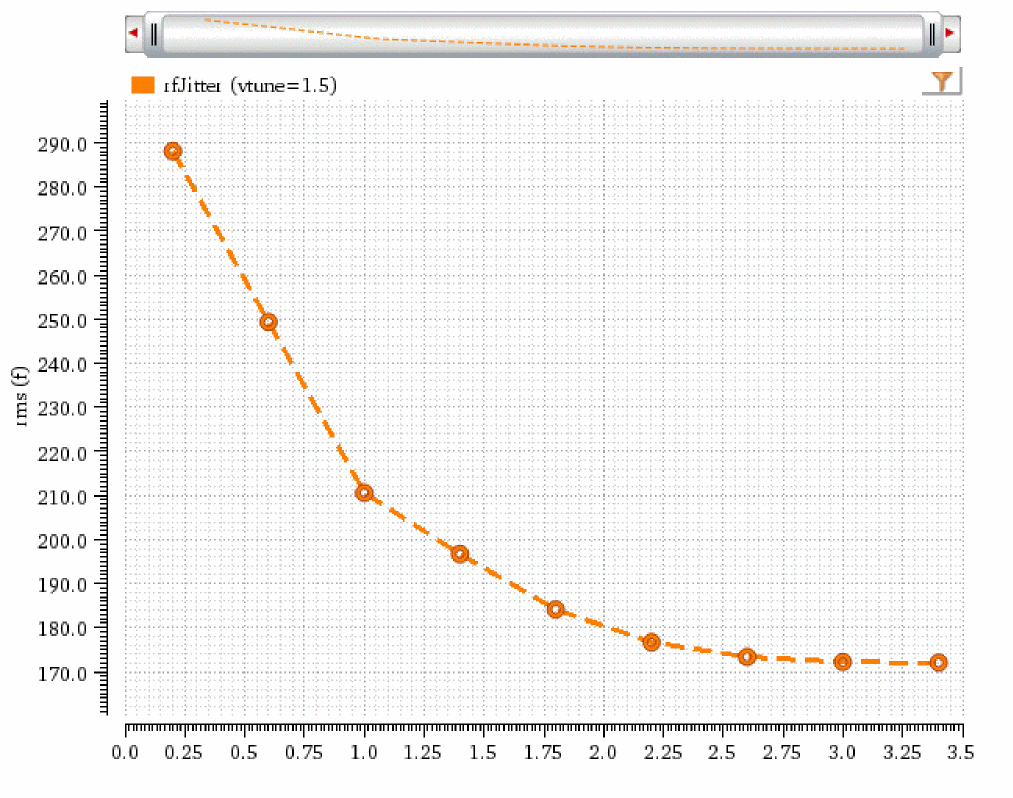
The following example creates a waveform object wave1, representing the jitter waveform. The signal level is rms.
wave1=rfJitter(?result "hbnoise_sample_hm0" ?unit "Second" ?from 10K ?to 1G ?signalLevel "rms")
=> srrWave:0x354f6060
The following example creates a Waveform window win1 and returns its window ID.
win1=awvCreatePlotWindow()
=> window:3
The following example plots the jitter waveform in the window win1.
awvPlotWaveform(
win1
list(wave1)
?expr list("rfJitter")
?color list("y6")
?lineType list("line")
?lineStyle list("dash")
?lineThickness list("thick")
?showSymbols list(t)
?dataSymbol list("o")
)
=> t
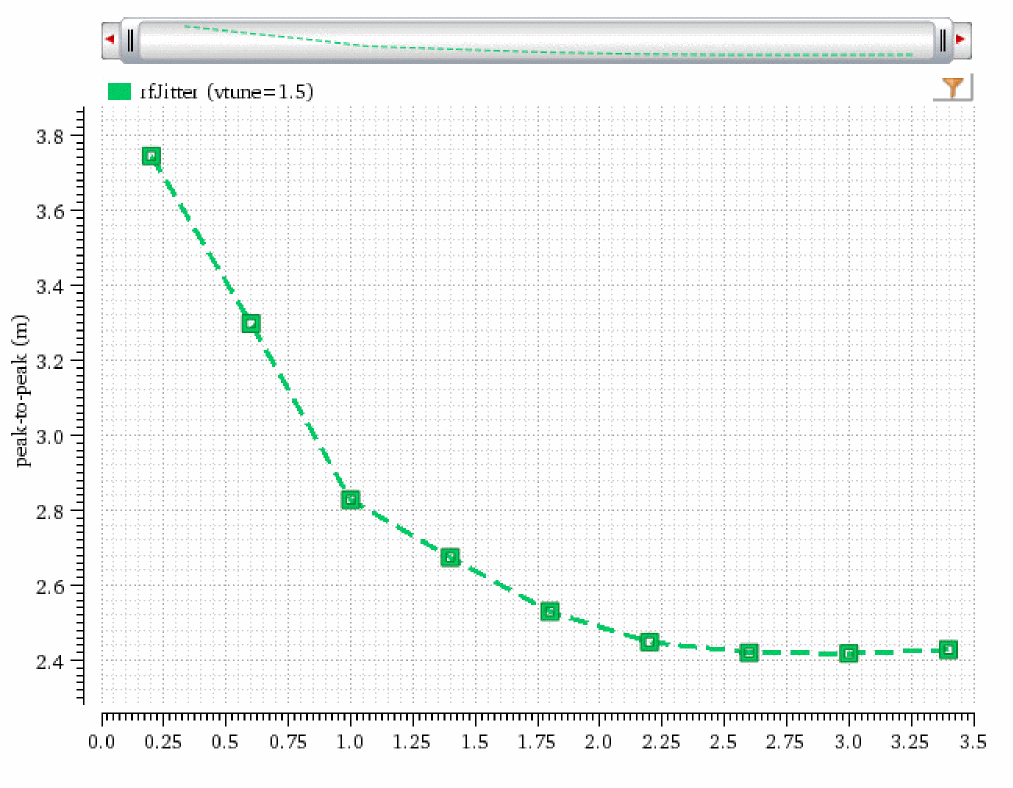
The following example creates a waveform object wave2, representing the jitter waveform. The signal level is peak-to-peak and BER is 1e-4.
wave2=rfJitter(?result "hbnoise_sample_hm0" ?unit "UI" ?from 10K ?to 1G ?signalLevel "peak-to-peak" ?ber 1e-4)
=> srrWave:0x354f5a00
The following example creates another Waveform window win2 and returns its window ID.
win2=awvCreatePlotWindow()
=> window:4
The following example plots the jitter waveform in the window win2.
awvPlotWaveform(
win2
list(wave2)
?expr list("rfJitter")
?color list("y18")
?lineType list("line")
?lineStyle list("dash")
?lineThickness list("thick")
?showSymbols list(t)
?dataSymbol list(5)
)
=> t
The following example opens simulation results of pss_pnoise analysis stored in the specified results directory.
openResults("/servers/user/testcase/simulation/lib/cell/view/results/maestro/ExplorerRun.0/1/pss_pnoise_trannoise/psf")
=> "/servers/user/testcase/simulation/lib/cell/view/results/maestro/ExplorerRun.0/1/pss_pnoise_trannoise/psf"
The following example lists the results available in the currently open results directory.
results()
(pss_tran pss_td pss_fd pnoise_sample_pm0 model
instance output designParamVals primitives subckts
variables
)
The following example selects the result pnoise_sample_pm0 stored in the results directory.
selectResults('pnoise_sample_pm0)
=> stdobj@0x324df290
The following example calculates the jitter value from the result pnoise_sample_pm0. The start frequency is 2.5K and stop frequency is 19.2M. The signal level is rms.
rfJitter(?result "pnoise_sample_pm0" ?unit "Second" ?from 2.5K ?to 19.2M ?signalLevel "rms")
=> 1.039041e-13
The following example calculates the jitter value from the result pnoise_sample_pm0. The start frequency is 2.5K and stop frequency is 19.2M. The signal level is peak-to-peak and BER is 1e-12.
rfJitter(?result "pnoise_sample_pm0" ?unit "Second" ?from 2.5K ?to 19.2M ?signalLevel "peak-to-peak" ?ber 1e-12)
=> 1.461827e-12
Return to top