
rfTransferFunction
rfTransferFunction(t_unit[?resultt_resultName] ) =>o_waveform/nil
Description
Returns the waveform representing the transfer function. This function is run on the results of the pss-pnoise and hb-hbnoise analysis.
Arguments
|
Name of the results file alias in which the gain waveform is saved. |
|
Value Returned
Examples
The following example opens simulation results of hb-hbnoise analysis stored in the specified directory.
openResults("/servers/user/lib/cell/maestro/results/maestro/ExplorerRun.0/psf/test/psf")
=> "/servers/user/lib/cell/maestro/results/maestro/ExplorerRun.0/psf/test/psf"
The following example lists the results available in the currently open results directory.
results()
=>
(hb_td hb_fd hb_fi hbac hbnoise_am
hbnoise_am_xfersrc hbnoise_src hbnoise_pm hbnoise_pm_xfersrc hbnoise
hbnoise_xfersrc hbnoise_lsb hbnoise_lsb_xfersrc model instance
output designParamVals primitives subckts variables
)
The following example selects the hbnoise result.
selectResults('hbnoise)
=> stdobj@0x31a12a10
The following example creates a waveform object wave1 that represents the plot for transfer function with y-axis unit specified as V/V.
wave1=rfTransferFunction("V/V" ?result "hbnoise")
=> srrWave:0x35ff7030
The following example creates a Waveform window and returns its window ID.
win1=awvCreatePlotWindow()
=> window:3
The following example plots the waveform wave1, which represents the transfer function, in the Waveform window win1.
awvPlotWaveform(
win1
list(wave1)
?expr list("transferFunction:V/V")
?color list("y6")
?lineType list("line")
?lineStyle list("solid")
?lineThickness list("thick")
?showSymbols list(t)
?dataSymbol list("x")
)
=> t
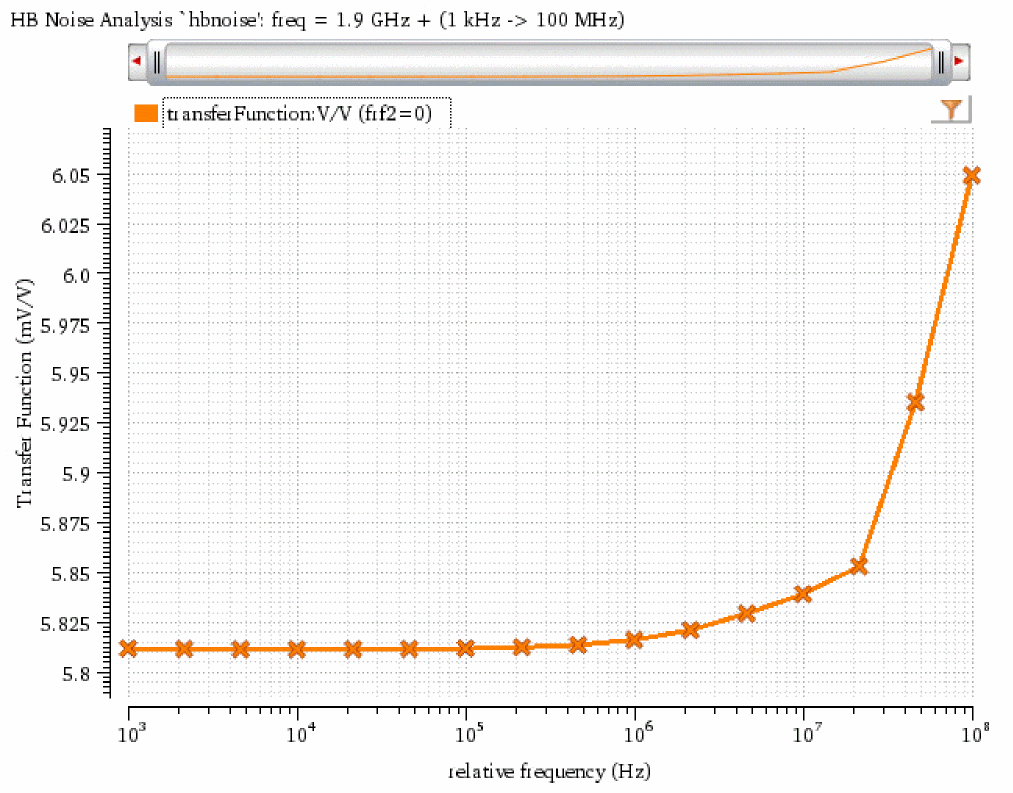
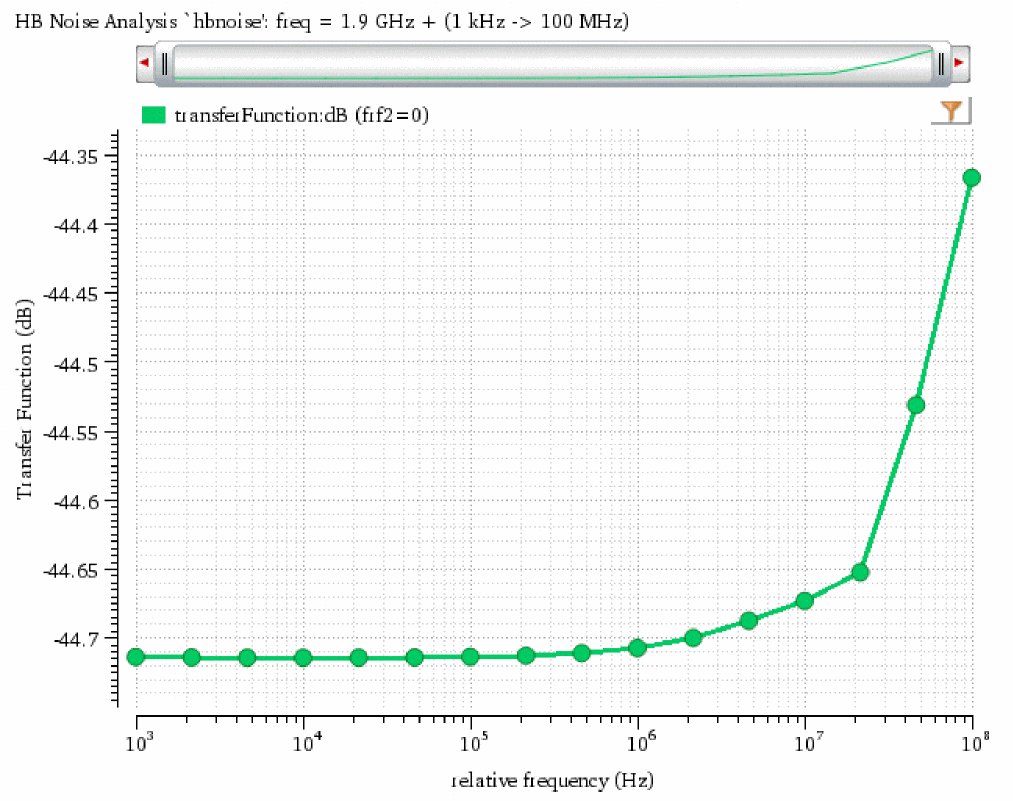
The following example creates a waveform object that represents the plot for transfer function with y-axis unit specified as dB.
wave2=rfTransferFunction("dB" ?result "hbnoise")
=> srrWave:0x35ff7100
The following example creates another Waveform window and returns its window ID.
win2=awvCreatePlotWindow()
=> window:4
The following example plots the waveform wave2, which represents the transfer function, in the Waveform window win2.
awvPlotWaveform(
win2
list(wave2)
?expr list("transferFunction:dB")
?color list("y18")
?lineType list("line")
?lineStyle list("solid")
?lineThickness list("thick")
?showSymbols list(t)
?dataSymbol list(".")
)
=> t
Return to top