
rfWrlsCcdfValues
rfWrlsCcdfValues(t_sig) =>o_waveform/f_avgPower/f_peakPower/nil
Description
Plots the complementary cumulative distribution function (CCDF) curve or calculates the average or peak power from the results of an envelope (ENVLP) wireless simulation.
Arguments
|
Specifies the value to be calculated or plotted.
For example, |
Value Returned
Examples
The following example opens simulation results of wireless envelope analysis stored in the specified results directory.
openResults("/servers/user/testcase/simulation/lib/cell/maestro/results/maestro/ExplorerRun.0/1/Wireless/psf")
=> "/servers/user/testcase/simulation/lib/cell/maestro/results/maestro/ExplorerRun.0/1/Wireless/psf"
The following examples create waveform objects wave1 and wave2 representing waveforms of CCDF curves measured by wireless probes WPRB1 and WPRB2, respectively. These wireless probes are inserted into the input and output of the amplifier.
wave1=rfWrlsCcdfValues("WPRB1.ccdf")
=> srrWave:0x35caa070
wave2=rfWrlsCcdfValues("WPRB2.ccdf")
=> srrWave:0x35caa0a0
The following example creates a Waveform window and returns its window ID.
win1=awvCreatePlotWindow()
=> window:3
The following example plots the CCDF curve represented by the waveform object wave1 in the Waveform window win1.
awvPlotWaveform(
win1
list(wave1)
?expr list("CCDF_1")
?color list("y6")
?index list(1)
?lineType list("line")
?lineStyle list("dash")
?lineThickness list("thick")
?showSymbols list(t)
?dataSymbol list(".")
)
=> t
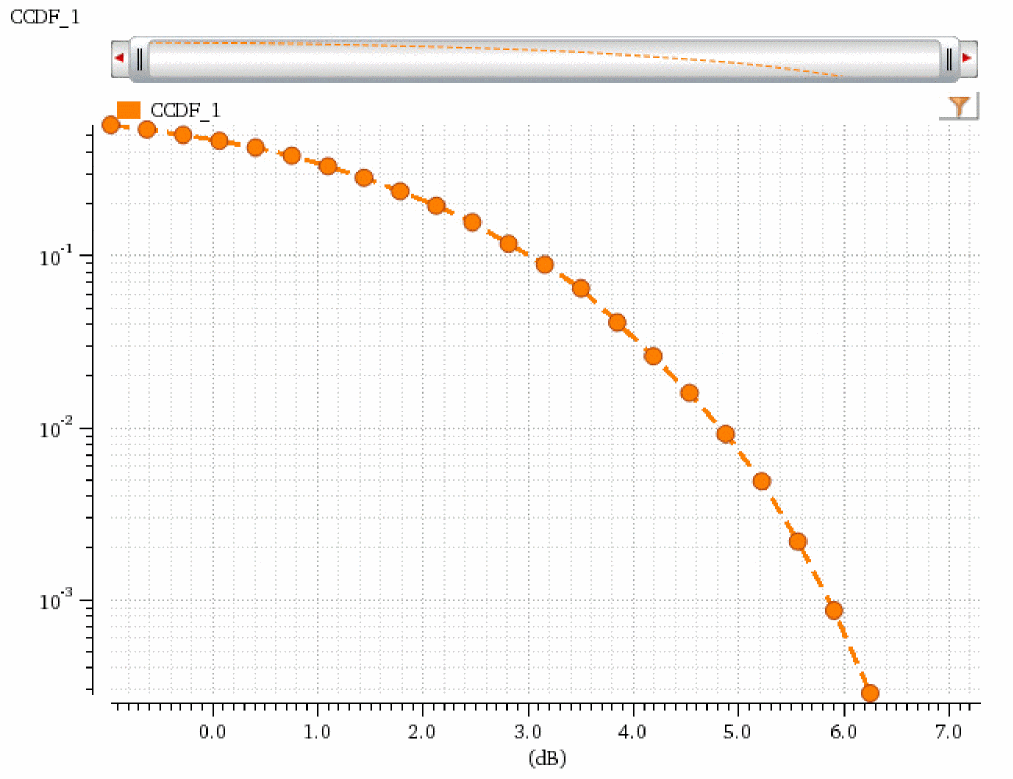
The following example creates a Waveform window and returns its window ID.
win2=awvCreatePlotWindow()
=> window:4
The following example plots the CCDF curve represented by the waveform object wave1 in the Waveform window win1.
awvPlotWaveform(
win2
list(wave2)
?expr list("CCDF_2")
?color list("y18")
?index list(1)
?lineType list("line")
?lineStyle list("dash")
?lineThickness list("thick")
?showSymbols list(t)
?dataSymbol list(5)
)
=> t
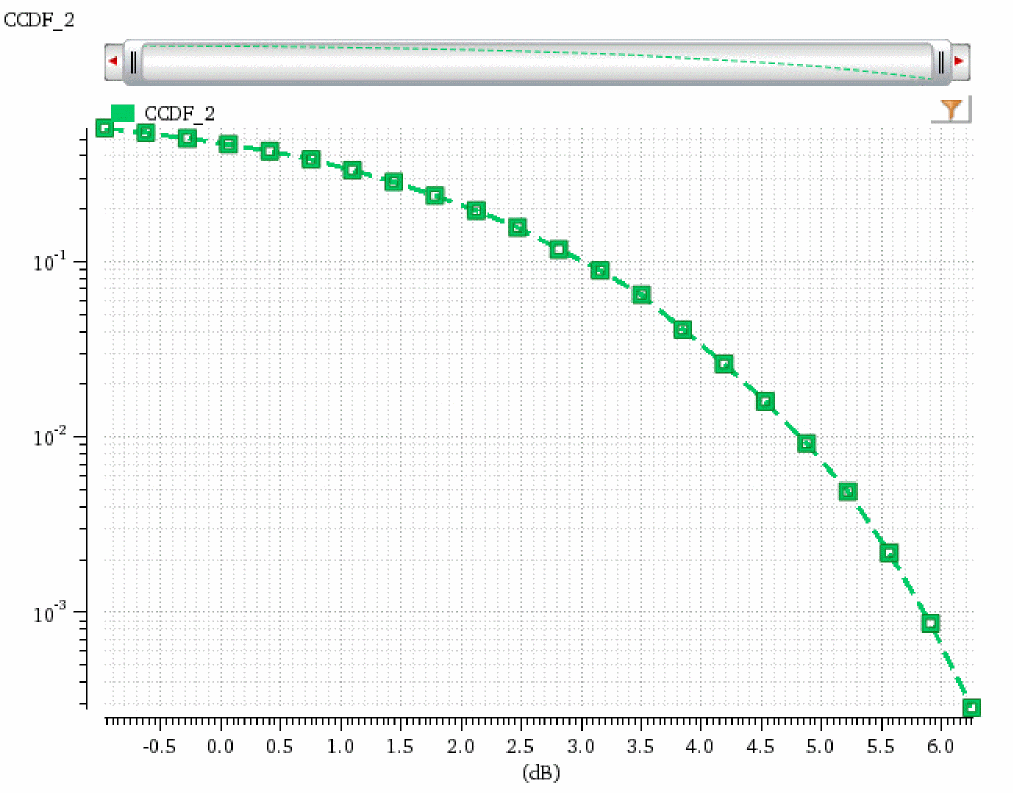
The following examples return the average and peak power measured by WPRB2.peakPower, and WPRB2.avgPower, respectively.
rfWrlsCcdfValues("WPRB2.peakPower")
=> 28.49793
rfWrlsCcdfValues("WPRB2.avgPower")
=> 22.59117
Return to top