
Changing the Origin of a Cellview
You can use the Move Origin command to move the origin of a cellview. Moving the origin of a master cellview changes the location of all placed instances of that cellview.
The Move Origin command fully supports blockage objects. When you move the origin of blockage objects without owners, the coordinates are updated. When you move the origin of owners of blockage objects, the blockage coordinates are also updated. The Move Origin command also fully supports boundary objects.
To change the origin of a cellview:
-
In the Layout window, choose Edit – Advanced – Move Origin.
The Move Origin command is disabled if you are editing a group. -
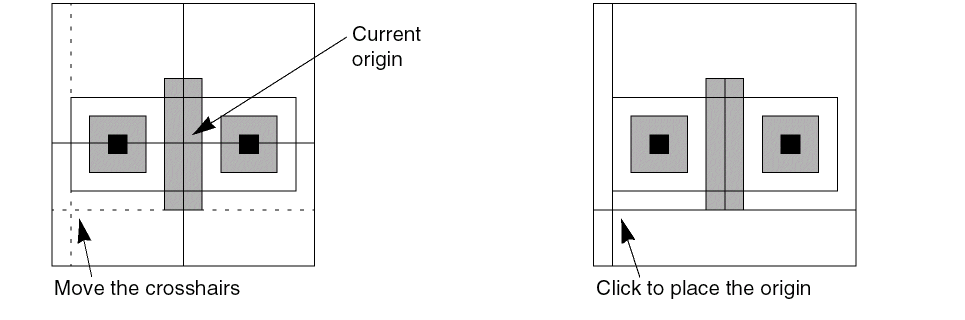
Move the pointer to the location on the canvas where you want the new origin and then click at that location.
As you move the pointer, two crosshairs showing the new X and Y axes follow the pointer.
Related Topics
Return to top