
Cross Section Viewer
(Layout MXL Only) You can view cross sections of physical layers in a layout by using the cross section viewer. The viewer displays the different layers, from top to bottom, present in a cross section, enabling you to view each layer clearly. This is helpful to identify any missing or wrongly placed layers and to debug connection issues across layers. The layers displayed in a cross section are read from the technology file. The cross section viewer displays only the shapes that are visible on the canvas; it follows the settings specified for the filter size, stop level, layer visibility, and so on.
When you invoke the cross section viewer, a cutline appears on the canvas that follows your mouse pointer. As you hover the cutline over the design, the cross section of the area underneath the cutline is displayed in the viewer. When you hover the mouse pointer over a shape in the cross section viewer, it displays a tooltip showing the “layer / purpose” of that shape.
You can view a cross section in the following modes:
-
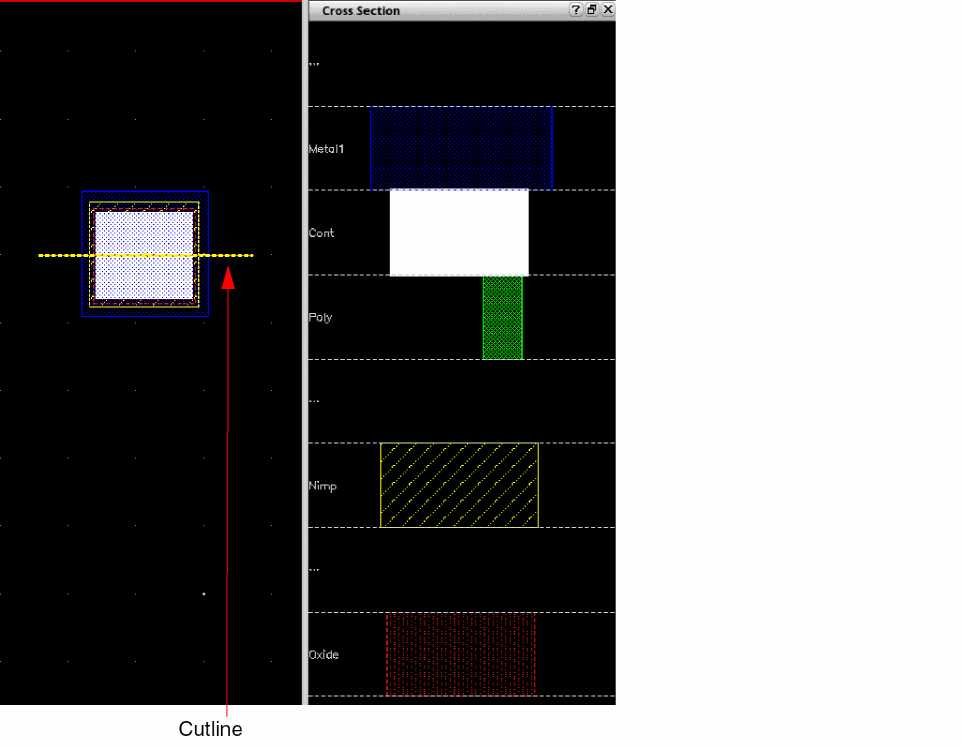
Assistant mode: Displays the cross section in the Cross Section assistant. The following image shows that the area underneath the yellow cutline is displayed in the assistant window. All the layers, from top to bottom, present in the cross section are listed in the assistant.
-
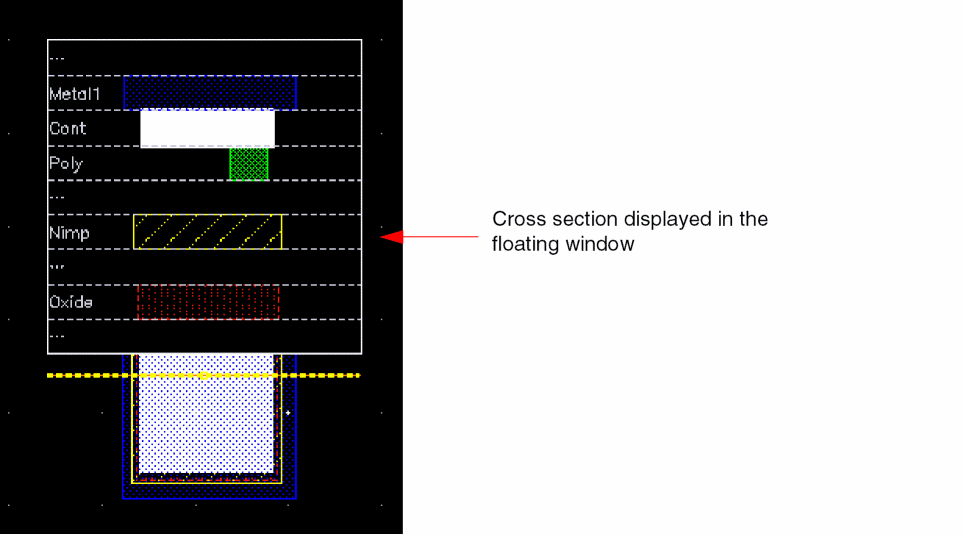
Floating window mode: Displays the cross section in a floating window. In the following image, the area underneath the yellow cut line is displayed in a floating window that follows the mouse pointer.
Related Topics
Viewing the Cross Section of a Layout
Specifying Cross Section Viewer Settings
Cross Section Viewer Configuration File
Return to top