
Creating an Array by Using the Copy Command Interactively
To create an array without entering the distance between the copies in the Copy form:
- On the layout canvas, select the object to copy.
-
Choose Edit – Copy and press
F3to open the Copy form. - Select the Array radio button in the Copies section.
-
In the Rows and Columns fields, type the number of rows and columns you want in the array, say
3rows and3columns. -
Click on the canvas to place the first object of the array.
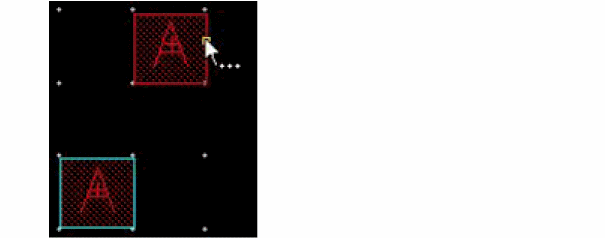
-
Click on the canvas to place the second column of the array.
The rest of the columns are automatically placed. The distance between the first and second copies controls the spacing and orientation of the remaining columns.
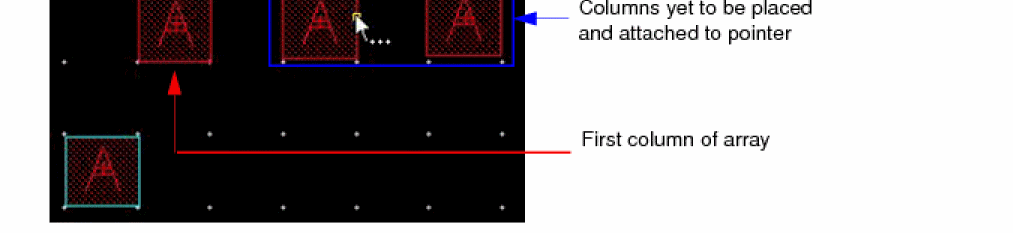
-
Similarly, click on the canvas to place the rows of the array and complete the array.
The distance between the first and second rows controls the spacing and orientation between the remaining rows.
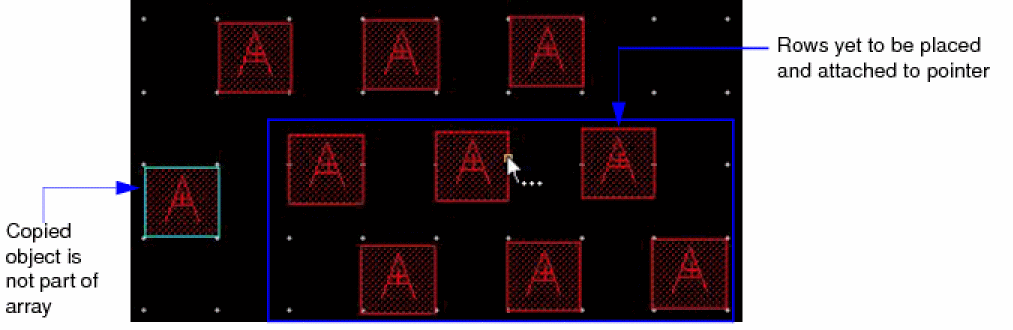
Group arrays cannot be created by using the Copy command interactively.
Related Topics
Return to top