
Merging Objects
- In the layout window, choose Edit – Basic – Merge.
-
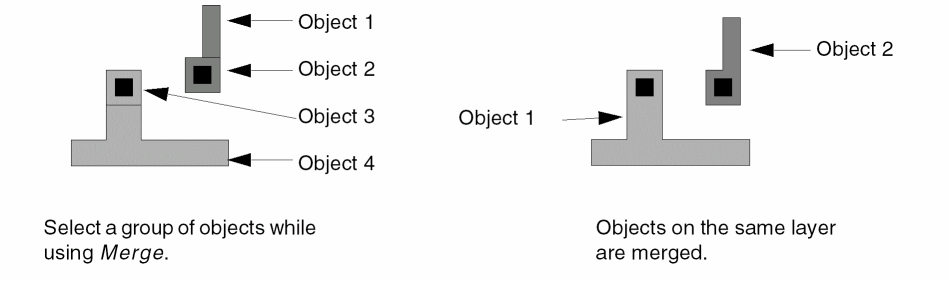
Select one or more objects on the same layer. The objects must touch or overlap each other.
The objects are merged.
You can click and drag to create a selection box and merge several objects at once. Only those objects that are on the same layer and that touch are merged.
For details on how to use the Merge command in pre-select and post-select modes, watch the video Using the Merge Command in Pre-select and Post-select Modes.
Related Topics
Return to top