
How Merging Converts Paths
When you merge collinear or non-collinear paths, certain conditions must be met for the resulting object to be a path.
Merging Collinear Paths
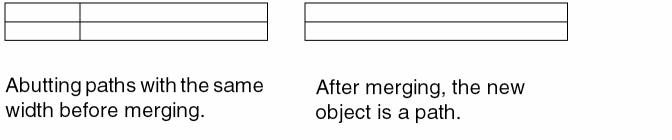
When you merge abutted collinear paths, the merged path must have the same width as the original path and should be on the same layer. If the path centers are not aligned, the merged path becomes a polygon. To ensure the path centers are aligned, you can change the X points in the Edit Path Properties form for each vertical path or the Y points for each horizontal path.
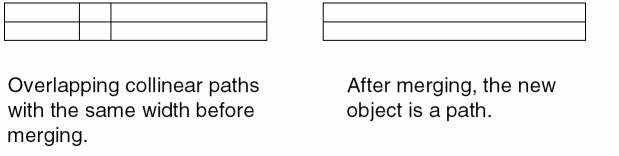
When you merge overlapping collinear paths, the merged path must have the same width and be on the same layer.
Merging Non-Collinear Paths
When you merge overlapping horizontal and vertical paths, the following conditions should be met for the resulting object to be a path:
-
For each end point of the paths at the overlapping ends, the following criterion must be met:
center line of the other path =< end point of the path =< outer edge of the other path - For each outer edge of the paths at the overlapping ends, the outer edge must not extend beyond the outer edge of the other path.
If either of these conditions is not met, the resulting object becomes a polygon.
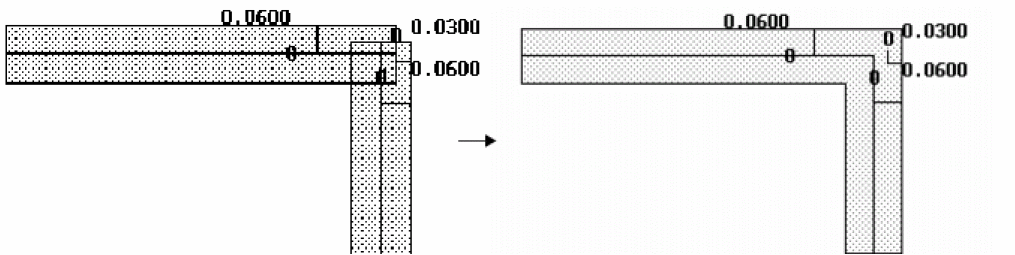
In the following figure, both the above conditions are satisfied by the overlapping paths. Therefore, the resulting merged object is a path. The path ends move to form a right angle to make the path design rule correct.
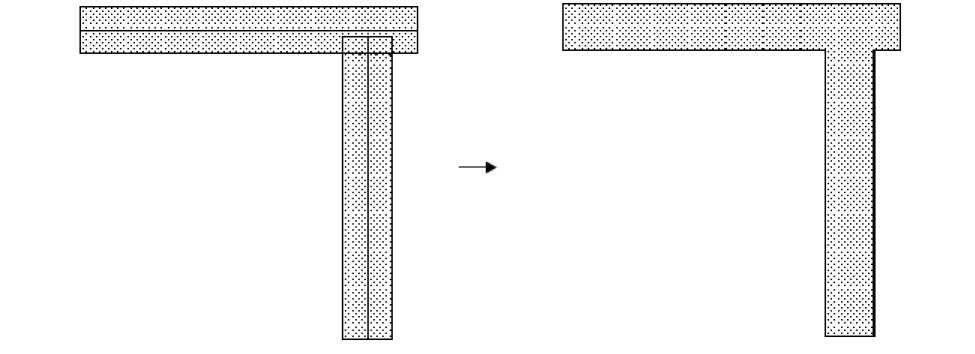
In the following figure, the outer edge of the horizontal path extends beyond the outer edge of the vertical path. Therefore, the resulting object is a polygon.
You can merge collinear paths and collinear multipart paths with multiple end types. The supported end types are truncate, extend, round, and variable. Some examples are shown below.
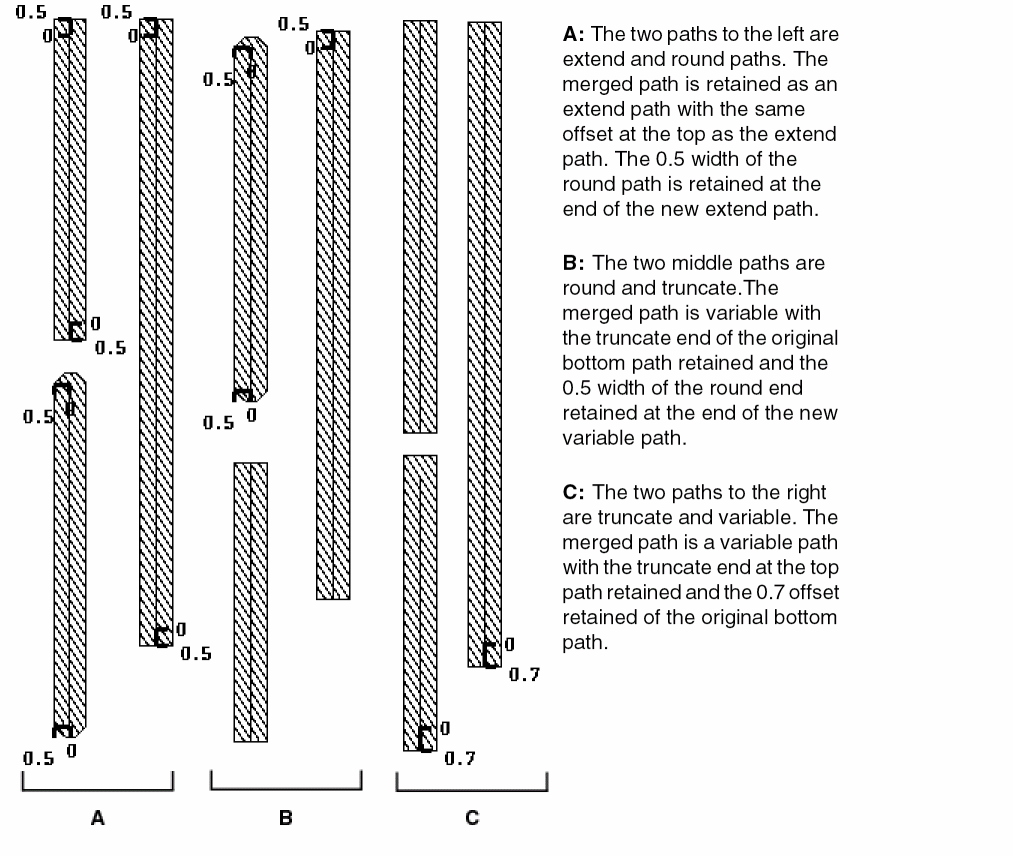
All paths being merged must be of the same width.
The following table summarizes the results of merging various path ends, where the resultant object of all merging combinations (columns 1 and 2) is a path (column 3). The table provides examples of begin extension, end extension, or width in the original paths to indicate the parameter values retained in the resultant merged path. In the table:
- w represents one half the path width of the round or extend path
- b represents begin extension
- e represents the end extension of any variable path end
A truncate path always has the following: 0, b, and e.
| Type of Path 1 | Type of Path 2 | Type of Resultant Merged Path | |||
|---|---|---|---|---|---|
The following table reflects that the merging of any path with a round path results in a polygon.
| Type of Path 1 | Type of Path 2 | Resultant Merged Object |
|---|---|---|
Related Topics
Return to top