
Abstract Mode Placement
When abstract mode placement is enabled and an instance is placed in the design window, Virtuoso does not search for the master for individual shapes. Instead, an instance snaps to a global snap pattern grid using its snap boundary or PR boundary. If no global grid is enabled, then there is no instance snapping.
The following figure depicts PR boundary-based snapping to the global grid.
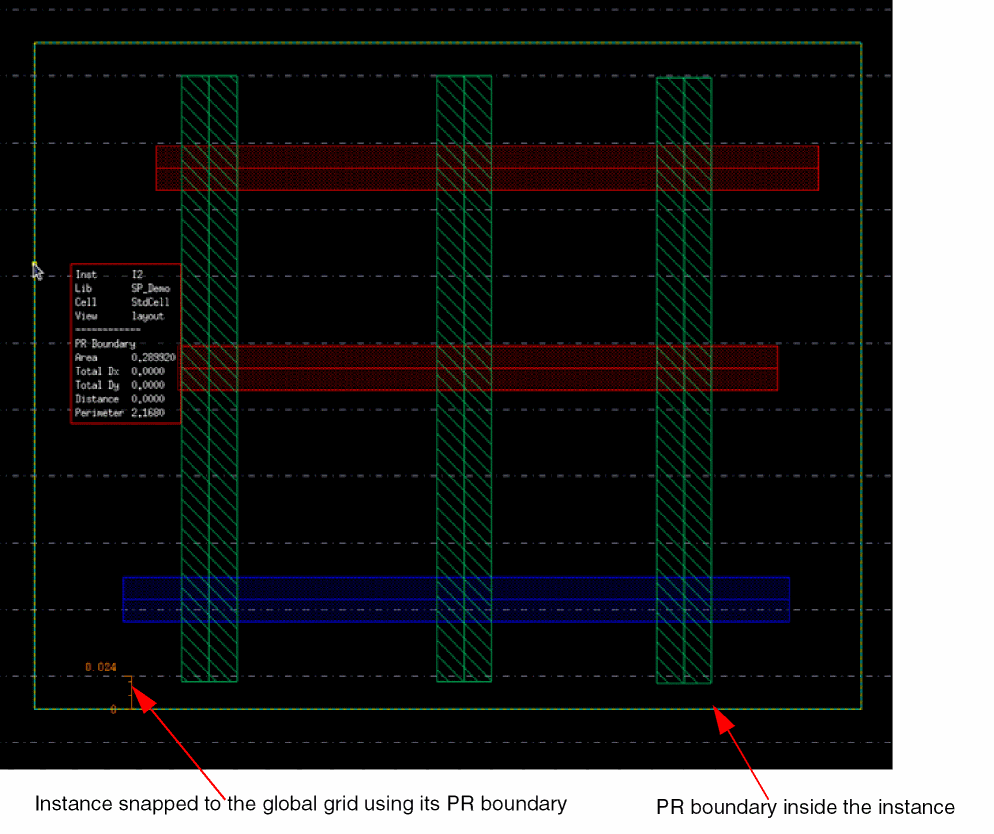
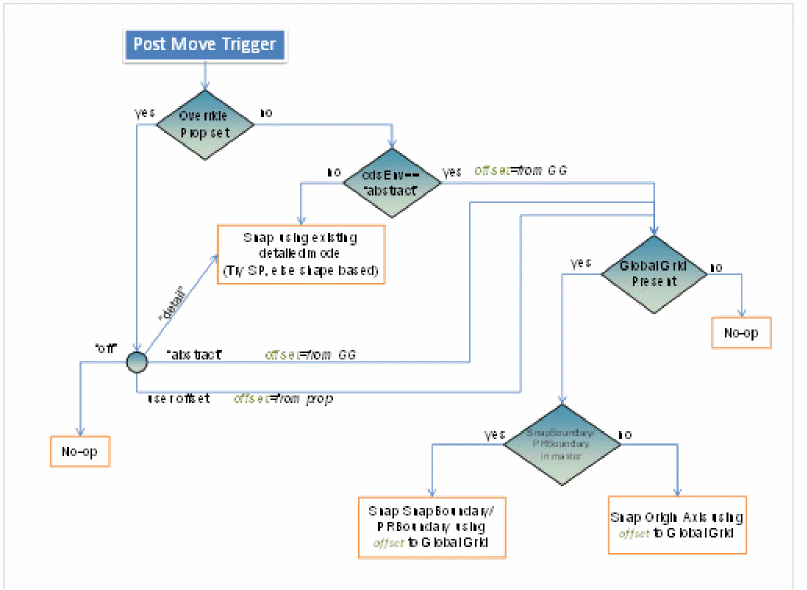
The placement offset is taken as the offset defined in the snap pattern definition of the global snap pattern. If the master contains a snap boundary, it is used for snapping. If no snap boundary is found, the PR boundary is used for placement. Otherwise, the origin axis of the instance is used as the reference point for instance placement.
The following figure shows the high-level flow diagram of instance snapping:
Related Topics
Manual Mode Placement Override
Return to top