
Shape Snapping for Track Groups
Snap pattern shapes of the snapPatternDef snap to their period lines. Shape snapping for track groups is supported both for global and local snap pattern definitions.
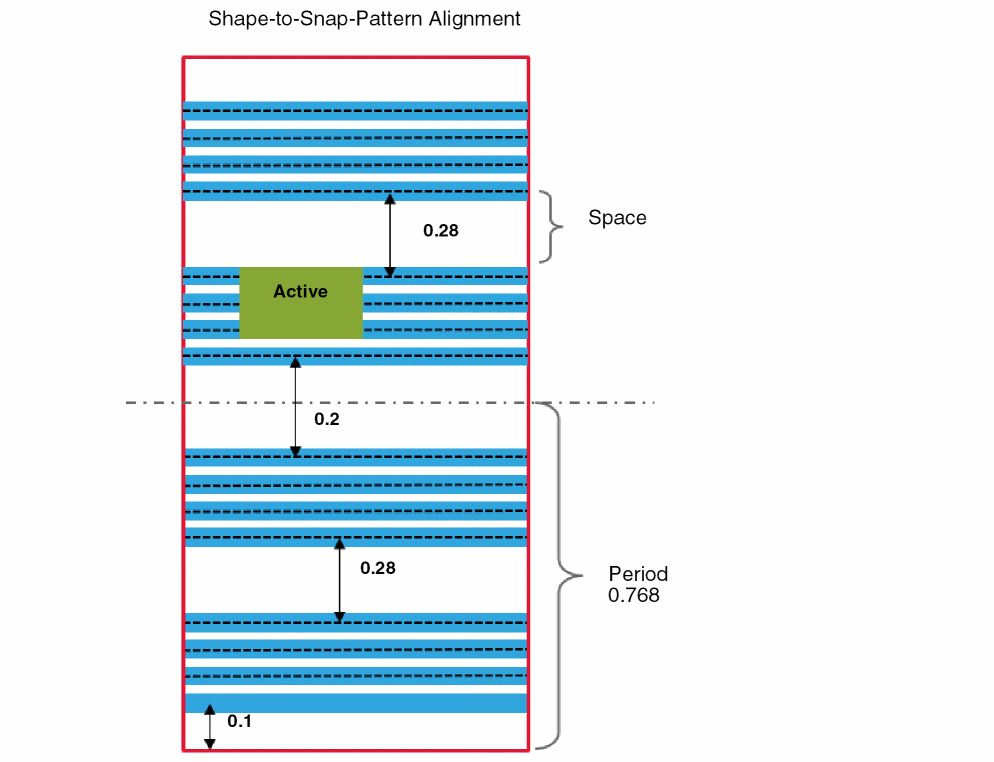
For shape-to-snap-pattern snapping, the shape is snapped by having the lower or left edge of the shape enclose a track by the trackEnclosure value. The shape is snapped to the nearest track. To move a snapped shape from one track group to another, you need to move the pointer by at least half the track group spacing.
The shape-to-snap-pattern snapping with track groups is depicted in the figure below.
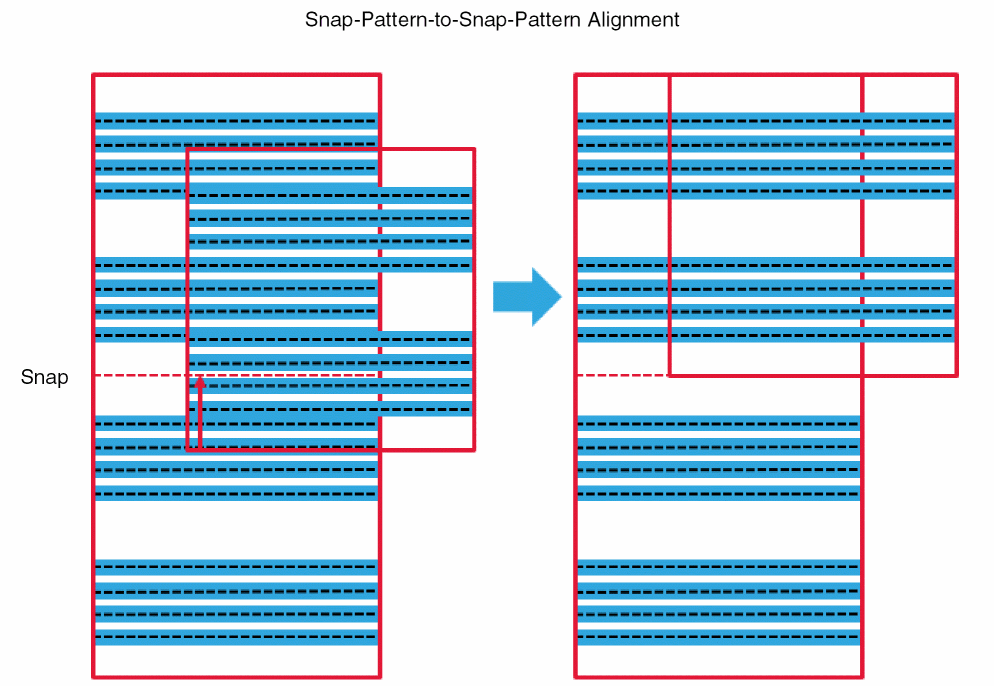
For snap-pattern-to-snap-pattern snapping, the computed period is used. The lower-left edge of the moving snap pattern is snapped to the closest period line of the target snap pattern. The track groups in snap-pattern-to-snap-pattern snapping are depicted in the figure below.
Related Topics
Instance Snapping for Track Groups in Detail Mode
Return to top