
Snap Pattern Display Based on Track Index
You use display packets to control the display of track centerlines and fins in a snap pattern. You can control the display based on track index across periods in a snap pattern. For example, you can choose to display the centerline of every second track in a snap period in yellow and the fin of every third track in orange.
Display of Track Centerlines
To control the display of the centerline of specific tracks in a snap pattern, define a display packet by using the following naming convention:
snapPatternPacket_snapPatternTracks_trackIndex_n
- snapPatternPacket refers to the name of the display packet used by the layer-purpose pair defined in the snap pattern definition in the technology file.
-
snapPatternTracks_trackIndexis the suffix you add to that name. - n refers to the track number for which you want to define the display in a snap period.
The following example defines how the centerline of the second track in a snap period is displayed when the snap pattern packet named M1_finPurpose is used.
drSetPacket("display" "M1_finPurpose_snapPatternTracks_trackIndex_2" "x" "solid" "yellow" " yellow " "outlineStipple")
The image in this topic shows the centerline of the second track in yellow. Assuming the snap period of the snap pattern is set to five, the centerline of the seventh track is also displayed in yellow.
Display of Track Fins
To control the display of a specific track fin, define a display packet by using the snapPatternPacket_snapPatternFull_trackIndex_n naming convention. The following example defines the fin display of the third track in a snap period when the snap pattern packet named M1_finPurpose is used.
drSetPacket("display" "M1_finPurpose_snapPatternFull_trackIndex_3" "brick" "solid" "orange" "orange" "outlineStipple")
The image shows that the fin of the third track is displayed in orange with brick stipple. Assuming the snap pattern period is set to five, the fin of the eighth track is also displayed in orange.
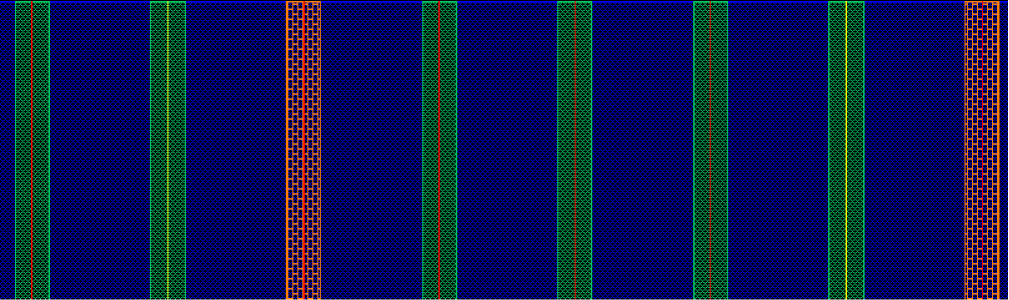
These display packets take effect when the snapPatternDisplayTrackIndex environment variable is enabled and the snapGridPeriod constraint defining the snap period is set for the snap pattern definition in the technology file.
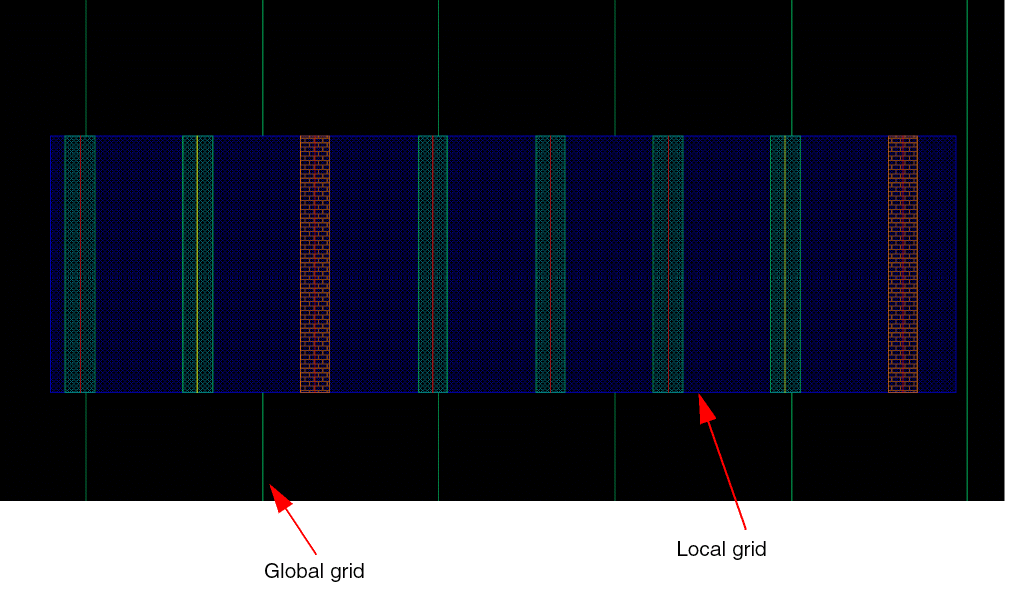
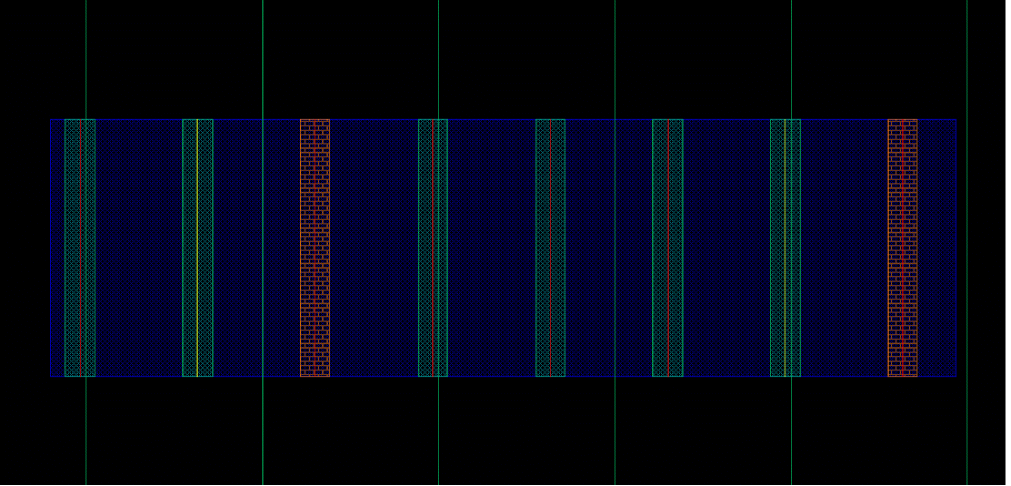
The techLayerPurposePriorities section in the technology file defines the layer-purpose pair (LPP) priority, from lowest to highest. By default, a local snap pattern grid having common snapping LPPs overlays a global snap pattern grid. However, the global grid overlays a local grid if the local grid LPP has a lower priority than the global grid LPP, when snapPatternDisplayTrackIndex is enabled.
The following image shows a local snap pattern grid overlaying a global snap pattern grid.
The following image shows a global snap pattern grid overlaying a local snap pattern grid.
Related Topics
Return to top