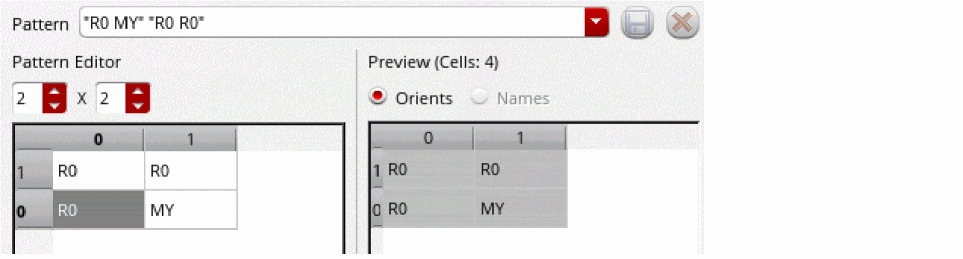
Array Pattern Form
Use the Array Pattern form to specify the orientation of individual cells of a group array. You can select a predefined pattern or create your own pattern.
|
Field
|
Description
|
|
Pattern
|
Lets you select an orientation pattern for the group array.
|
|
Save orient pattern
|
Saves a custom orientation pattern with the name specified in the Pattern field.
|
|
Delete orient pattern
|
Deletes the custom orientation pattern selected in the Pattern field. Predefined orientation patterns cannot be deleted.
|
|
Pattern Editor
|
Lets you define the orientation of a pattern.
You can use the spin boxes in this section to set the row and column count for the pattern. In the orientation table, you can define the orientation value for each cell in the pattern.
When you modify the row and column count or the orientation values, the updated pattern is populated in this section. Also, the updated orientation values are listed in the Pattern field of the form and the Preview section displays the updated pattern applied to the group array.
Right-clicking any cell provides you the option to clear the row to the end.
|
|
Preview
|
Displays the preview of the selected pattern applied to your group array. It also lists the total number of cells in the group array.
|
Related Topics
Group Arrays
Return to top