
Starting the Design Environment for Layout XL
To use Layout XL, you must have access to one of the following design environments:
-
Virtuoso Physical Design Environment (
layoutPlus) -
Virtuoso Front to Back Design Environment (
virtuoso)
To start a design environment that includes the Layout XL software:
-
In a terminal window, move to the top-level directory of the design that you want to edit.
The top-level directory is the directory that contains the library definitions (cds.lib) file for the design in question. The library definitions file defines the physical locations of all the reference and design libraries. Launching Layout XL loads the library initialization (libInit.il) files related to all these reference and design libraries. -
Type the executable name of the design environment you want to launch; for example,
virtuoso.
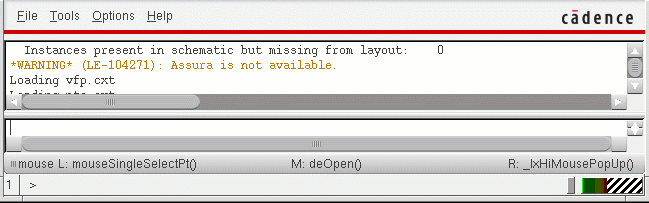
The Command Interpreter Window (CIW) is displayed. You use the CIW to launch applications on specific cellviews, perform general, non-tool-specific operations, enter SKILL commands, and view messages and warnings.
After you have started the design environment, you can launch Layout XL from any of the following views:
- A schematic view, with or without a physical configuration view. See Layout XL Launched from a Schematic View.
- A layout view, with or without a connectivity reference. See Starting Layout XL from a Layout View.
- A physical configuration view. See Starting Layout XL from a Physical Configuration View.
Related Topics
Return to top