
Customizing the Palette Environment
For Palette assistants, you can define local and global settings, such as the default search mode and the depth for visibility and selectability. The global settings are applicable to all Palette assistants across all layout windows.
To define Palette assistant settings:
-
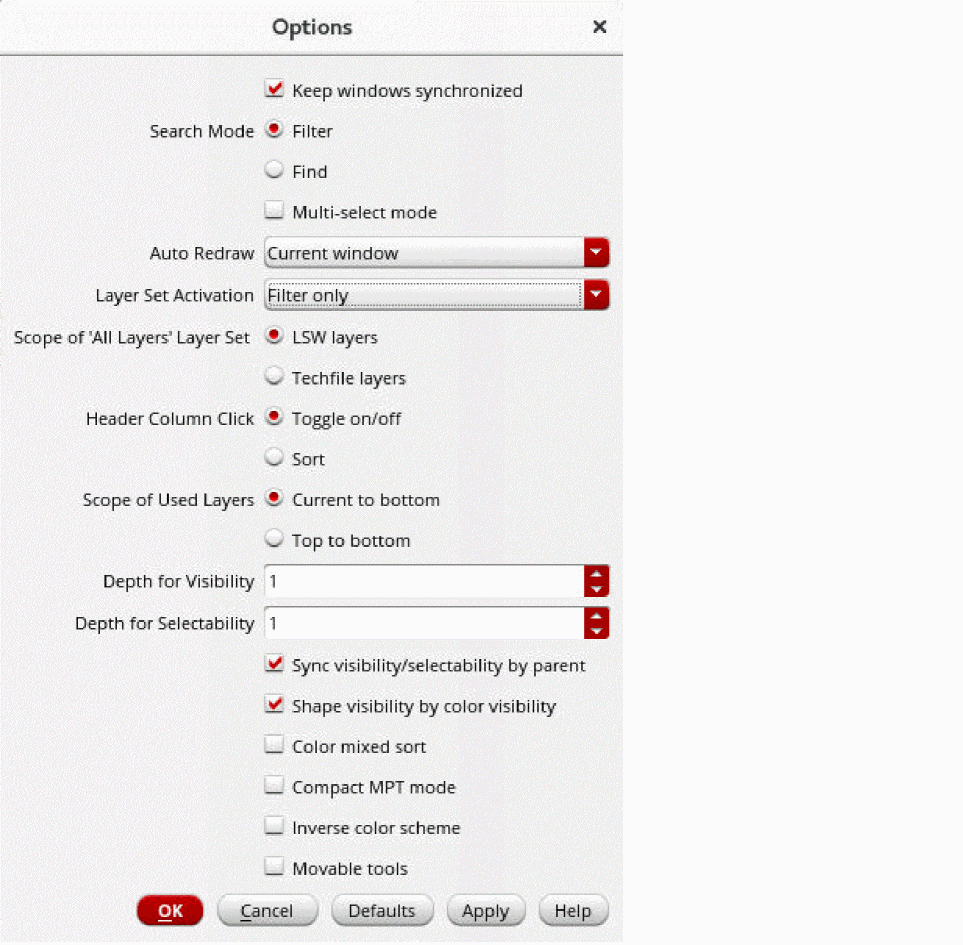
Choose Options from the Palette context menu. You can display the context menu by right-clicking any toolbar in the Layers panel or anywhere in the Objects and Grids panels except the title bar and column headers.
The Options form appears.
-
Set the options that you want to define for the Palette assistant.
For information about the options in the form, see Palette Options Form. - Click OK or Apply.
Related Topics
Return to top