
Fixing Bump Alignment Violations
The proper alignment of bumps in the source and target instances is necessary for proper routing. Bump propagation creates bumps in the target instance that are aligned with the bumps in the source instance. However, when making manual adjustments to the design, you might accidentally move a bump. The final task in the bump management flow is to verify the alignment of bumps in dies that are stacked one over the other and fix alignment issues, if any.
To fix bump alignment violations:
-
With the container or package layout open, launch the Edit-In-Concert mode by selecting Module – Edit-In-Concert.
The package design is displayed on the first tab, and the layouts of the die instances in the package are displayed on separate tabs. - Click the container or package tab.
- Choose Module – Bump Management – Check Bump Alignment.
- Select the source cellview.
-
Select the destination cellview.
Bump alignment mismatches are flagged with violation markers on the CAS tab of the Annotation Browser assistant.
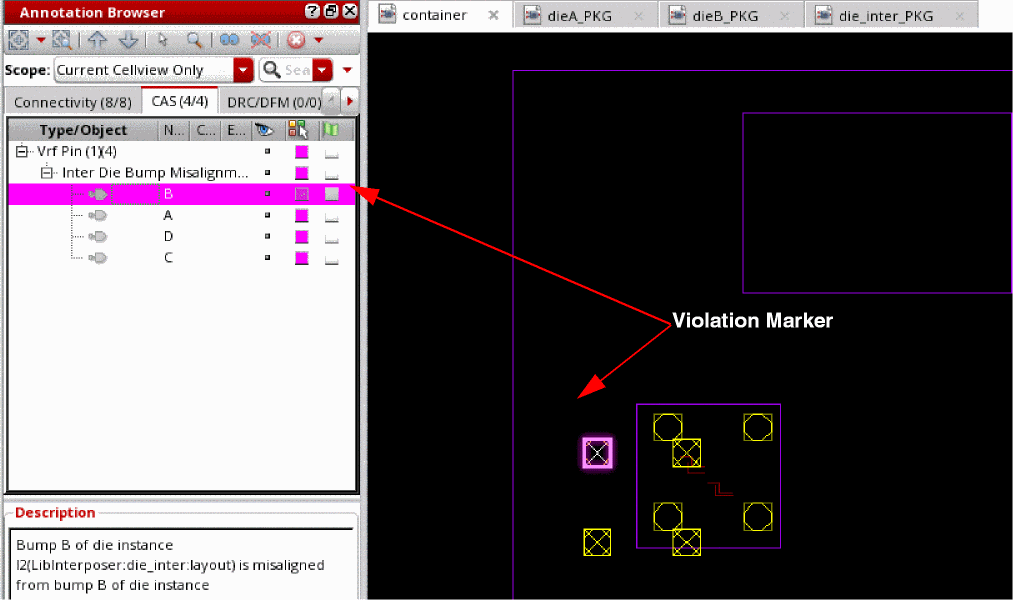
- Click each marker in the Annotation Browser assistant to view the location and a short description of the violation.
-
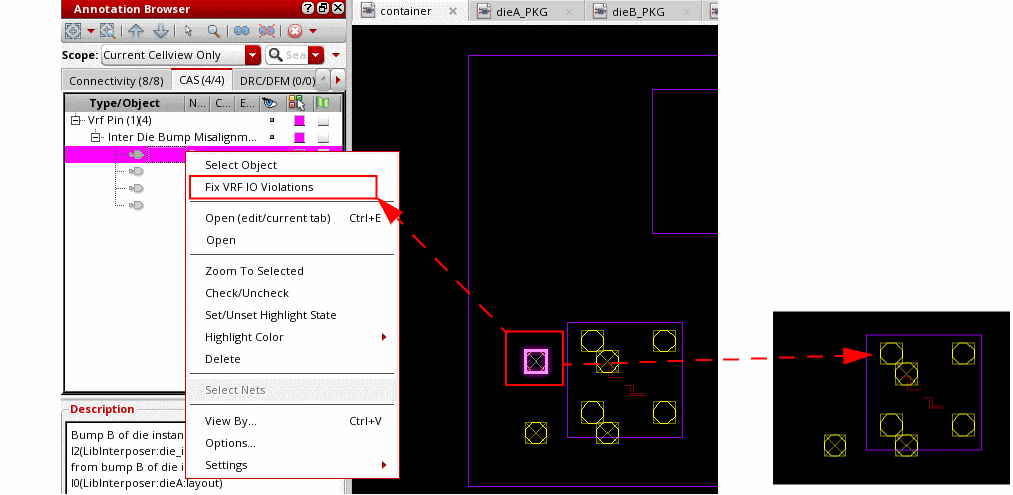
To fix a violation, right-click the violation marker and choose Fix VRF IO Violations.
- To fix all violations, choose Module – Bump Management – Fix Bump Alignment.
The bumps in the target instance are fixed as per their counterparts in the source instance.
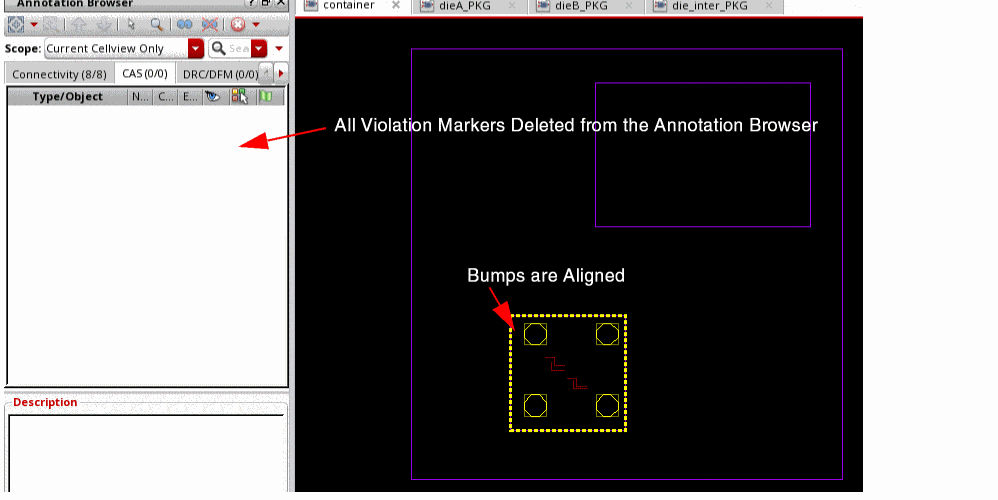
The results are reported in the CIW.
Related Topics
Return to top