
Converting Allegro Libraries to Unified Libraries
During conversion, symbol cells are created as a part of the unified library that both Allegro Package Designer Plus & Virtuoso Schematic Editor can use in the SiP Layout Option to Virtuoso Schematic Editor flow. The Convert Allegro Libraries to Unified Libraries form lets you convert native libraries into multi-platform unified library components across the platforms.
Unified libraries are crucial in heterogeneous integration designs to support interoperability across tool boundaries. The data sharing and design exchange for advanced package design flows is simplified through conversion. A single symbol in Allegro platform with a vectorized terminal name A<0> that has 100 pin numbers is transformed to 100 symbols in Virtuoso Studio to maintain traceability.
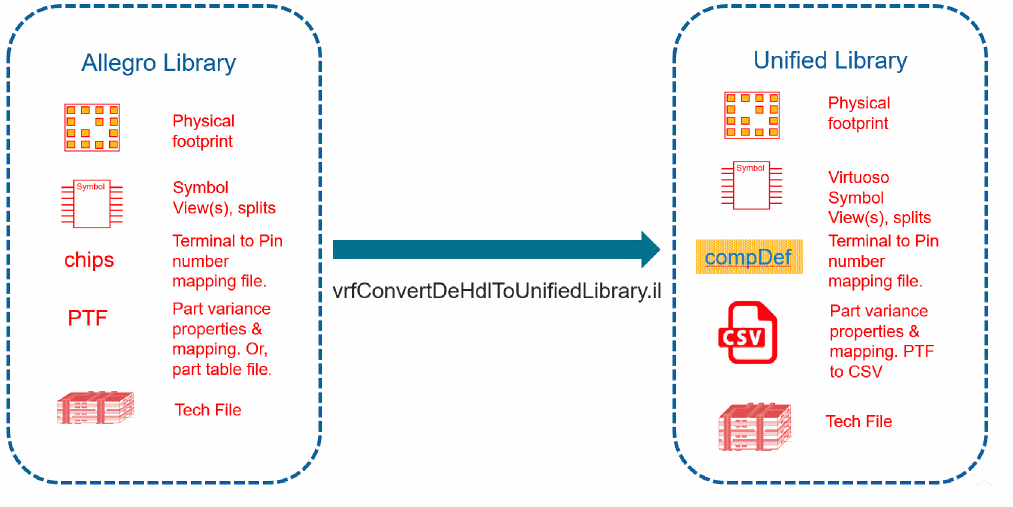
To convert Allegro libraries to unified libraries:
-
Click Tools – Conversion Toolbox – Convert Allegro libraries to Unified Libraries in the CIW. The Convert Allegro Libraries to Unified Libraries form opens.
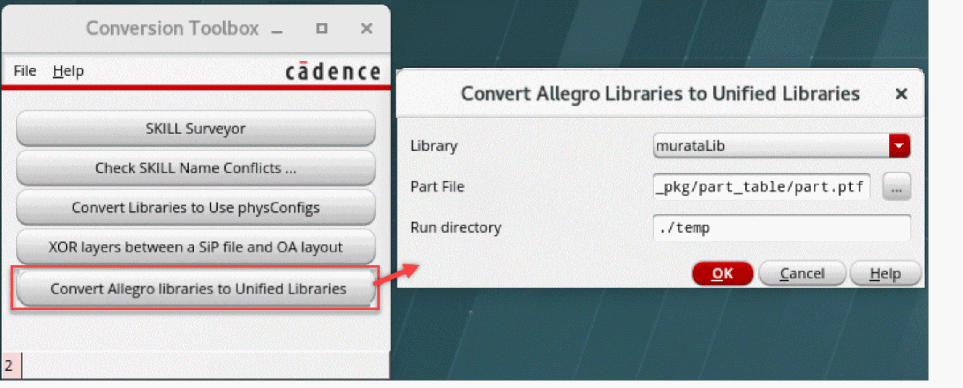
- Specify the library containing the part file to convert the symbols and the path to the part file.
- Click OK. The message about the symbol from Allegro being split is displayed in the CIW.
This is the before and after example of how DE-HDL library is augmented with additional views to support Virtuoso Studio.
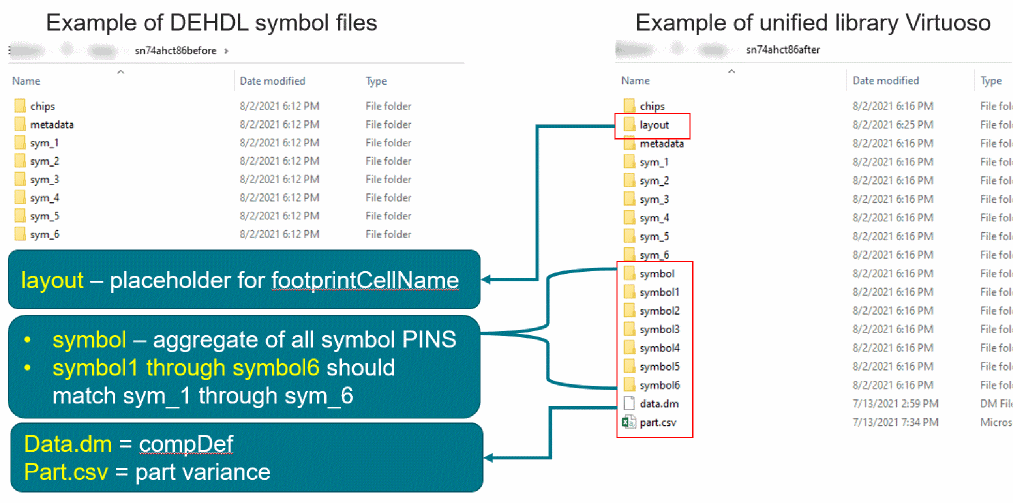
However, there are the following limitations for conversion:
- The terminal names that are different across a single-cell-symbol are not supported.
-
The
DE-HDL chips.prtattributes, such asPOWER_PINS,DEFAULT_SIGNAL_MODEL, and JEDEC_TYPEare not supported.
Related Topics
Convert Allegro Libraries to Unified Libraries Form
Return to top