
Row Templates
A row template is a container that defines one or more rows. It comprises specifications for a set of rows to be generated in the layout canvas. A row template can be repeated multiple times, one on top of the other, based on the required height. The following figure depicts how a row template can be used multiple times in a design. One instance is zoomed in to view details:
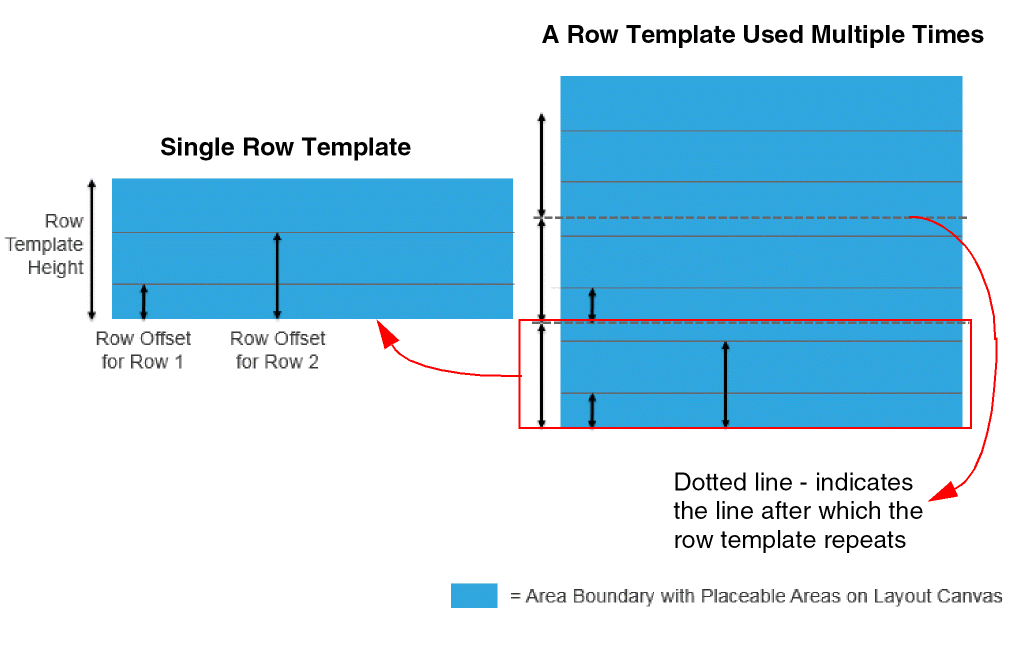
In the above figure, you can see that:
- The row template period is the total height of the row template, inclusive of all the rows in it.
- Each row has a different row offset value.
Here is a snapshot of a row template with three rows, Row 1, Row 2, and Row 3:
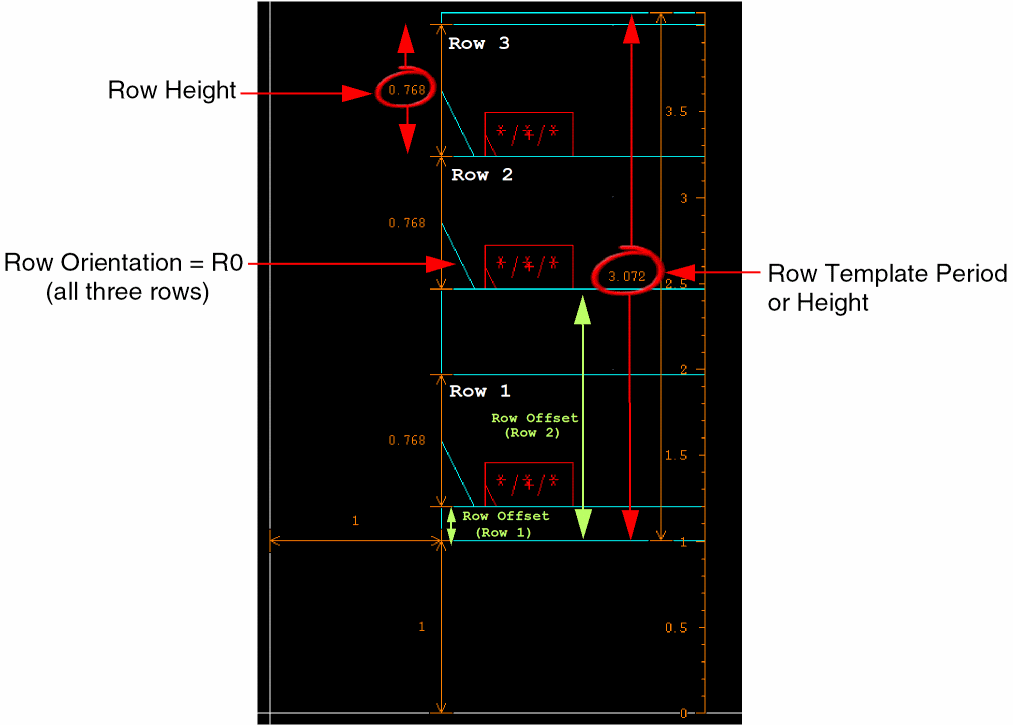
Before generating rows in the layout canvas using a row template, ensure that:
- The row template has at least one row.
- All rows have either a row height or a siteDef valued defined.
- All rows fit inside the template period.
- All rows have an allowed orientation value set.
- All rows have either a component type or a component master filter, but not both.
- All attributes are specified for generating rails, if required.
Related Topics
Introduction to Row Infrastructure
Return to top