
inspect
inspect [ -setd_setObj| -objectd_ctuObj] [ { [ -backward_page | -forward_page | -previous_set_item | -next_set_item | -set_item_indexi_index| -capture | -raise | -set_link_type {"New Window" | "Current Window"} | -delete | -visit -link_indexi_index| -set_prop -property_names_propName-new_values_propValue-link_indexi_index] } -idi_inspectorID]
Description
Opens the Properties dialog for the given object, the given set or the selected set. If no object is selected and neither -object nor -set is given, the entire design is used. This command is also used to indicate actions performed in the Properties dialog, for example, capture and setting properties.
The GUI equivalent for this command is Edit—Properties.
Arguments
|
Scrolls back one page in the Properties browser history for the inspector given by the |
||
|
Outputs the current properties to the Transcript area for the inspector given by the |
||
|
Closes the browser for the inspector given by the |
||
|
Scrolls forward one page in the Properties browser history for the inspector given by the |
||
|
Displays the properties for the next item for the inspector given by the |
||
|
Specifies the identifier for the object to inspect, or any output from inspect_getprop. |
||
|
Opens the Properties dialog for the inspector given by the |
||
|
Specifies the identifier for the set to inspect. By default, the selected set is inspected. |
||
|
Displays the properties for the given indexed item of the inspector given by the |
||
|
Determines whether a new window will be opened to display properties associated with a linked object in the current window. |
||
|
The properties for the linked object will be displayed in the current window. |
||
|
The properties for the linked object will be displayed in a new window. |
||
|
|
||
|
Sets the value of a property for the current item of the inspector given by |
||
|
Is the index of the property in the current item’s property list. |
||
|
Opens the Property browser for the inspector given by |
||
|
Scrolls back one page in the Properties browser history for the inspector given by the |
||
|
Outputs the current properties to the Transcript area for the inspector given by the |
||
Value Returned
Examples
The following figure shows properties for an instance in the Properties browser. The link_index values for the instance properties, and for the expanded view of the property with link_index value of 11.1are given.
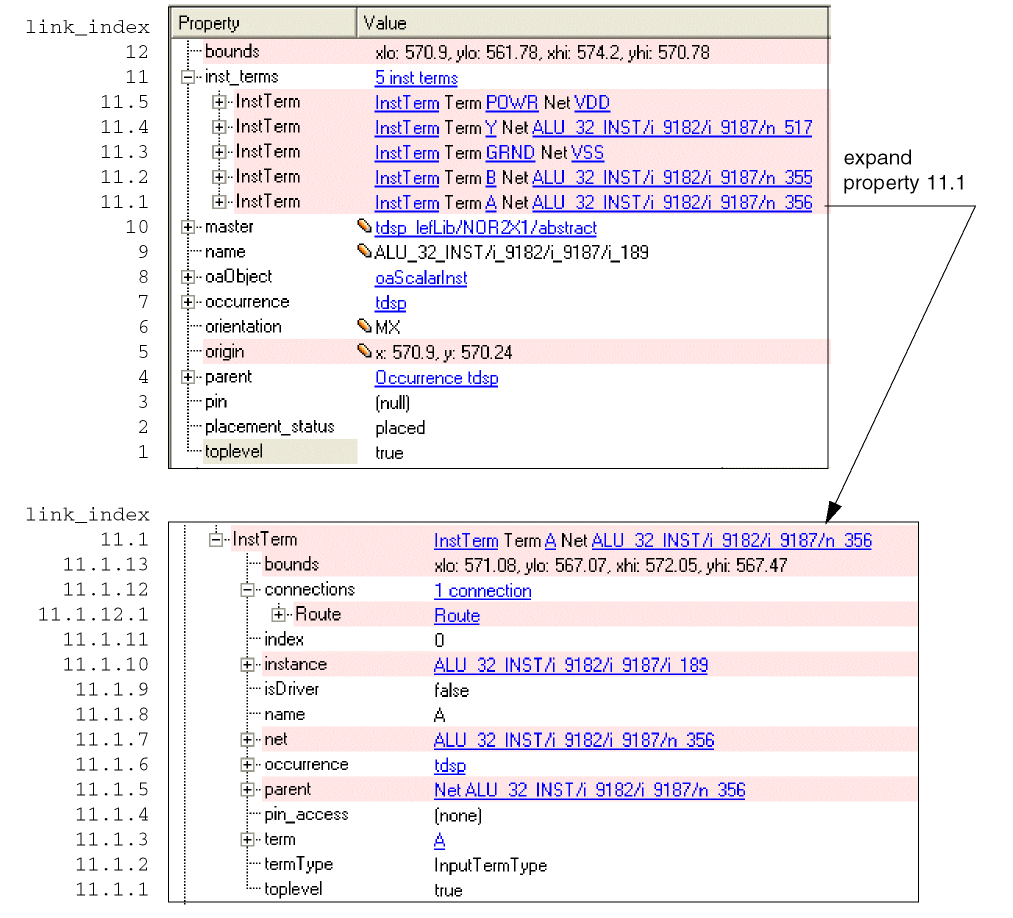
To change the orientation for the instance to R0 when the inspector id is 1,
inspect -set_prop -property_name orientation -new_value R0 -link_index 6 -id 1
Inspecting Routespecs
The following figure shows properties for a design, and expands the routeSpecs property.
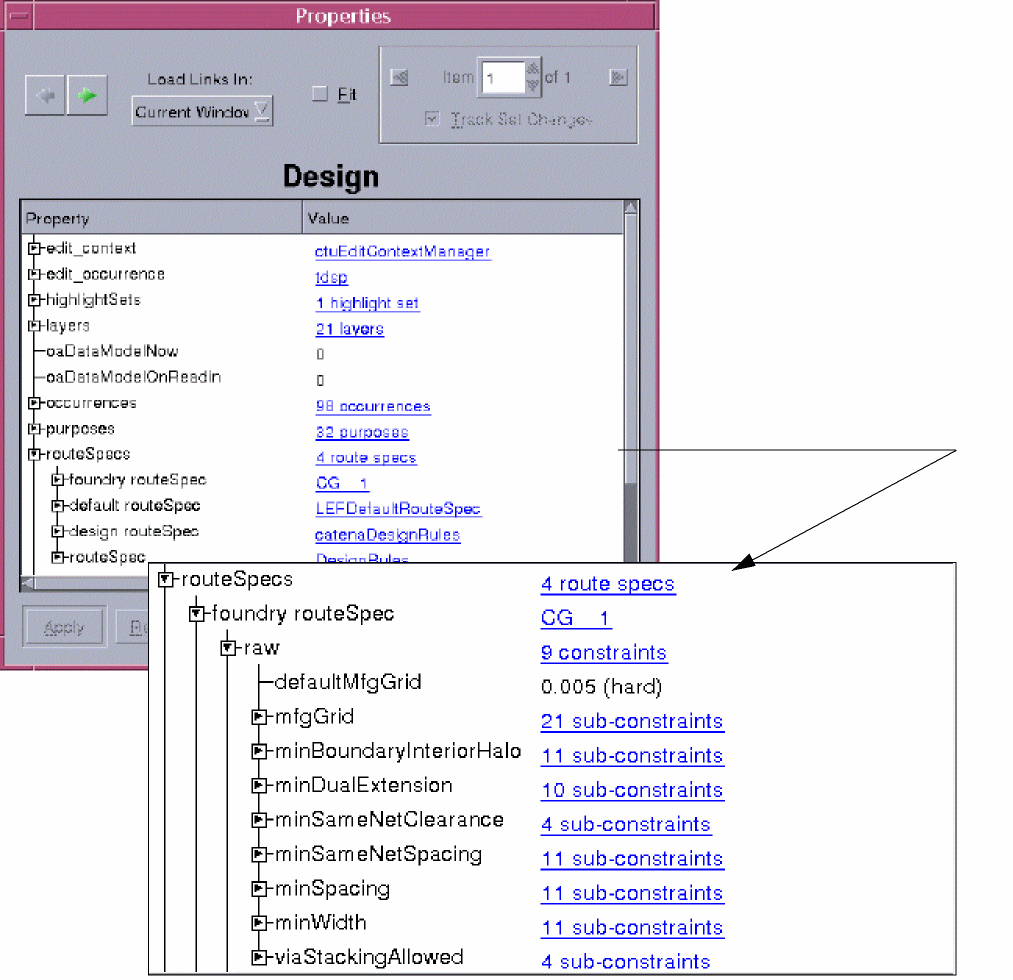
To view properties for the Foundry mfgGrid route spec for this design, deselect all objects (deselect_set), then use the following command:
inspect -object \
[inspect_getprop -prop_name "routeSpecs.foundry routeSpec.raw.mfgGrid"]
Related Topics
Return to top