
maxDiffDensity
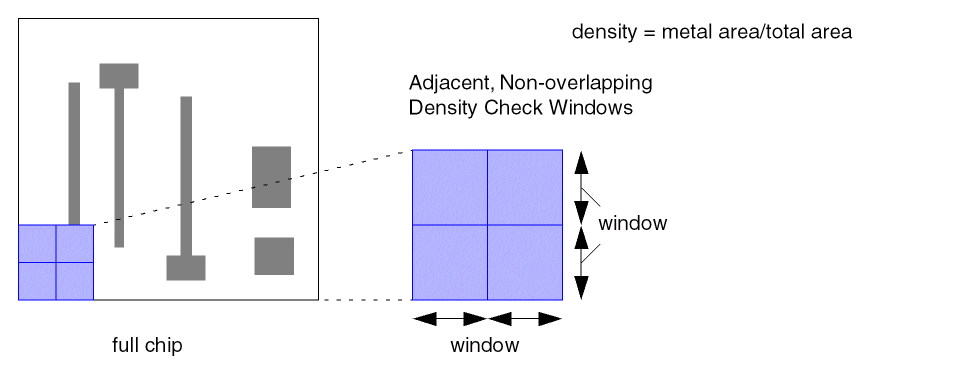
Specifies the maximum density difference between adjacent, non-overlapping density check windows.
maxDiffDensity Quick Reference
Value Type
maxDiffDensity constraints have a Flt1DTblValue. The lookup key (“step”) represents the step size and the value represents the maximum density difference percentage from 0 to 1, between adjacent, non-overlapping check windows. Check windows are square with equal height and width.
-
If
windowStepSizeis not given, the check window dimensions are 2*step size. -
If
windowStepSizeis given, the window size that corresponds with the given step size is used.
Density checking starts with the check window in a corner of the design, then the check window is moved across the design incrementally, by step size, and the density is checked at each step.
Parameter
-
windowStepSize(OneDTblValue, optional) The lookup key (“step”) represents the step size and the value represents the window size. This table is used to look up the window size associated with a given step size. When this parameter is not given, window size is equal to 2*step size.
Examples
-
1D Table: Index step size
Sets the maximum density difference percentage forMetal2based on the step size of the check window.
Related Topics
Return to top