
Specifying a Design for Netlist Generation
To start netlist generation by specifying a design:
- Open the SystemVerilog Netlister window.
-
Click Browse in the Design group box.
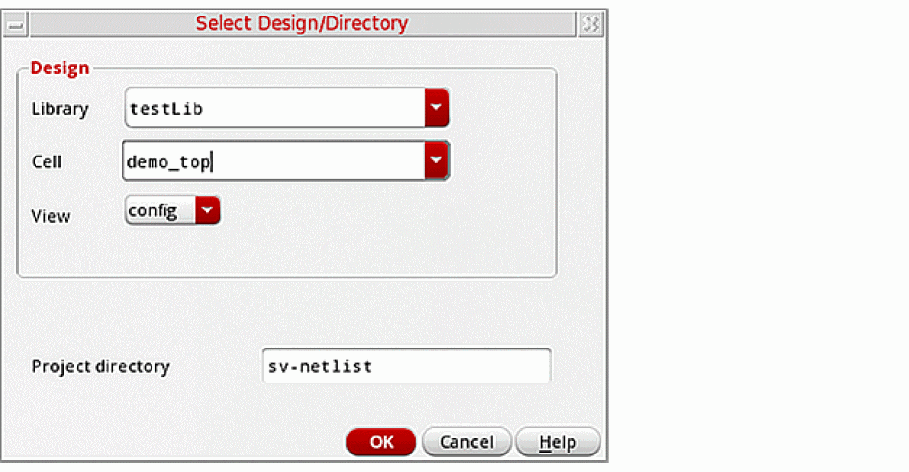
The Select Design/Directory Form appears.
-
Select a library from the Library list.
The cells in the specified library appear in the Cell list. -
Select a cell from the Cell list.
The views in the specified cell appear in the View list. - Select a config view from the View list.
-
Specify a new project directory name in the Project directory field, if required.
The default project directory name issv-netlist. - Click OK to select the design.
The CIW displays an appropriate message to indicate that the design specification is successful.
Related Topics
SystemVerilog Netlister Graphical User Interface
Return to top