
Highlighting a Device on Schematic
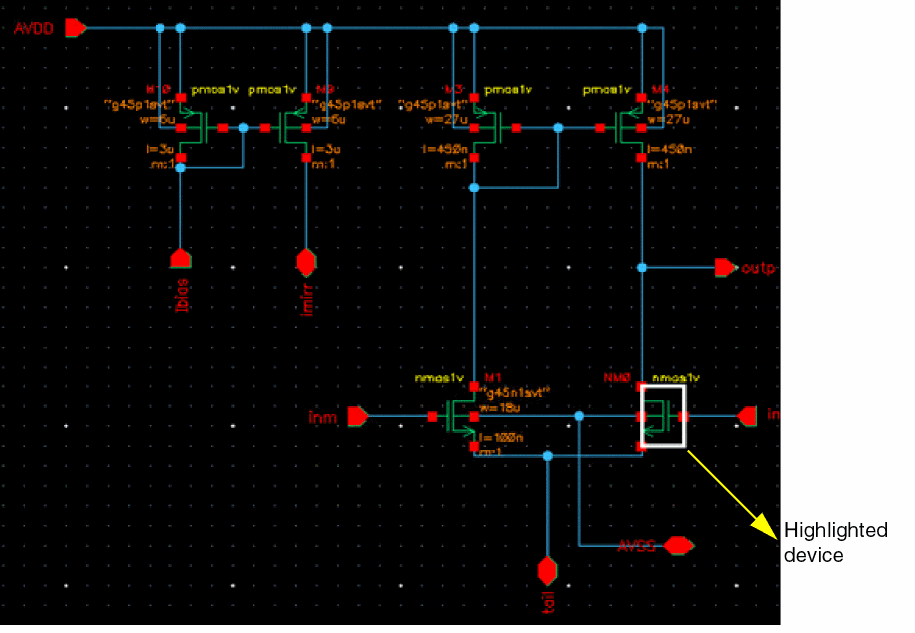
While analyzing data in the mismatch contribution table, you can highlight a device on the schematic to view its exact location. This can help in identifying and modifying a device in the schematic to improve the variance data, if required.
To highlight a device on the schematic:
-
Right-click a row and choose Highlight on Schematic.
Alternatively, you can press H on the keyboard.
Related Topics
Mismatch Contribution Analysis
Running Mismatch Contribution Analysis
Viewing Results of Mismatch Contribution Analysis
Return to top