
Track Pattern Assistant Customization
You can customize the Track Pattern assistant in the following ways:
-
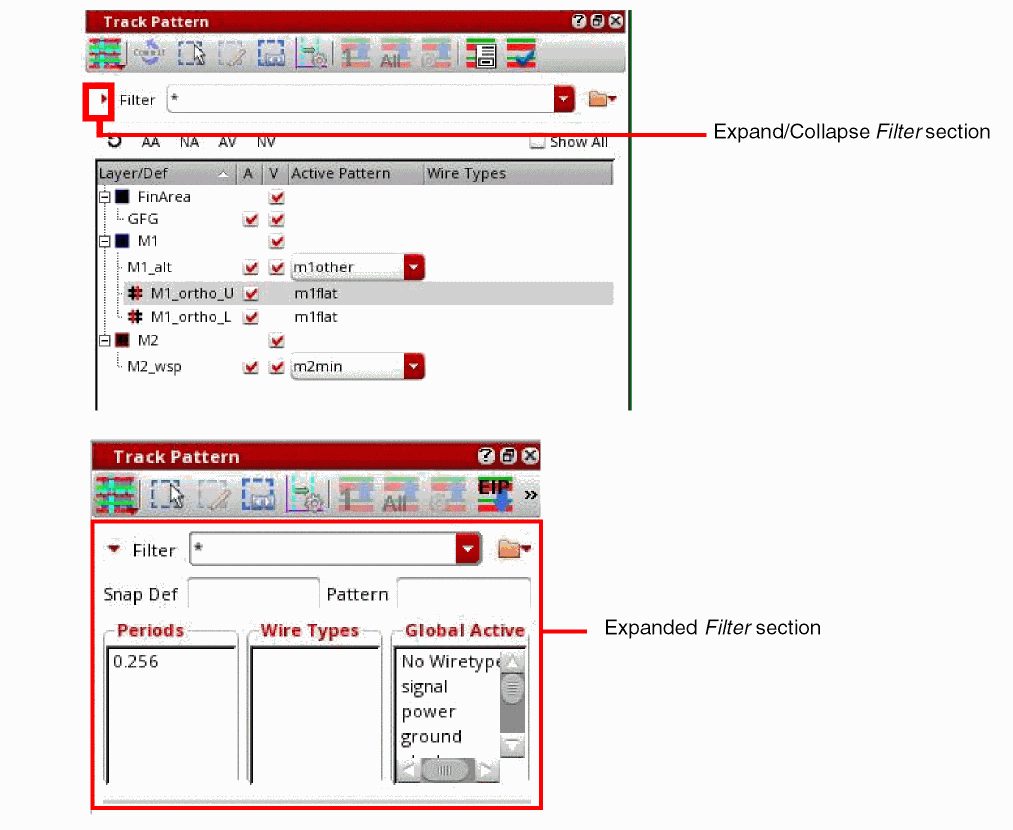
You can control the visibility of the Filter section by expanding or collapsing it using the icon,
 .
. -
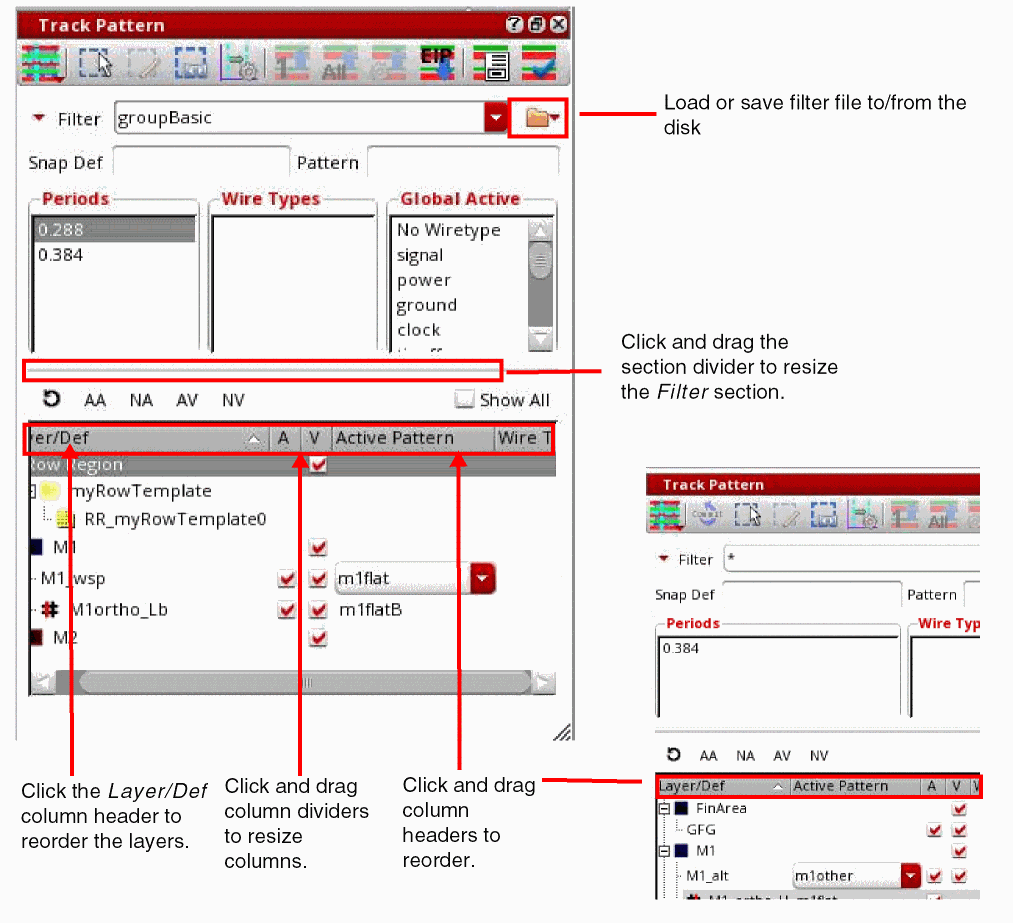
You can also click and drag the horizontal section divider to control the amount of information shown in the Filter section.
- Click and drag table column headers to the left or right to reorder columns.
- Click table column dividers to resize the columns.
-
Click the Layer/Def column to reorder the layers in an ascending or descending order.
Related Topics
Launching the Track Pattern Assistant
Track Pattern Assistant Toolbar
Return to top