
Loading Physical Traces
To load physical traces from a previously saved cellview to your current cellview:
-
Choose Connectivity – Net Tracer – Load Physical Traces.
The Load Traced Nets View Form opens.
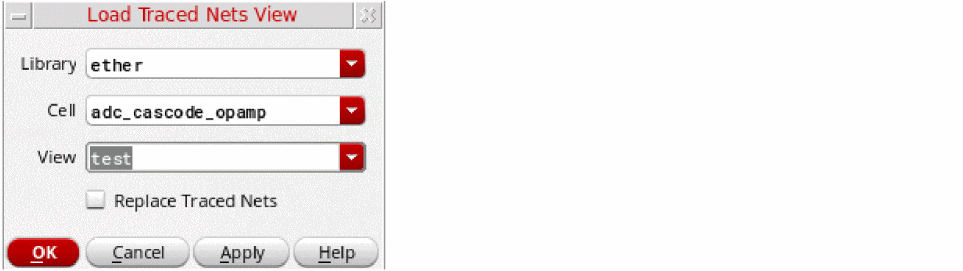
- Specify the view name to use for loading the visible traces.
- (Optional) Choose Replace Traced Nets to replace the displayed traces in the current cellview with the traces being loaded.
-
Click OK.
The previously saved traces from the selected cellview are loaded to the current cellview.
Related Topics
Return to top