
Disabling Permutation for an Instance
You can use the disablePermutation constraint to prevent permutation on a selected instance without having write access to the schematic design. The disablePermutation constraint overrides any permuteRule set for the instance in question and applies throughout the flow.
To create a disablePermutation constraint for an instance,
- Select the instance in question in the layout view.
-
In the Constraint Manager assistant, use the pull-down to choose Disable Permutation.
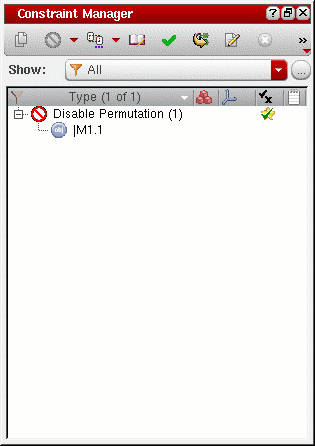
The Constraint Manager is updated to show the new constraint on the selected instance.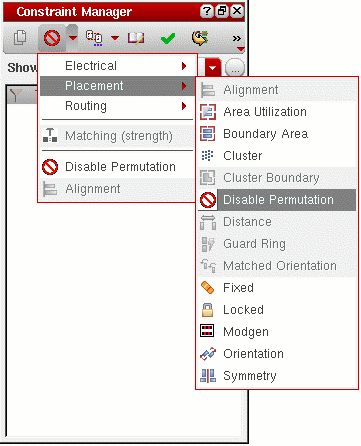
Related Topics
Return to top