
Extracting Connectivity for Unverified Areas
To extract connectivity for previously unverified areas,
-
From the CIW, open a layout cellview and choose Connectivity – Extract Layout.
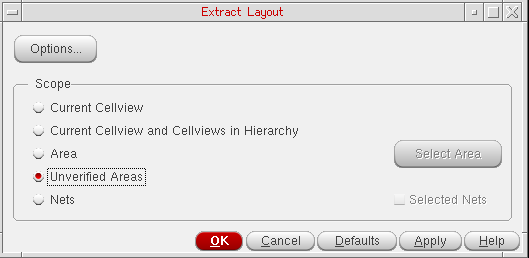
The Extract Layout Form form is displayed. -
Set the Scope to Unverified Areas to enable the unverified area extraction controls.
-
Click OK or Apply to extract connectivity for previously unverified areas.
Connectivity extraction is performed for areas that are defined by Unverified Area Markers.
Related Topics
Return to top