
Load Physical View Summary Report
After running the Load Physical View command, a summary report is displayed in the CIW, which provides details about the information copied from the source cellview to the target cellview.
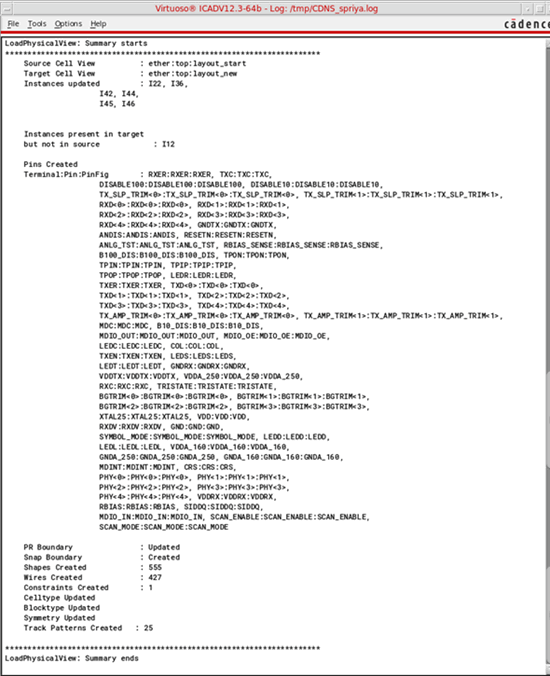
This report includes the following information:
- Names of:
- Names of instances that were:
- Names of physical-only instances that were:
- Names of re-mastered Pcell instances
- Names of pins that were:
- Whether the following attributes were created or updated:
- Number of the following attributes created or updated:
- Number of the following attributes created:
- Whether the following attributes were updated:
If the number of instances to be updated in the target cellview exceeds 100, an abridged report can be displayed.
Related Topics
The Load Physical View Command
Return to top