
Make Cell Pin Creation
By default, Layout XL creates pins for new made cells. However, whether a pin is created for a net depends on the following criteria:
- If the nets are external to the new made cell and they do not already have pins created, Layout XL creates new pins for the nets.
- If the masters of instances in the new made cell do not already have pins created for their terminals in the made cell, Layout XL promotes pins from the masters of these instances.
If the design has a Fluid Guard Ring (FGR) associated with the made cell, Layout XL promotes the pin shapes from the master if the maskLayer of the pin shapes is higher than or equal to that of the FGR.
For situations that a pin needs to be promoted, the layer purpose pair (LPP) is determined based on the following:
-
If the
initIOPinPurposeNamesenvironment variable is set, the Make Cell command checks if the pin purpose can make a valid LPP for pin promotion and uses it, if found valid. -
If the
initIOPinPurposeNamesenvironment variable is not set, and a purpose other thanpinordrawingis specified, a valid layer with its purpose defined aspinis used, if available. If a valid layer withpinpurpose does not exist, a valid layer with purpose defined asdrawingis used. -
If the
initIOPinPurposeNamesenvironment variable is not set and the purpose of the original pinFig is eitherpinordrawing, the purpose of the pin is not changed during promotion.
Examples
Let us now consider a few design scenarios to see how Layout XL handles pin creation for made cells that have a single external net and multiple internal nets. Let us assume that:
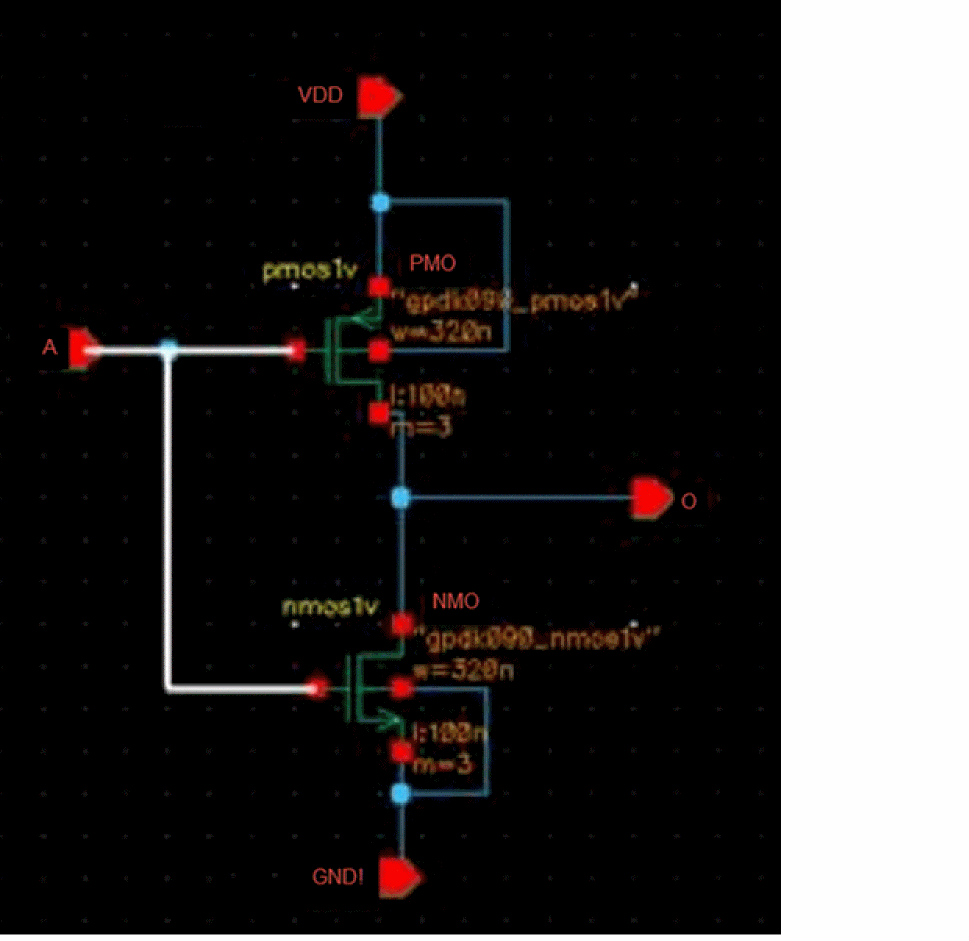
Scenario 1: Net A has no internal routing in the made cell
In this scenario, Layout XL creates pins for all the instance terminals connected to net A, making six connection points, as shown in the figure below.
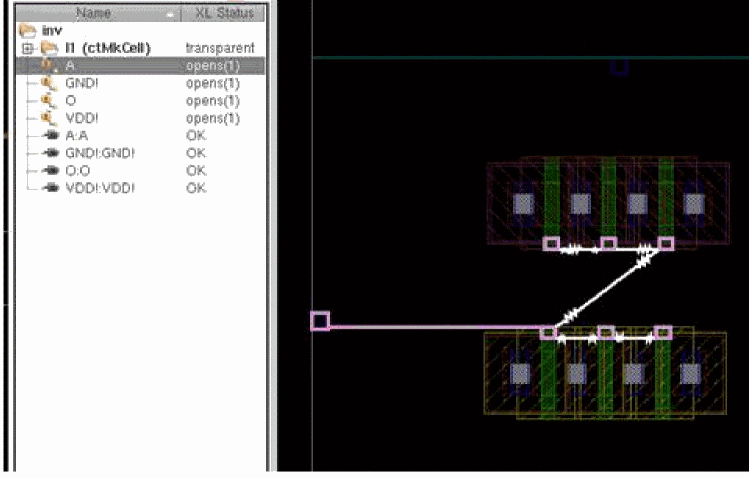
By creating pins for all the instance terminals, Layout XL gives you the flexibility to choose the instance terminal with which to connect. In addition, it gives you a clear picture of the opens from the top level, although it correctly reports only a single open. Therefore, when you route a pin A from the top level to one of the pins in the made cell, A, Layout XL marks the top level net, net A, as complete.
If you descend into the transparent hierarchy, the Navigator assistant displays the correct net status and selecting the net highlights the nets that need to be routed inside the made cell.
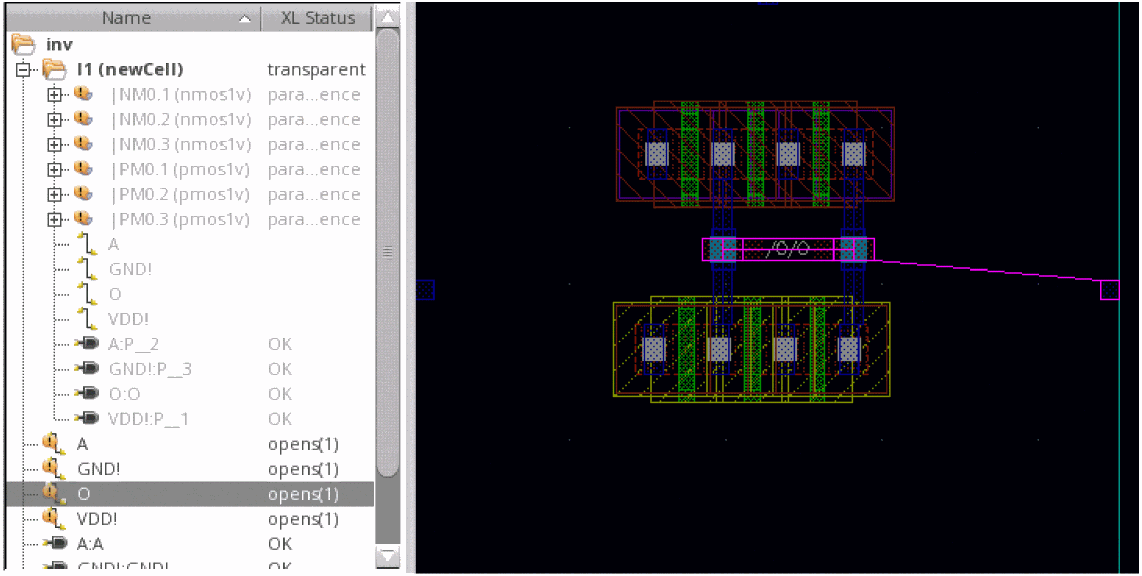
Scenario 2: Net O is connected to all the four connection points inside the made cell
In this scenario, Layout XL creates pins for all the shapes on the highest level metal to increase the routability at the next level. As shown in the figure below, net O selected at the top level has only one pin in the made cell, although it has multiple pinFigs.
Related Topics
Return to top