
Unset a Transparent Instance
To mark a transparent instance as ‘untransparent’ so that the binder ignores the instances and nets within:
-
In the Navigator assistant or layout canvas, right-click the transparent instance to be marked as ‘untransparent’ and choose the Hierarchy – Unset Transparent command.
The Unset Transparent command is context-sensitive. Only those instances that have an XL Status set to ‘transparent’ show the Unset Transparent command as enabled in the shortcut menu.
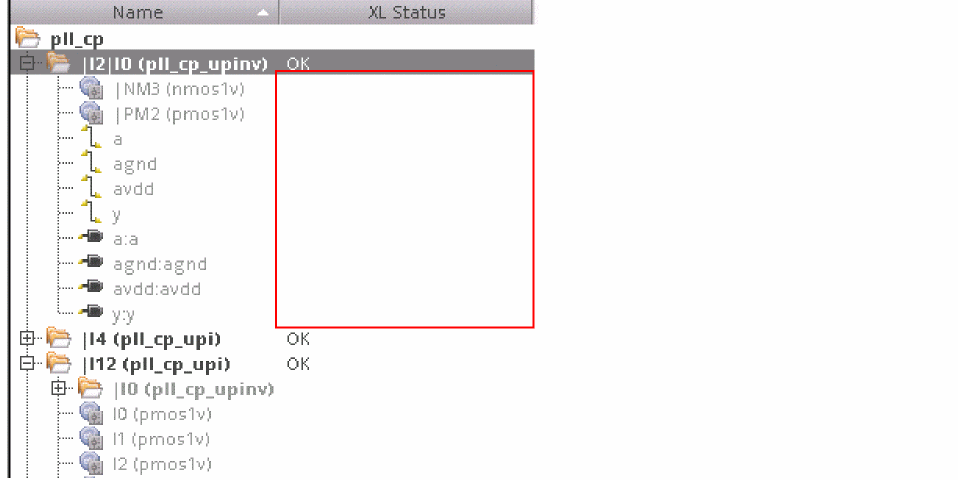
The instance is now set as non transparent and the XL Status changes from transparent to reflect the current binding status, as shown in the figure below. The instances and nets within the transparent instance are no longer visible to the binder, which means that the binding status of the instances and nets within is no longer displayed in the XL Status column, as displayed in the figure below.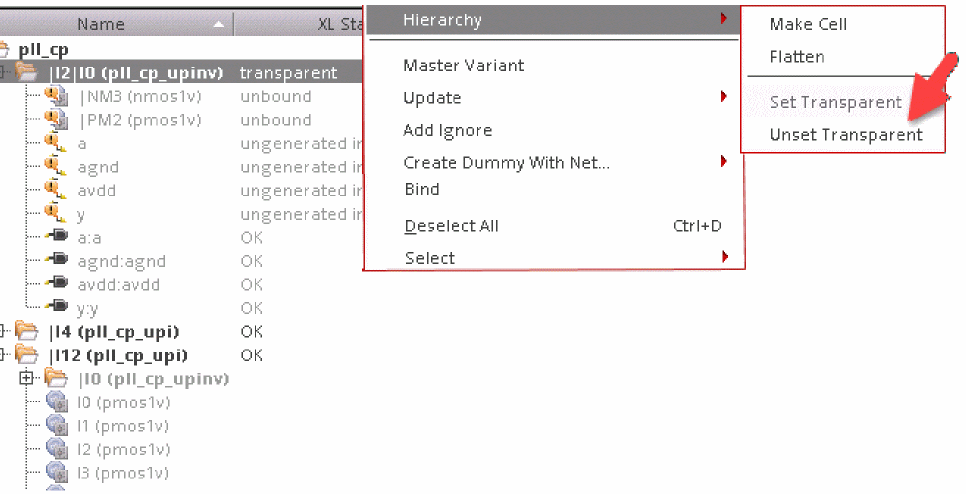
Selecting the Unset Transparent command in the top-level layout removes both instance-based and occurrence-based transparency.
Related Topics
Return to top