
Creating a Group Array when Generating Clones
To create a group array when generating clones:
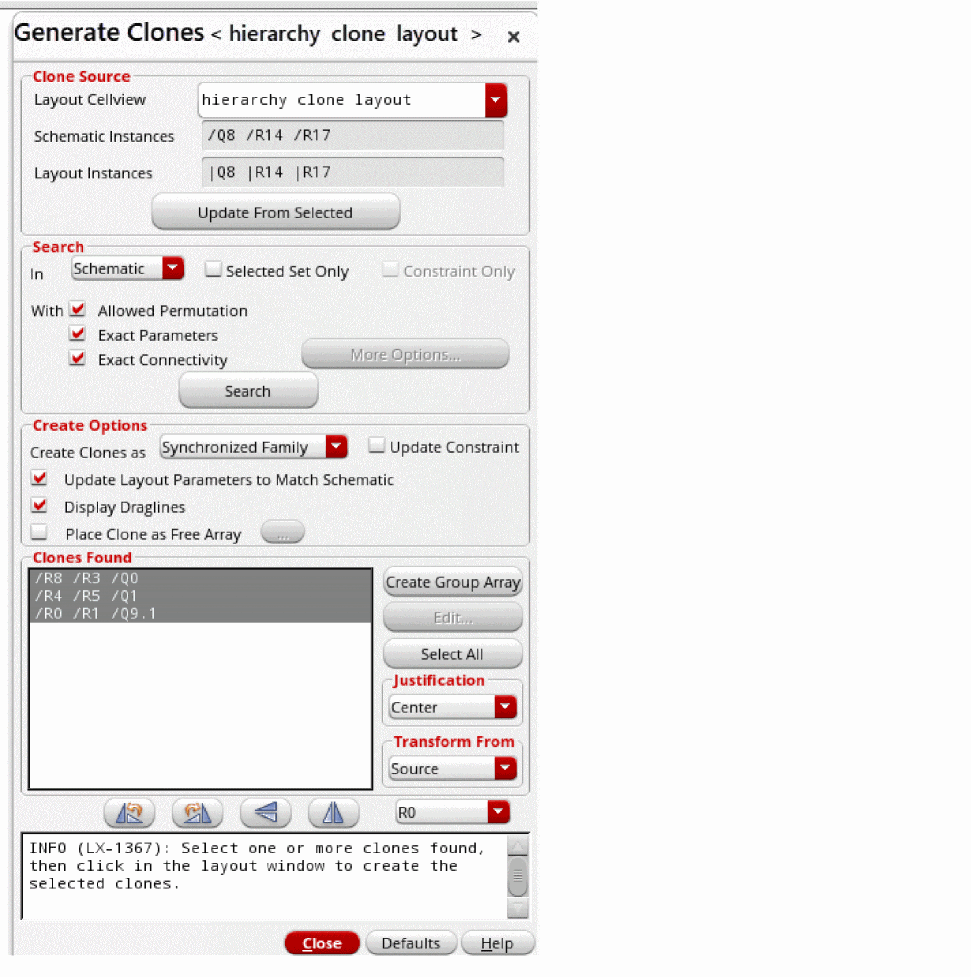
- In the layout canvas, select the individual component or components within an area that need to be cloned and choose the Connectivity – Generate – Clones command.
- Click the Search button to find clones in schematic.
-
Select the clones found.
-
Click the Create Group Array button.
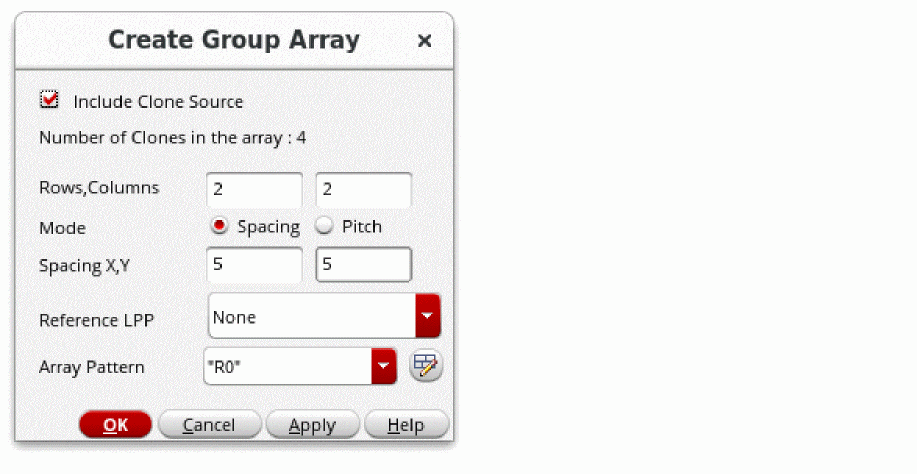
The Create Group Array form is displayed. -
Choose to create a group array by:
- Including the clone source
- Select Include Clone Source.
-
Set different fields in the form based on your design requirements.
-
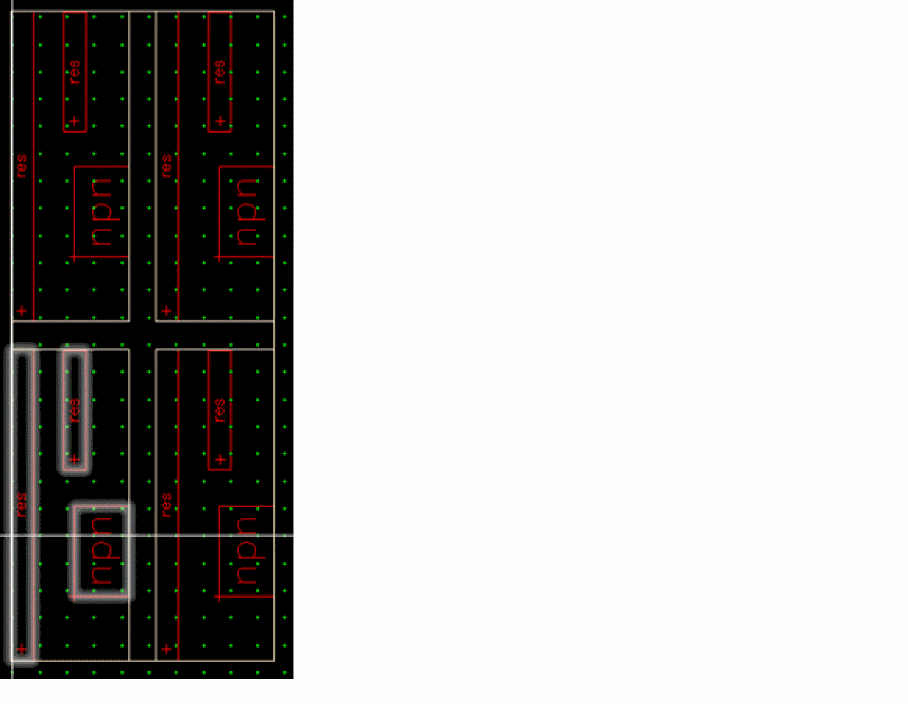
Click Apply or OK to place the group array in the canvas
The group array is created automatically as a batch operation without any drag set. Each clone is a cell of the group array. The clone source is used as the lower-left cell of the group array and then other newly created clones are placed relatively to the existing clone source, respecting the group array settings such as spacing and number of rows and columns.
- Without including the clone source
- Set different fields in the form based on your design requirements.
-
Click Apply or OK.
A group array is created in the cloning drag set with all the new clones but not the clone source. -
Click in the layout canvas to place the group array where needed.
A group array is created in the cloning drag set (and not in the canvas).
Related Topics
Return to top