
Generating an Array
-
From the layout window menu bar, choose Connectivity – Generate – Selected From Source.
The Generate Selected Components form is displayed (pressF3if it is not displayed).
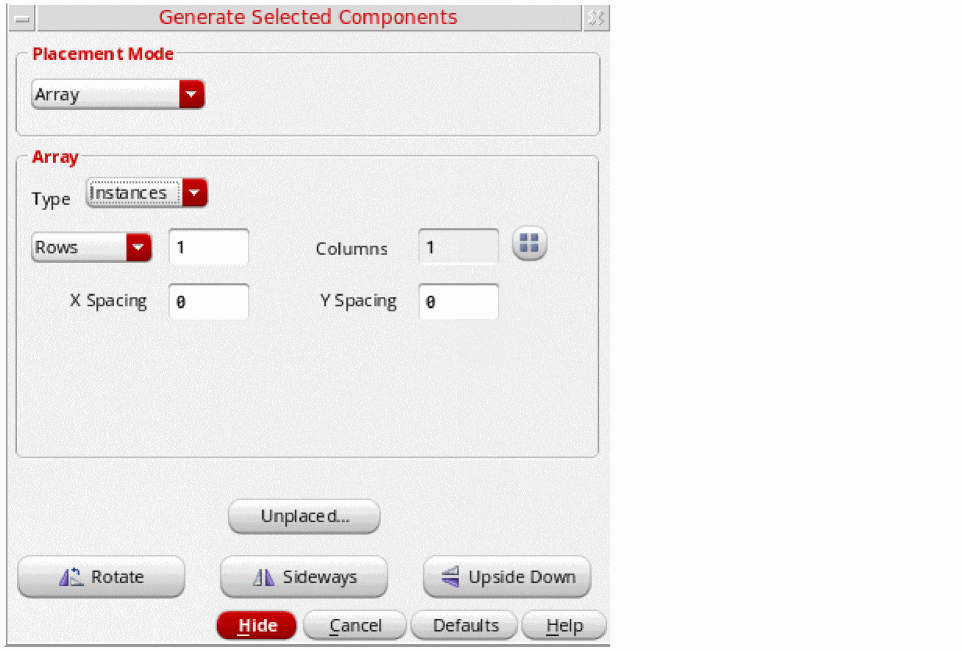
- In the Placement Mode group box, choose Array.
-
In the schematic window; select the instances you want to generate using one of the following methods:
-
Click the components in the schematic canvas or Navigator assistant. To select multiple components, keep the
Shiftkey pressed during selection or area-select the components. To deselect a component, click the component while theCtrlkey is pressed. - Click Unplaced to view the Instance/Pin List form. In the form, select the instances to place and click Apply to select them in the schematic window. See Listing Unplaced Components after Layout Generation.
The selected schematic instances remain highlighted until they are either deselected or generated in the layout view. You cannot select an object in the schematic if an object with the same name already exists in the layout.
Alternatively, right-click the ungenerated instances in the layout Navigator assistant and choose Generate Selected From Source. PressF3if the Generate Selected Components form does not display automatically. -
Click the components in the schematic canvas or Navigator assistant. To select multiple components, keep the
-
Move your pointer into the layout canvas.
The outlines of the selected instances follow the pointer in the canvas. -
Set the options you want for the selected components.
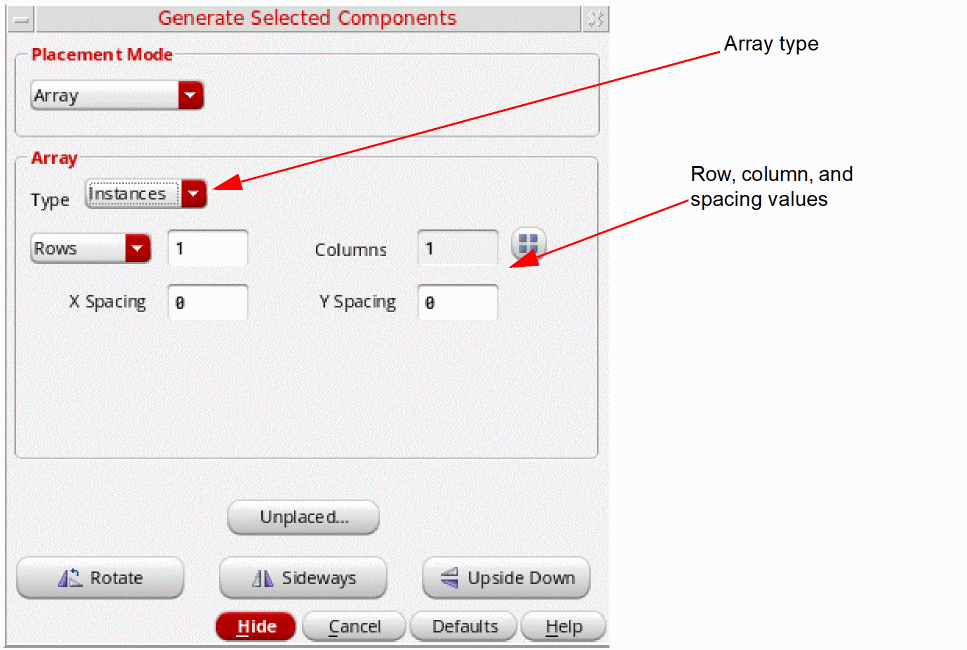
- Click in the layout canvas to place the selected instances at the required location.
Related Topics
Return to top