
Layout Parameters Updates
Use the Update Layout Parameters command to update the parameter values of devices in the layout to match the values in the schematic. The software checks the parameter values on the specified devices in the schematic against the values in the layout and updates the layout parameters when it finds differences (unless you have set the lvsIgnore or ignore property on a device).
The updates are reported in a Layout XL Info window, along with information about any layout devices that contain properties that do not exist on their schematic counterparts. If updating parameters results in a change in the layout, Layout XL updates the connectivity and indicates any problems by drawing markers in the layout window.
If you are using CDF callbacks, the command first applies the callback and then applies all the differing parameters on the schematic device.
To see a report on what would be updated without making any changes to your design, run Check Against Source before you run Update Layout Parameters.
You specify how the parameters and properties are updated on the Parameters of the Connectivity form.
By default, the software updates layout parameter values only and ignores parameters that are present in the schematic but missing from the layout.
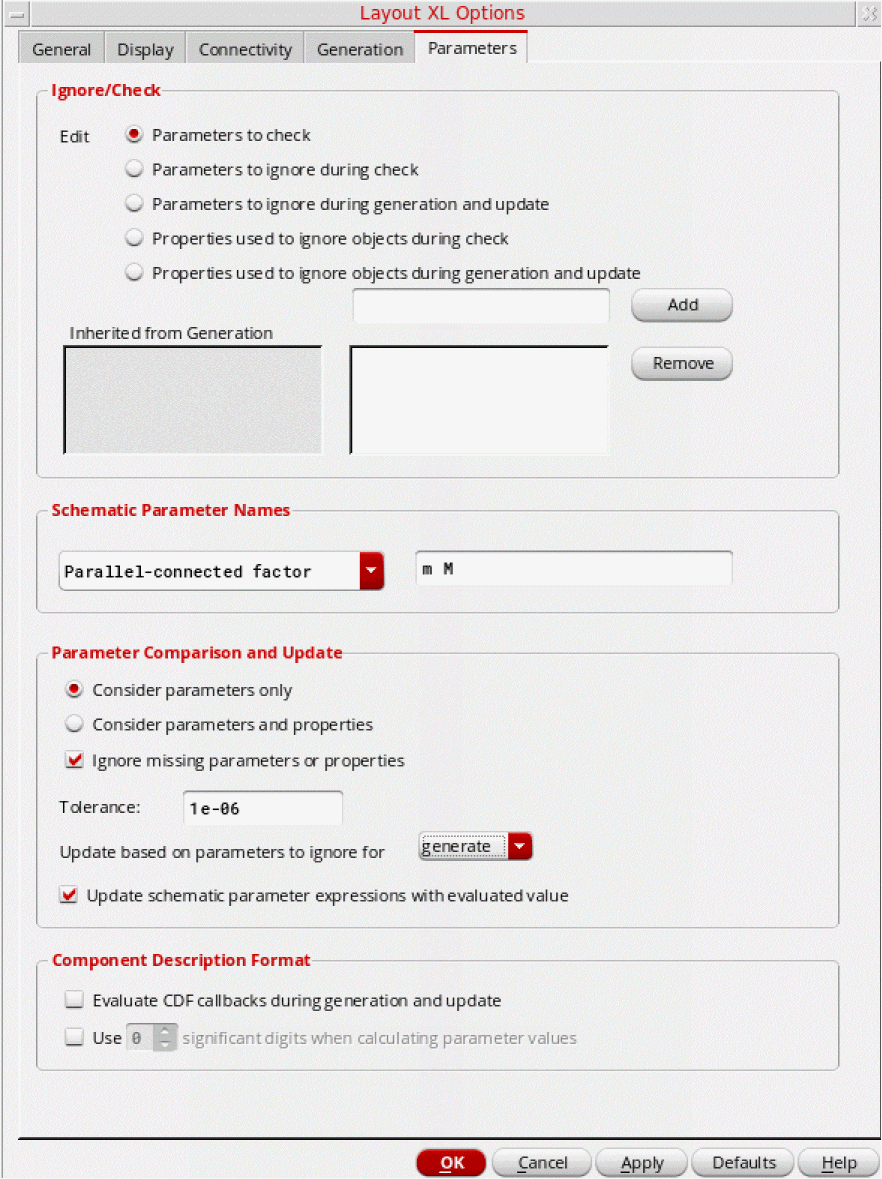
-
To propagate any missing parameters from the schematic to the layout, switch off Ignore missing parameters or properties.
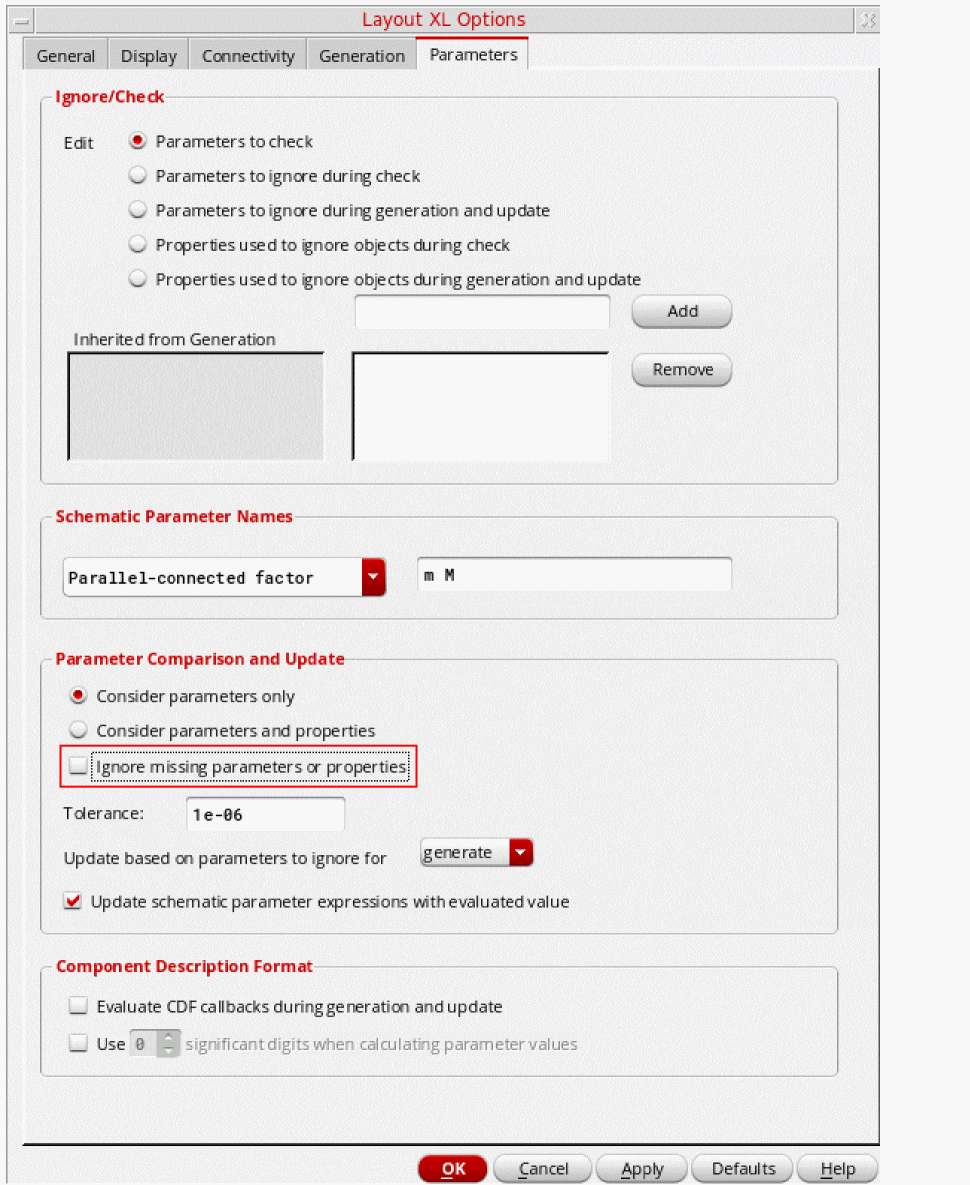
-
To update parameters and properties, including missing properties, set the options as shown below.
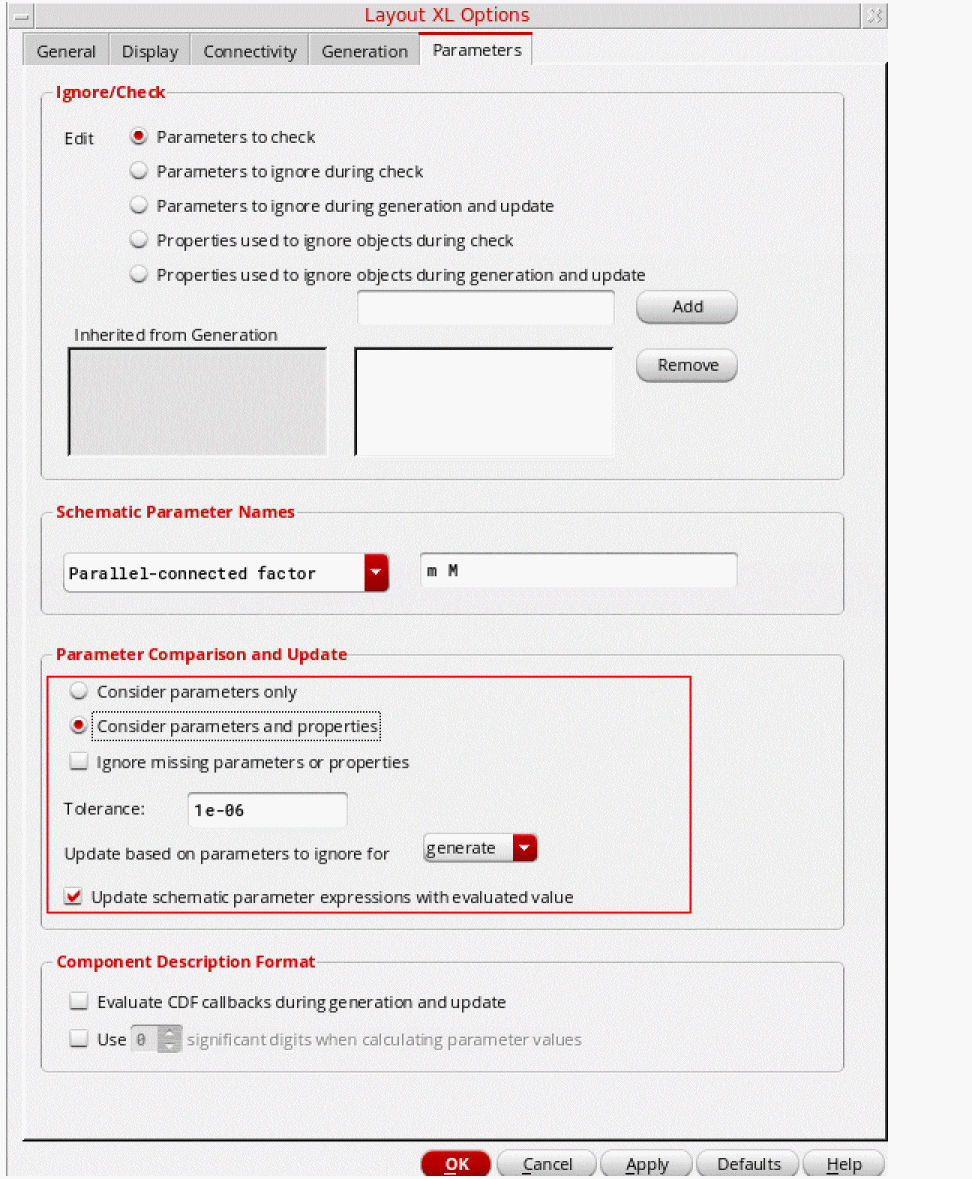
-
To update parameters and properties, ignoring those that have not been reported during Check Against Source, set the options as shown below.
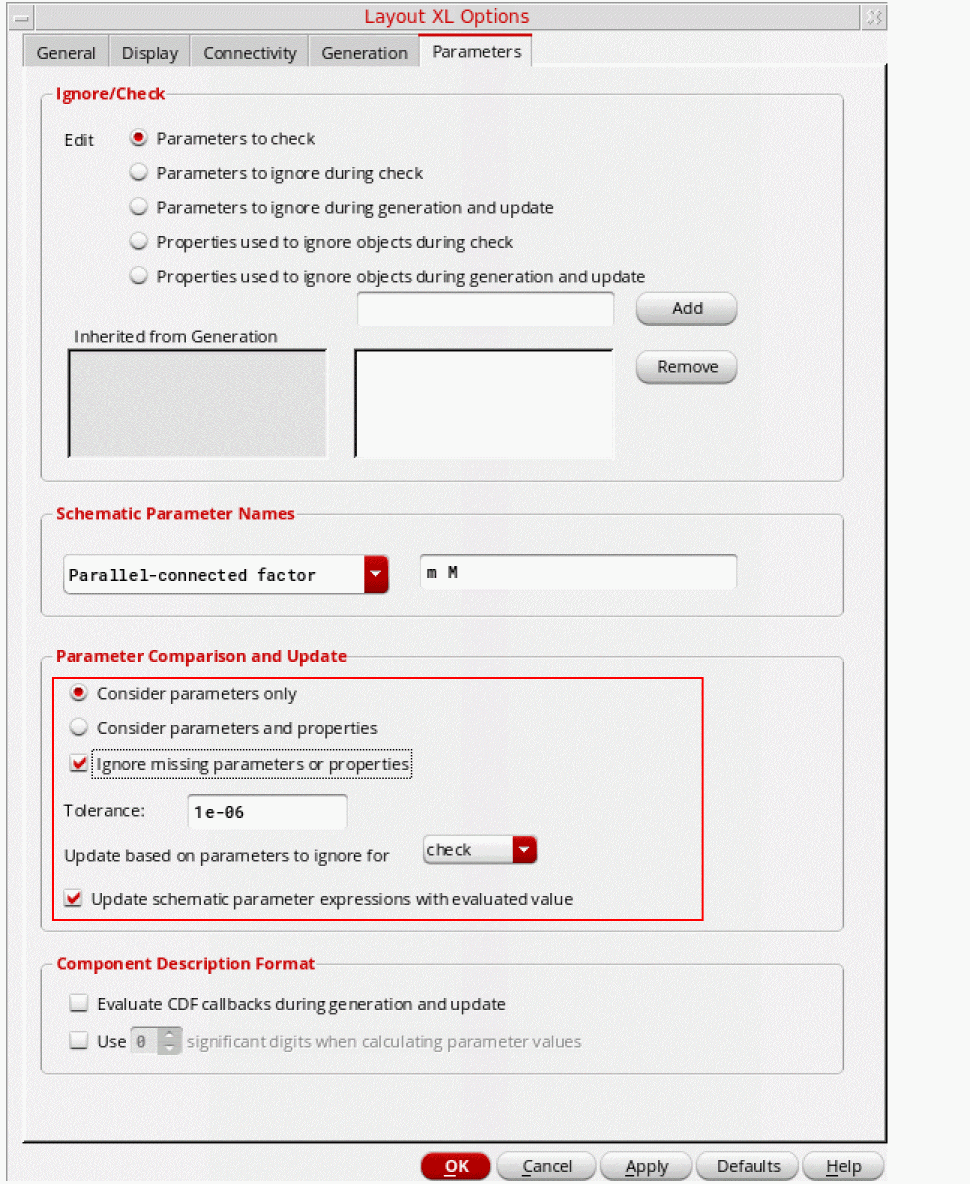
Limitations
Update Layout Parameters does not:
- Delete any parameters or properties from the layout view.
-
Update the parameters of complex devices defined using the
lxCombinationproperty, because this might involve deleting and creating instances in the layout view. Use Update Components And Nets instead. - Update split transistors if the sizes of the resulting transistors are different, because such transistors may be the result of manual splitting. If the layout figure selected for update is a transistor that has been folded, Layout XL displays a message that says that it is not updating the parameters.
-
Copy
netSetproperties, which are used to specify the new value of a global signal when you are using inherited connections to assign more than one value to a global net.
Related Topics
Checking a Layout Against a Schematic
Return to top