
Schematic Parameter Updates
Use the Update Schematic Parameters command to update the parameter values of devices in the schematic to match the values in the layout.
To use the Update Schematic Parameters command, you must have the schematic window open in the edit mode. The layout window, on the other hand, could be open in the read mode.
The software checks the values of the parameters of the specified devices in the schematic against the values in the layout and updates the schematic parameters when it finds differences (unless you have set the lvsIgnore or ignore property on a device).
The updates are reported in a Layout XL Info window. If you are using CDF callbacks, the command applies the callback first then applies all differing parameters on the layout device.
To see a report on what would be updated without making any changes to your design, run Check Against Source before you run Update Schematic Parameters.
Use the LAM file to specify how the parameters and properties are updated. Alternatively, specify this on the Parameters of the Connectivity form.
By default, the software updates schematic parameter values only and ignores parameters that are present in the layout but missing from the schematic.
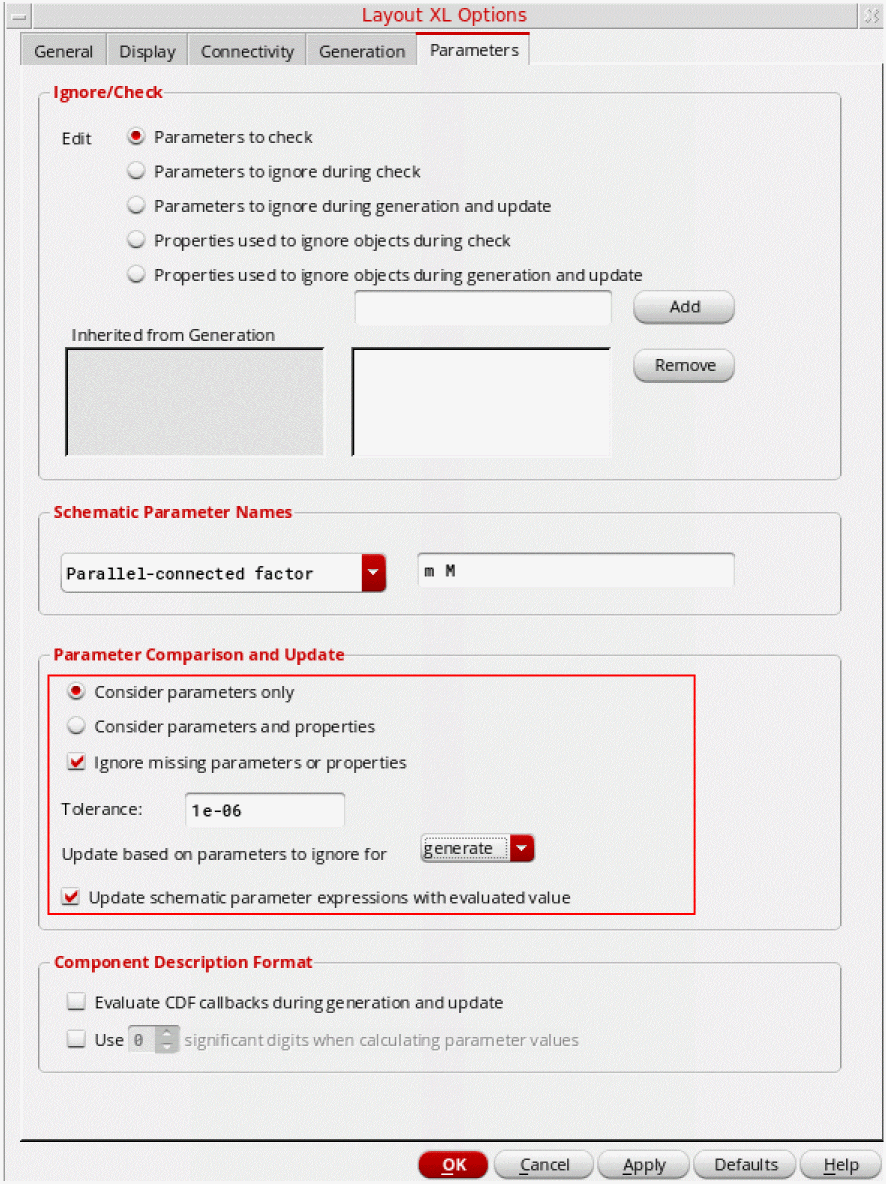
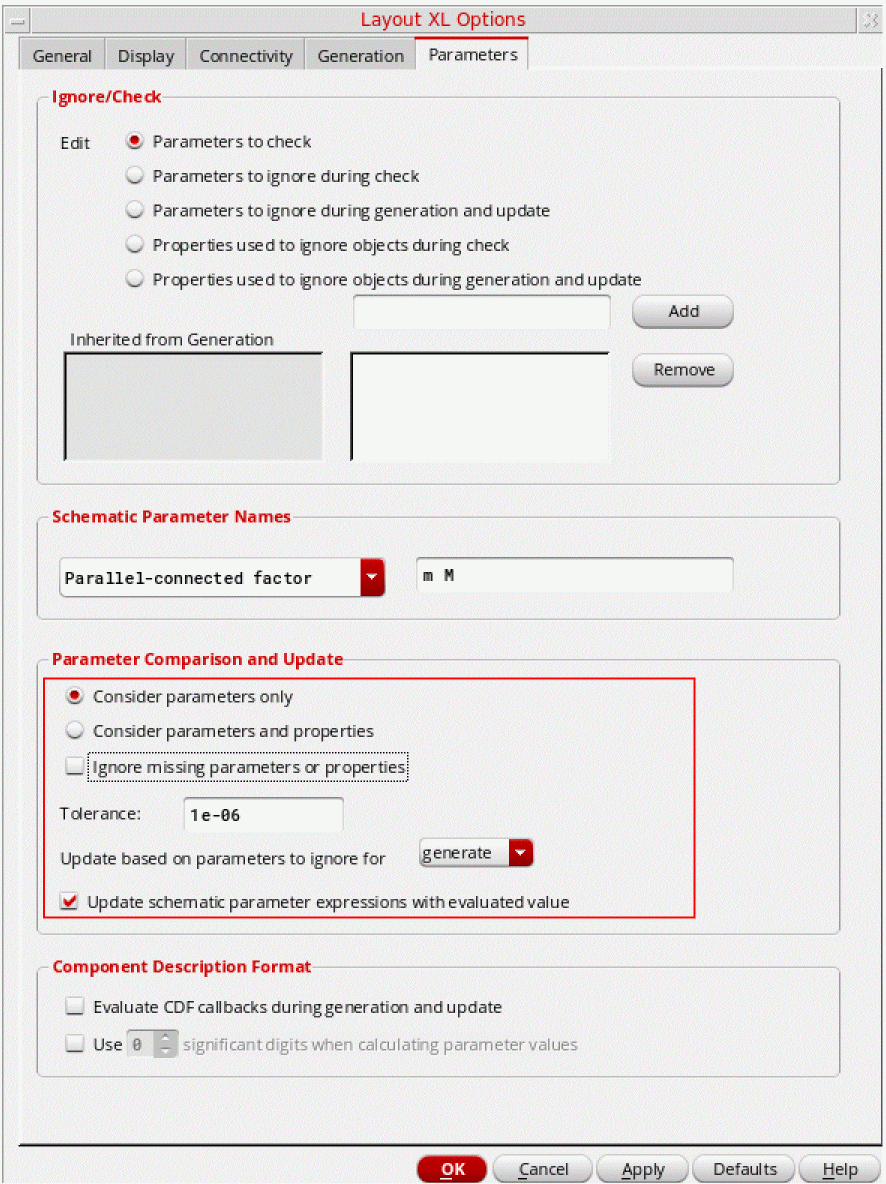
To propagate any missing parameters from the layout to the schematic, switch off Ignore missing parameters or properties.
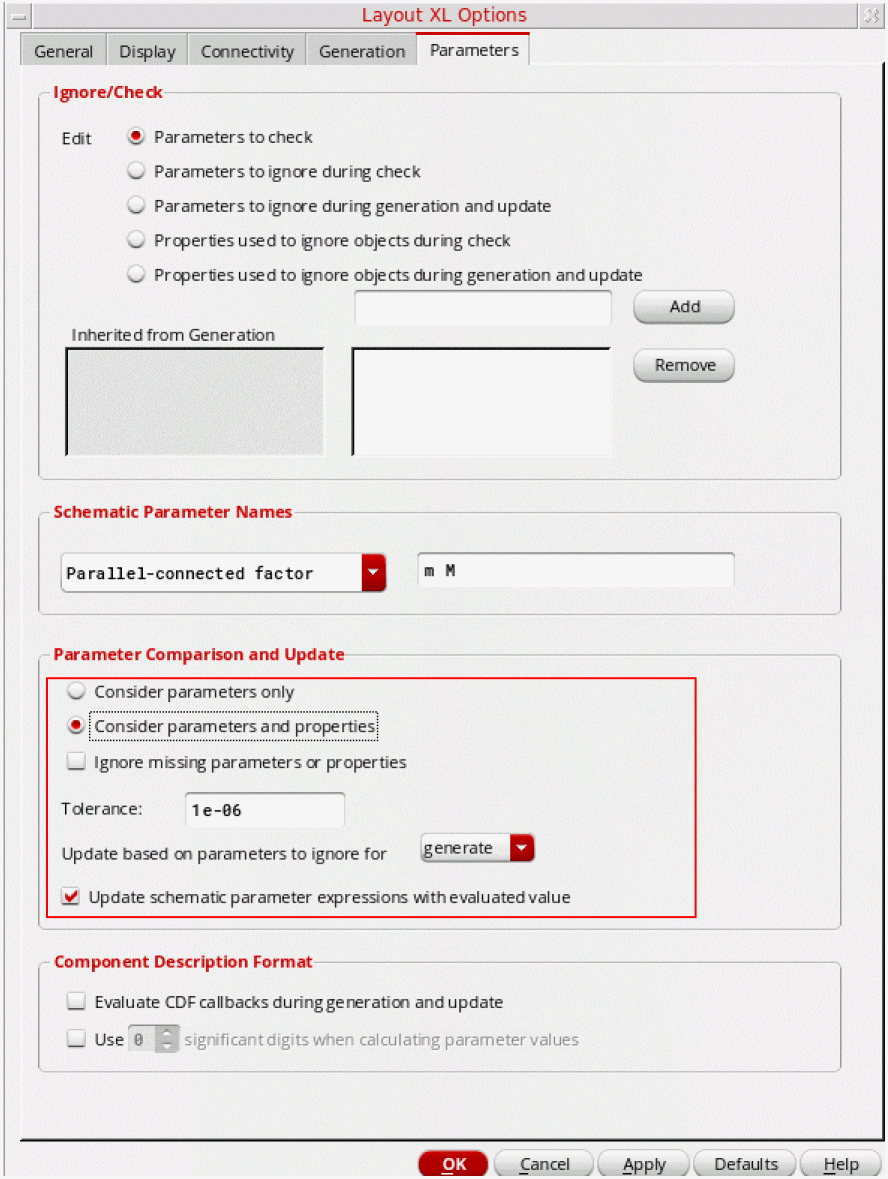
To update parameters and properties, including missing properties, set the options as shown below.
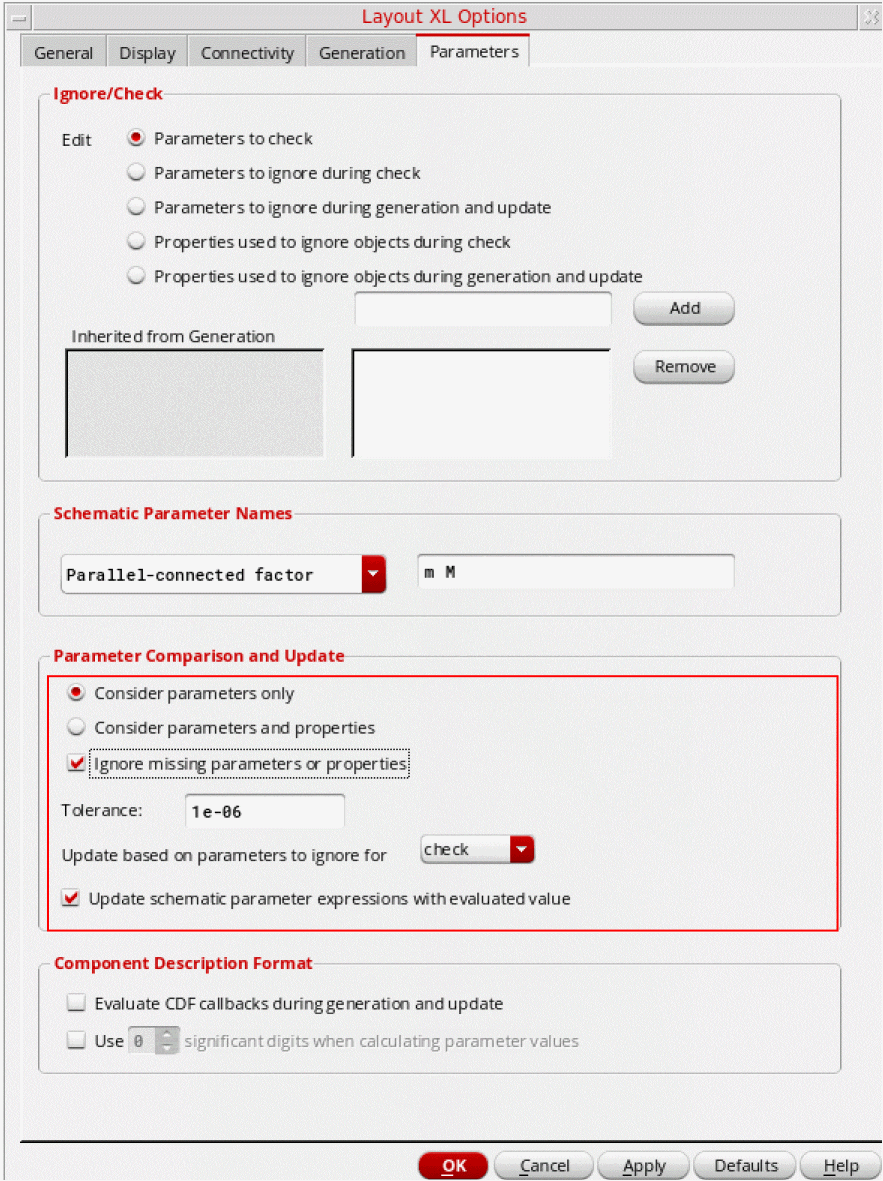
To update parameters and properties, ignoring those that have not been reported during Check Against Source, set the options as shown below.
Related Topics
Checking a Layout Against a Schematic
Ignore Parameters and Terminals
Return to top