
Edit Soft Blocks Form
Use the Edit Soft Blocks form to modify the type of soft block that will be created; the shape and size of the PR boundary; the shape, size, and signal type of soft pins; and the routing and placement obstructions inside the block.
The form includes certain common options, which you can use to control information display. The following table describes the common options.
The Edit Properties form contains the following tabs.
Related Topics
Boundary
The Boundary tab has two modes: Fixed and Non-fixed.
The table below lists the valid combinations of the options in fixed mode.
Non-fixed mode is where you have not specified the width and height of the blocks and you want to estimate the area. The table below lists the valid combinations in non-fixed mode.
In non-fixed mode, the Area Calculation section becomes available, where you can select how the area of the place and route boundary is calculated. The methods available depend on the cell type of the soft blocks.
If the block has type softMacro, you can use the Manual, Internal Estimator, or User Defined Estimator methods; if the block has type blockBlackBox, you can use the Manual, Area Per Gate, or User Defined Estimator methods.
The following table describes the fields available on the Boundary tab of the Edit Soft Blocks form:
| Field | Description |
|---|---|
|
Lets you create a rectangular boundary. Use the two cyclic fields below the Rectangle radio button to specify the dimensions of a soft block. |
|
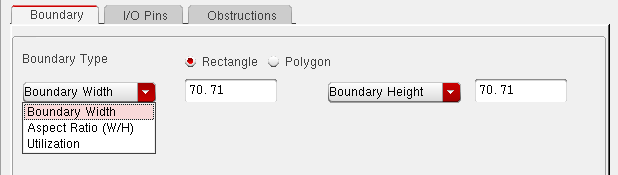 |
|
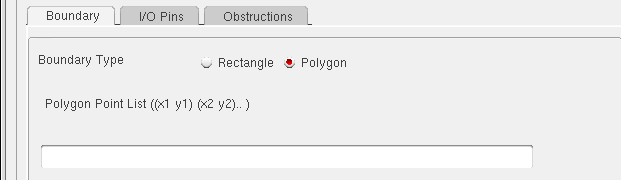 |
|
|
Lets you specify the area in the field provided. Use this method if you already know the area of the soft block. Type the area into the field provided. |
|
 |
|
|
Calculates the area based on either the place and route boundary or the bounding box of the components contained in the soft block. Choose either PRBoundary Based or BBox Based from the cyclic field and click Estimate to calculate the area. |
|
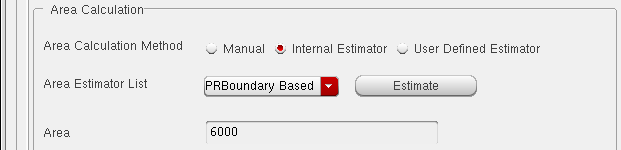 |
|
|
Lets you specify your own area calculation function using the framework. See Creating and Registering a User-Defined Area Estimation Function. The picture below shows no user-defined function registered. |
|
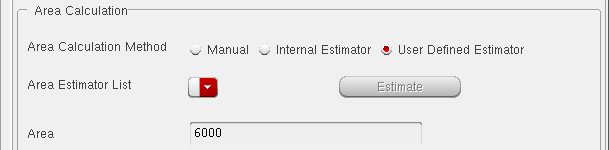 |
|
|
Lets you enter the area per gate and the gate count for a digital block. The system calculates the area based on the following formula. |
|
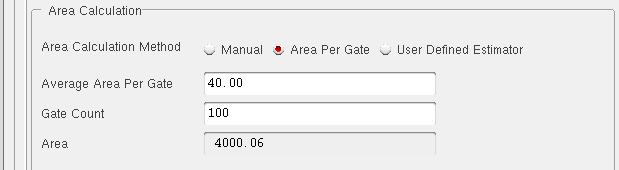 |
|
Related Topics
I/O Pins
This table is initialized with Term and Net names from the symbol view of the selected soft block.
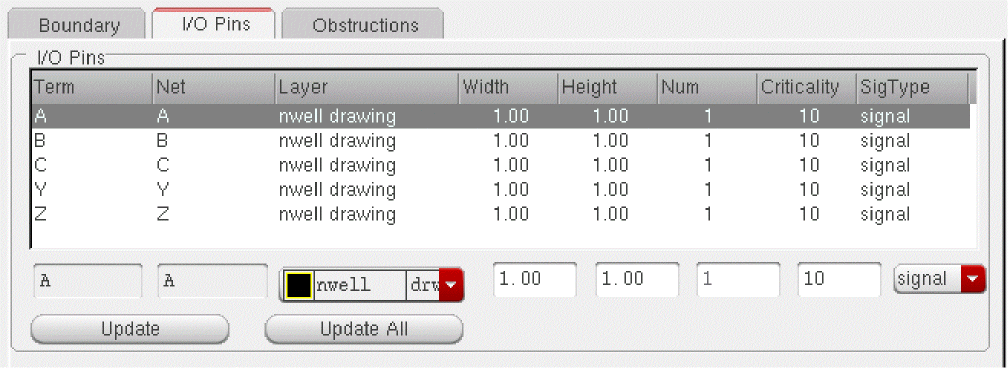
Change the parameters as required and use the Update button to update the selected pins, or use the Update All button to update all the pins in the block with the current settings.
If you select multiple blocks the I/O Pins tab changes as shown below.
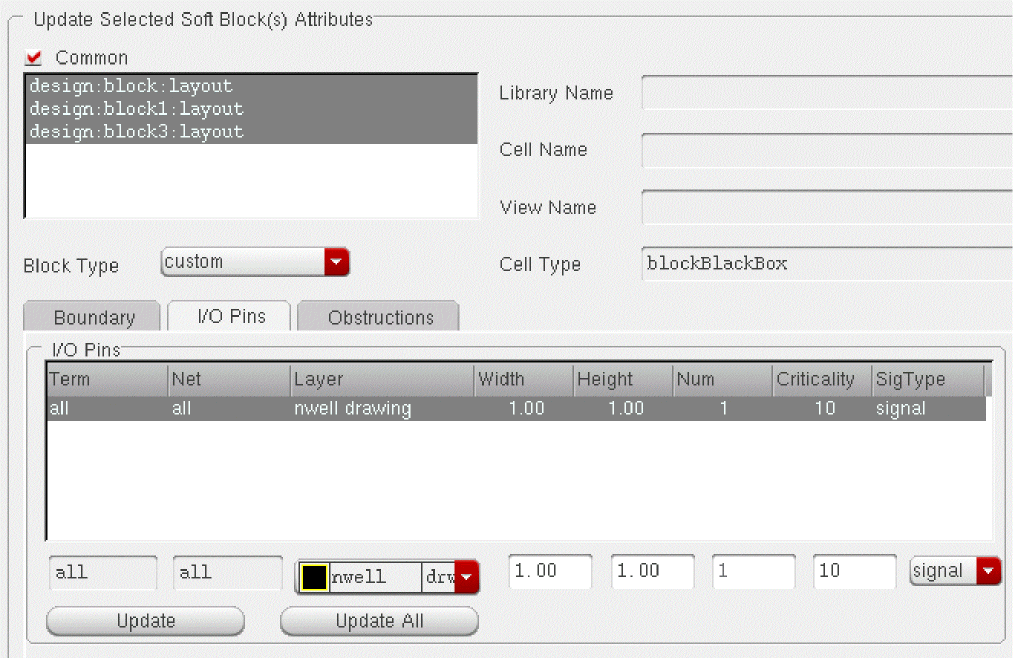
Change the parameters as required and use the Update button to update all the pins in all the selected blocks.
Related Topics
Obstructions
The following table describes the fields available on the Obstructions tab of the Edit Soft Blocks form:
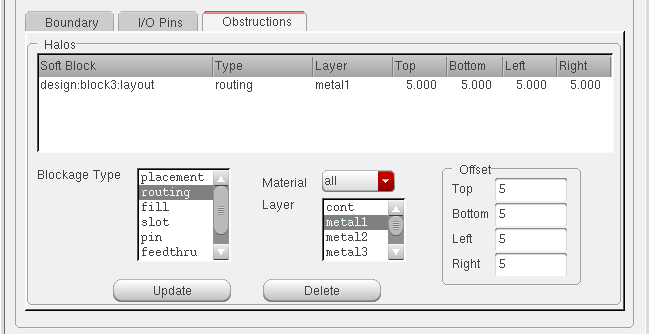
Related Topics
Return to top