
abutOffset Property
abutOffset float f_value
Description
Specifies an offset based on the reference edge. The reference edge is the outside edge of the pin that triggered the abutment on each cell in the direction defined by the abutment direction.
The value number can be positive or negative and indicates a distance in user units to offset the reference edge from the outside direction of the cell. A negative number causes the pins to overlap.
If the abutFunction parameter adjustment event returns nil, auto-abutment looks for a property on the pin called abutOffset and applies the value of this property for offset. If the property abutOffset does not exist, auto-abutment uses the outside edge of the pin with no offset.
If the pin of the device being abutted overlaps the other pin on the bottom or top, the pins are aligned by the bottom or top edges, respectively. This also applies from side to side when abutment is vertical.
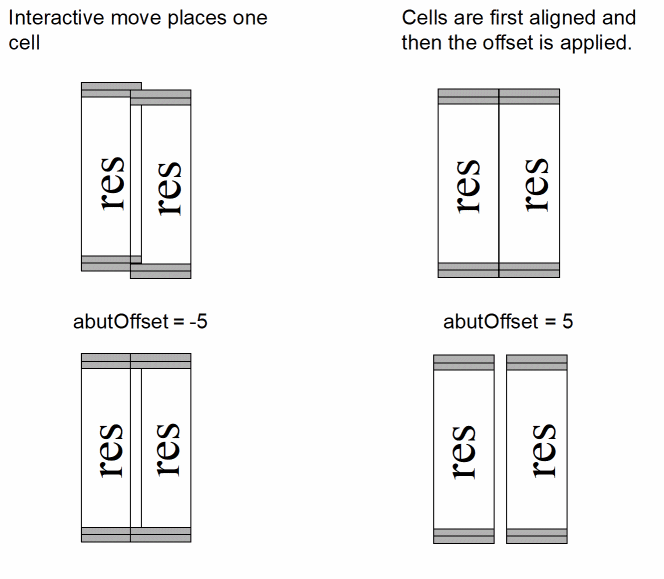
Example
abutOffset 5
Related Topics
Creating CMOS Pcells to Use with Abutment
Return to top