
Specifying User Preferences
You can specify user preferences for the current session using the User Preferences form. To open the User Preferences form:
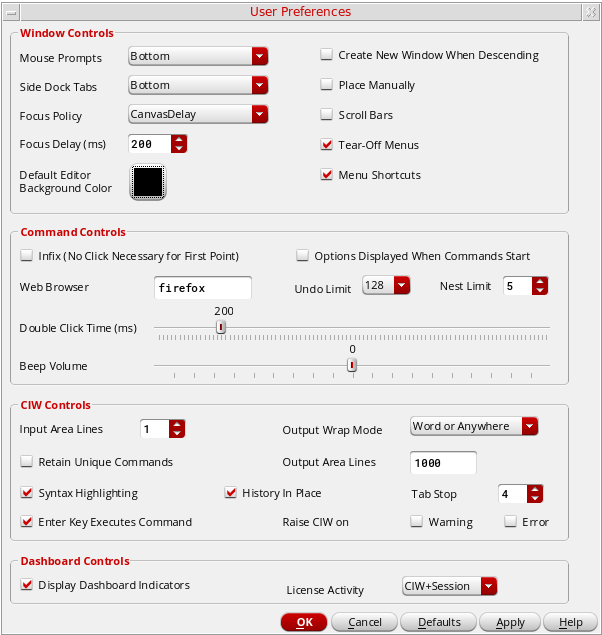
Changes you make on this form, once applied, take effect with the next command you issue or the next window you open. Menu Shortcuts is an exception since the changes made to it only takes place in the next Virtuoso session if you permanently save the changes in the .cdsenv file.
To make these changes permanent, choose Options – Save Defaults. For more information, see Specifying New Default Values for a Virtuoso Session or edit your .cdsenv file. Some of the changes get effective with the next command while others become effective the next time a window is opened.
Save your settings and apply them to future sessions:
-
In the Command Interpreter Window, choose Options – Save Defaults.
The Save Defaults form appears. -
Click OK.
The program saves these settings to your.cdsenvfile and applies them to future sessions.
Related Topics
Return to top