
Diagnostic Center Overview
The Diagnostic Center in the Virtuoso custom IC design platform is a one-stop shop for self-help and troubleshooting performance issues. It contains many debugging techniques to detect issues that might have caused an application to slow down.
Additionally, the Diagnostic Center provides an option to check your system and environment variables to identify potential setup issues, scan your libraries for data integrity issues, or gather other relevant data for debugging.
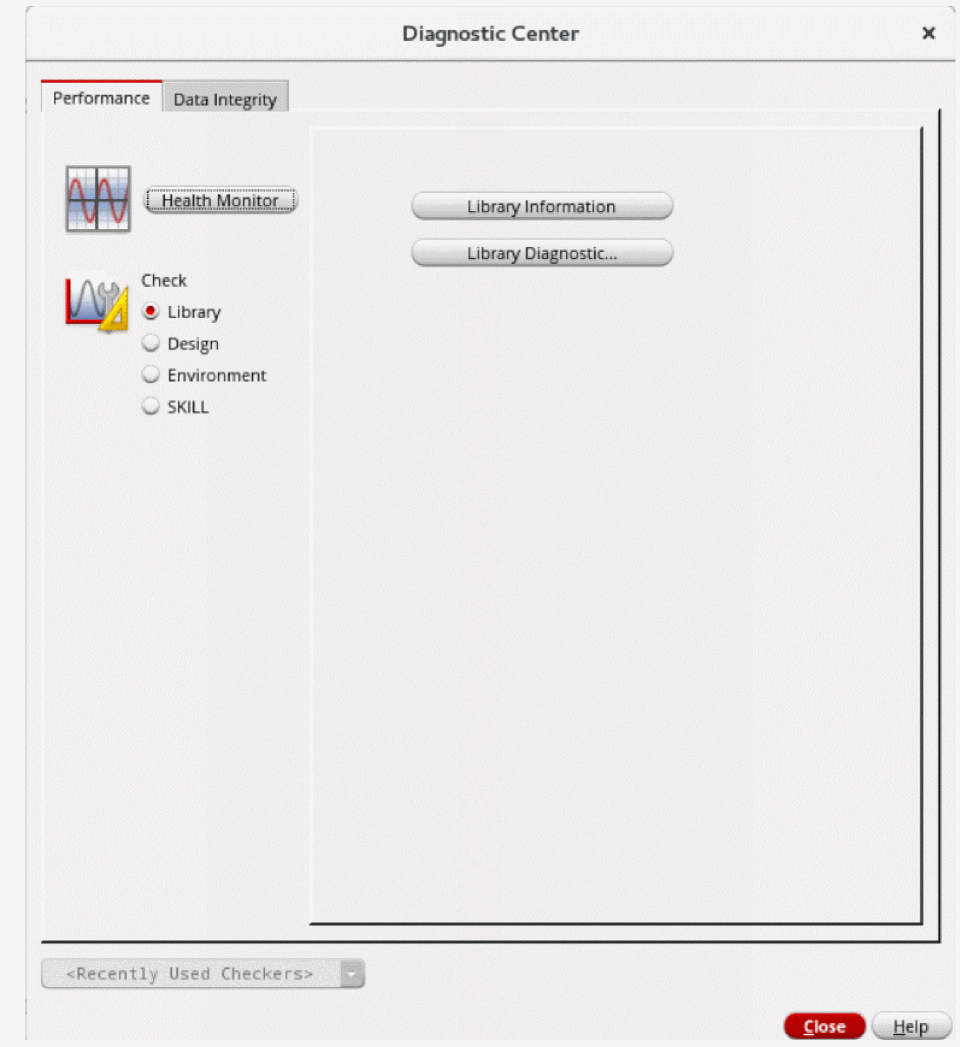
It has two tabs to perform these various checks,
- The Performance tab has the Health Monitor, which provides information to help you set up Virtuoso for better performance. This tab offers multiple checks to detect potential setup issues, such as checking environment variables, library data, design statistics, and SKILL profiling.
- The Data Integrity tab helps to detect data integrity issues by performing various checks, such as scanning libraries and hierarchies.
The Constraint Integrity checker and a subset of the Database Integrity checker are available in both tabs. It is because a data integrity issue might also appear as a performance issue, such as excessive unreferenced constraints or a recursive loop in the design hierarchy.
To open the Diagnostic Center, choose Tools – Diagnostic Center from the CIW menu bar.
The Diagnostic Center form appears.
Related Topics
Return to top